
xXtim44Xx - Minecraft Skins & Skin History
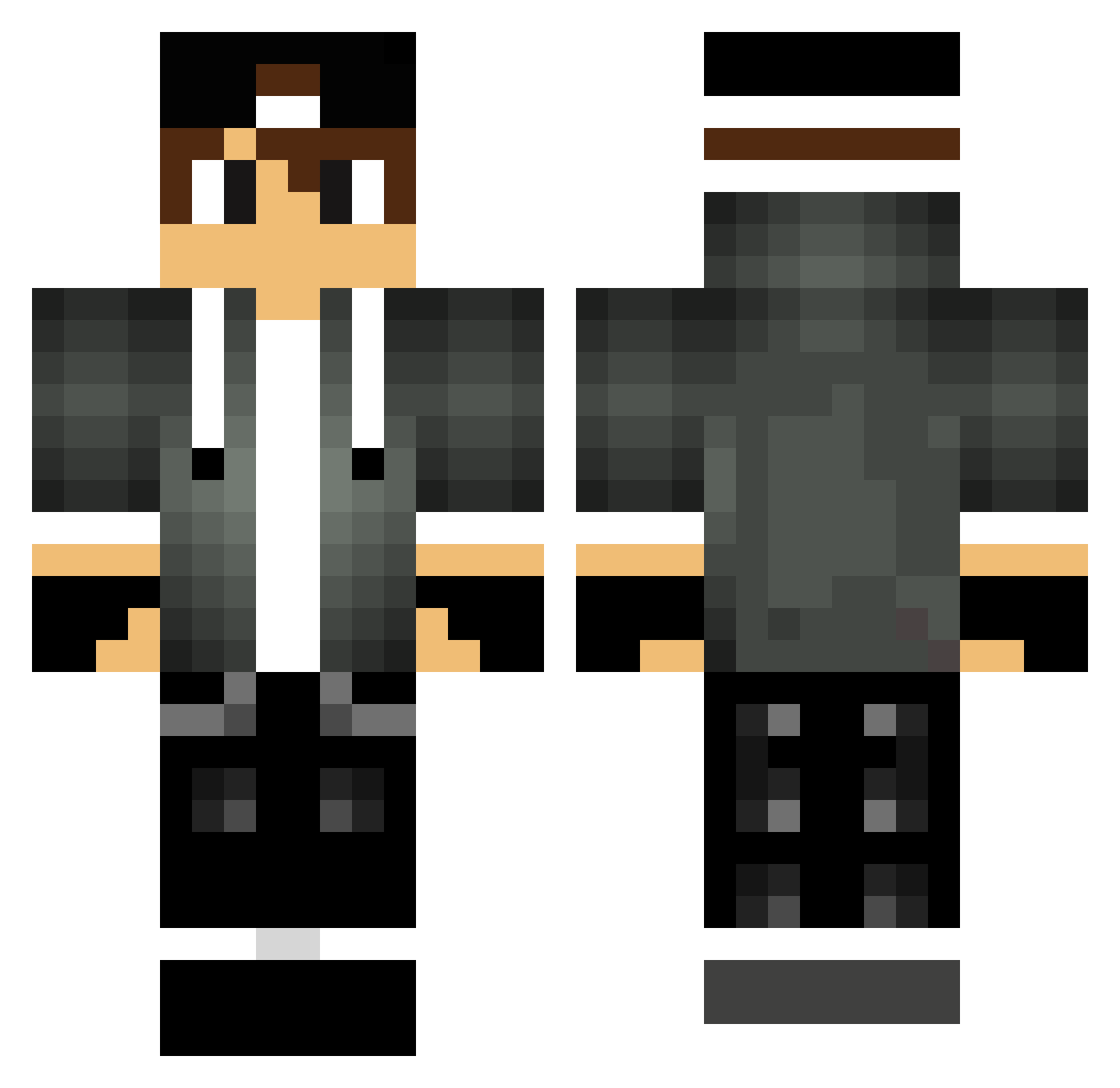
Current Minecraft skin of the player xXtim44Xx, loaded from the official Mojang API. Rotate the 3D model with your mouse or finger, then download the skin as a PNG file and use it in Minecraft: Bedrock Edition or Java Edition for free. When xXtim44Xx changes their skin, this page updates automatically and the old skin stays in the history below.
Other players with this skin (288)
xXtim44Xx was the 136th player we have seen with this skin, first spotted on 19.09.2026. The same skin was seen on these players. Open a nickname to see their current skin and skin history.
 GDMDanny pierlusilver05 Hamodi_gamer buzz_Gaming CuzIamDarK_ makercocuk3 paldren_ Aleks2x2 JhayGarrick galaxy53 Numblosn xXMHunterXx Poom_Thai poto03 Quinttino2000 Sombra10 mcd315 Benholeo haytam2006 vinidroid03 LPedro1205 arvid246 clooop danika1010 Fake__Toxic LightningLively shadowskull0815 YEEBACKYEE BCBronco Laikaxx _lukas2003_ __AliEmir__ Minecraft_118 VisionOG XenonH1092 Liuk123 Joker01J mud_digger YUUYAN0 gokeronline Aric20 NehxusFPS trickytrax vShady Kyran101 martjoman NicolaeNickN Switch_The_Flows AidanZ14 tommy_m_1234 Bell1215 patrickkissman PopCorn_17 afronk trlblzr Nicolas011 lazz6 CihoKS_ MERGDD Lauri040505
More Cap Minecraft skins
How to install the xXtim44Xx skin
- Press the Download button above to save the skin as a PNG file.
- Minecraft: Bedrock Edition (PE): open the Dressing Room from the main menu (or tap your character → Edit Character), go to Classic Skins → Owned, press the + (new skin) button, choose the downloaded PNG and pick the Classic (Steve) model. Works on PC and mobile; consoles cannot import custom skins.
- Minecraft: Java Edition: open the Minecraft Launcher, go to the Skins tab, click New Skin, load the PNG, pick the Classic (Steve) model and press Save & Use. You can also upload it at minecraft.net → Profile → Change Skin.
The skin does not show up after import - what should I do?
Restart Minecraft and open the Dressing Room again - imported skins sometimes appear only after a restart. Also make sure you selected the imported skin and picked the Classic (Steve) model.
Which model should I choose, Classic or Slim?
This skin is designed for the Classic (Steve) model. If you pick the wrong model, the arms of the skin will look stretched or squeezed.
Is the skin of xXtim44Xx free to download?
Yes. Press Download, save the PNG file and use it in Minecraft: Bedrock Edition or Java Edition - no payment or registration needed. The skin also works on multiplayer servers and Realms.
More skins
Looking for more? Go back to all Minecraft skins and check the top skins of the week, month and all time, or find any player's skin by nickname.