
xX_Shadowz - Minecraft Skins & Skin History
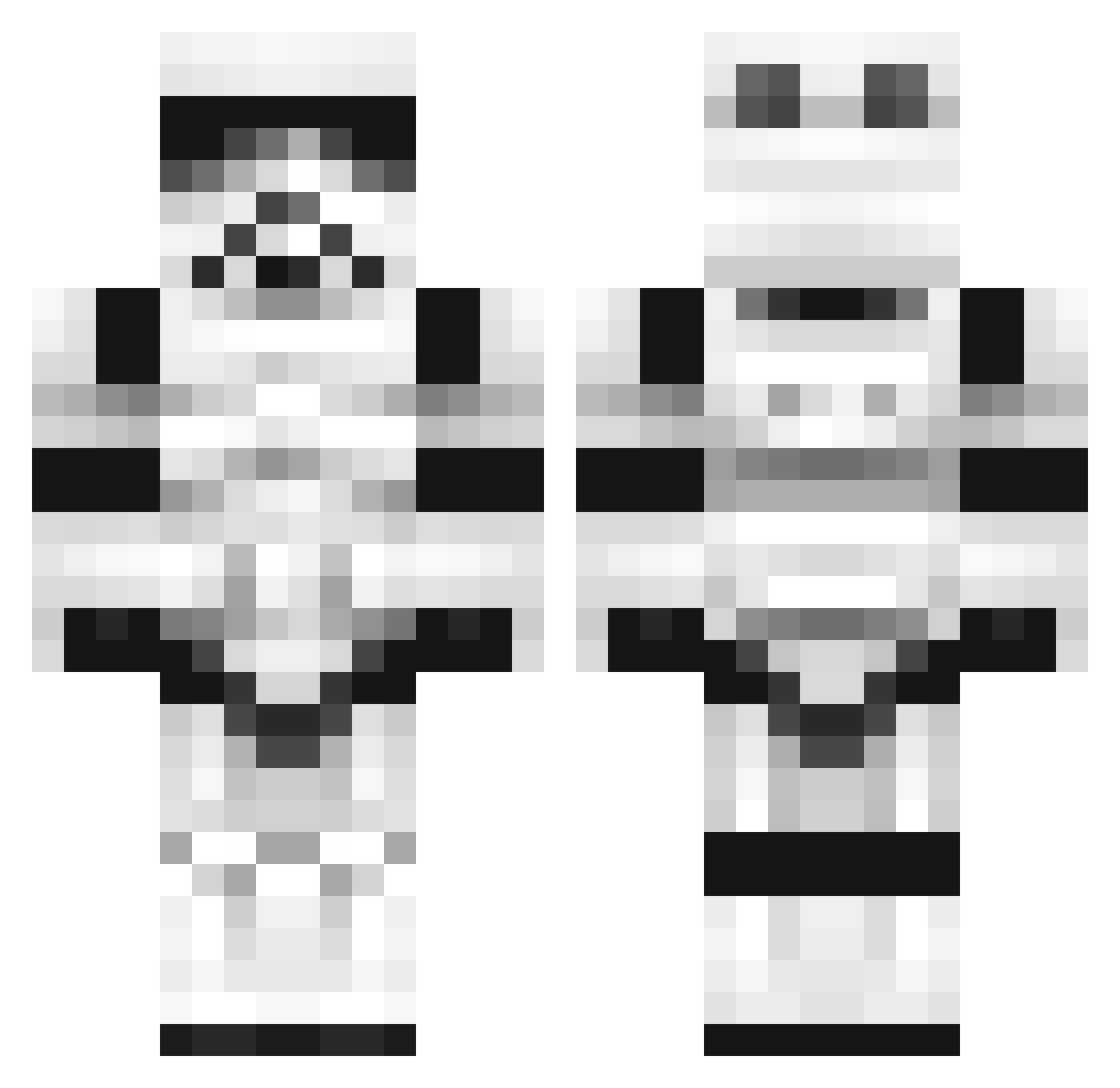
Current Minecraft skin of the player xX_Shadowz, loaded from the official Mojang API. Rotate the 3D model with your mouse or finger, then download the skin as a PNG file and use it in Minecraft: Bedrock Edition or Java Edition for free. When xX_Shadowz changes their skin, this page updates automatically and the old skin stays in the history below.
Other players with this skin (1101)
xX_Shadowz was the 140th player we have seen with this skin, first spotted on 08.08.2026. The same skin was seen on these players. Open a nickname to see their current skin and skin history.
 LATurfrey Sapheal flyfonzy Btrevett BumblbeeTuna PR4L kent125 CurtainPeople HAC007 UbikSmoobik popshootersvape Travis218 samevans611 HackRex CheerfulMoose Lowsparten1337 ejman006 Logouts csrkd Jackedwardshey carterjames4 cessna_skycacher stormsnipe21 mscurrah NMYx Zocker2203 etinesfreak DeusArchaon butterx10 Theaoh xX17warstarXx JustMcCoy UnhappyOrange WrongNumba sabianjet majjemus Espi52 Knugen021 DustyDitches 4Cyb3r bradderzboy2000 HitYou2times lvx26 Starmapper LaCash XDoLsOnX ShadowJamZ ShortTrooper12 GreyhoundJDD qurterx7 CountMoosula alexygen StuntBandit600 Lazy_nerd MisterCoolio2004 Suschi23 Fallschrimjaeger thatgunnarkid Atomic_90 funkymunke
More Trooper Minecraft skins
How to install the xX_Shadowz skin
- Press the Download button above to save the skin as a PNG file.
- Minecraft: Bedrock Edition (PE): open the Dressing Room from the main menu (or tap your character → Edit Character), go to Classic Skins → Owned, press the + (new skin) button, choose the downloaded PNG and pick the Classic (Steve) model. Works on PC and mobile; consoles cannot import custom skins.
- Minecraft: Java Edition: open the Minecraft Launcher, go to the Skins tab, click New Skin, load the PNG, pick the Classic (Steve) model and press Save & Use. You can also upload it at minecraft.net → Profile → Change Skin.
The skin does not show up after import - what should I do?
Restart Minecraft and open the Dressing Room again - imported skins sometimes appear only after a restart. Also make sure you selected the imported skin and picked the Classic (Steve) model.
Which model should I choose, Classic or Slim?
This skin is designed for the Classic (Steve) model. If you pick the wrong model, the arms of the skin will look stretched or squeezed.
Is the skin of xX_Shadowz free to download?
Yes. Press Download, save the PNG file and use it in Minecraft: Bedrock Edition or Java Edition - no payment or registration needed. The skin also works on multiplayer servers and Realms.
More skins
Looking for more? Go back to all Minecraft skins and check the top skins of the week, month and all time, or find any player's skin by nickname.