
xDFDF - Minecraft Skins & Skin History
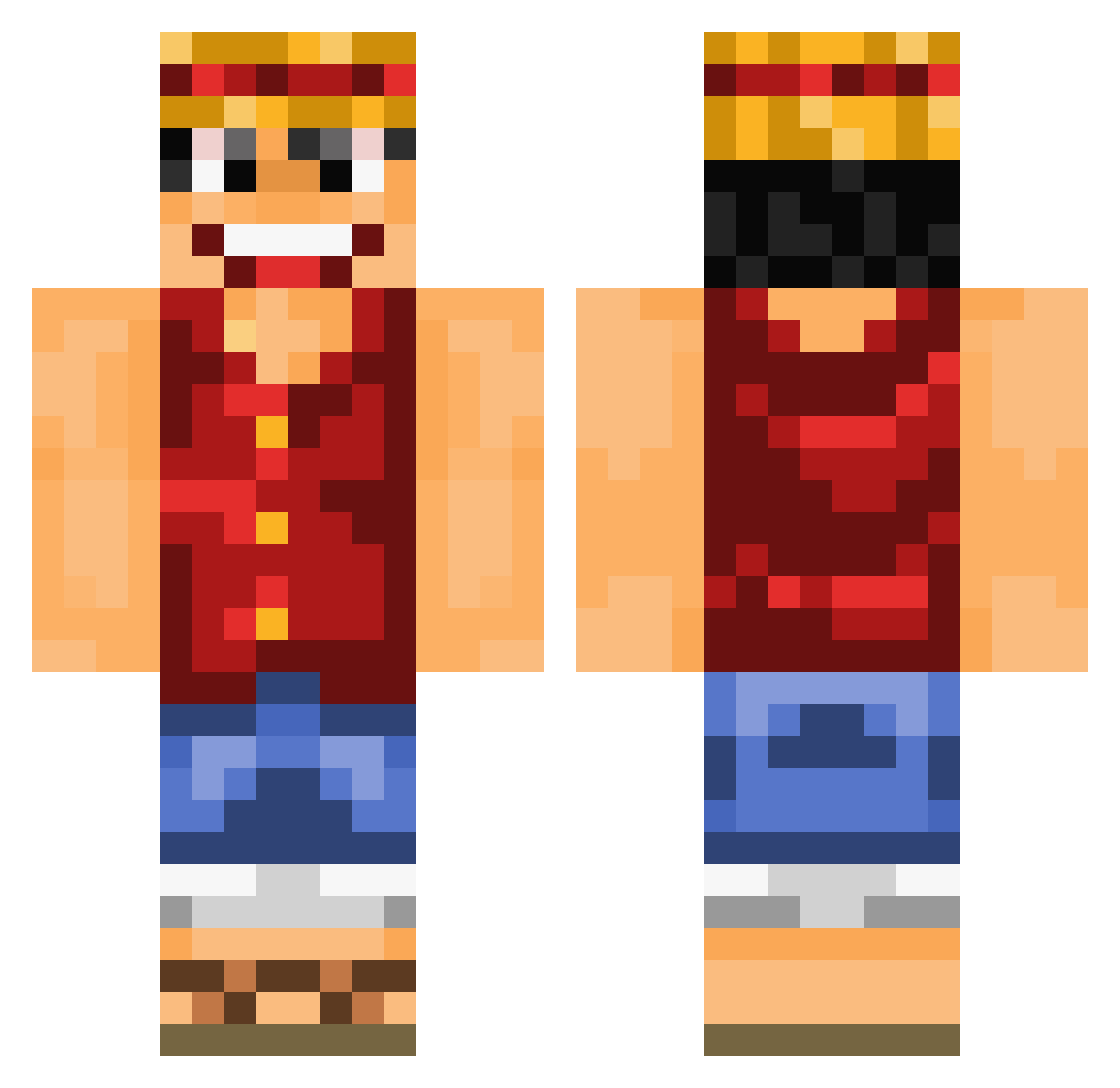
Current Minecraft skin of the player xDFDF, loaded from the official Mojang API. Rotate the 3D model with your mouse or finger, then download the skin as a PNG file and use it in Minecraft: Bedrock Edition or Java Edition for free. When xDFDF changes their skin, this page updates automatically and the old skin stays in the history below.
Other players with this skin (839)
xDFDF was the 595th player we have seen with this skin, first spotted on 07.10.2026. The same skin was seen on these players. Open a nickname to see their current skin and skin history.
 BigManCFP OGTrax 12inchesofheaven _jinn__ jeremymestre Krepelkreper2000 Freibergus qiangqiang HowDoICraftABow Peeepples Ali8x Tommynator_ Essefthegoat xBaked Clotilou MithMaker guigian _MeedNight_ Attack_L EddieK7x chelseafc19 drxmsx xTheOndxy Ben59630 Luke165 EFTyOU Acolytos lil_drew15 Draelll Jorjas_Lois TIMDECONDAM_ XIAOJIUMEIFANNAO Import_DEon heindz MrManchichi Nicook16 BeegMan27 elephants_best10 noix2cocos Weirdow Ricejunky Toooomczu Cyrillon Solary0812 moisesmijas Ansy08 YesuSuku Croniczz elJavvs Kduzin08 xGrePhx MCPXLorohs SuiiciiDe510 Drekolo MR__ANARCHY Rawan157 YYYE jaycrupi Rogwell_ Smancra
More Monkey D Luffy Minecraft skins
See all 925 Monkey D Luffy skins
How to install the xDFDF skin
- Press the Download button above to save the skin as a PNG file.
- Minecraft: Bedrock Edition (PE): open the Dressing Room from the main menu (or tap your character → Edit Character), go to Classic Skins → Owned, press the + (new skin) button, choose the downloaded PNG and pick the Classic (Steve) model. Works on PC and mobile; consoles cannot import custom skins.
- Minecraft: Java Edition: open the Minecraft Launcher, go to the Skins tab, click New Skin, load the PNG, pick the Classic (Steve) model and press Save & Use. You can also upload it at minecraft.net → Profile → Change Skin.
The skin does not show up after import - what should I do?
Restart Minecraft and open the Dressing Room again - imported skins sometimes appear only after a restart. Also make sure you selected the imported skin and picked the Classic (Steve) model.
Which model should I choose, Classic or Slim?
This skin is designed for the Classic (Steve) model. If you pick the wrong model, the arms of the skin will look stretched or squeezed.
Is the skin of xDFDF free to download?
Yes. Press Download, save the PNG file and use it in Minecraft: Bedrock Edition or Java Edition - no payment or registration needed. The skin also works on multiplayer servers and Realms.
More skins
Looking for more? Go back to all Minecraft skins and check the top skins of the week, month and all time, or find any player's skin by nickname.