
wthwexpll - Minecraft Skins & Skin History
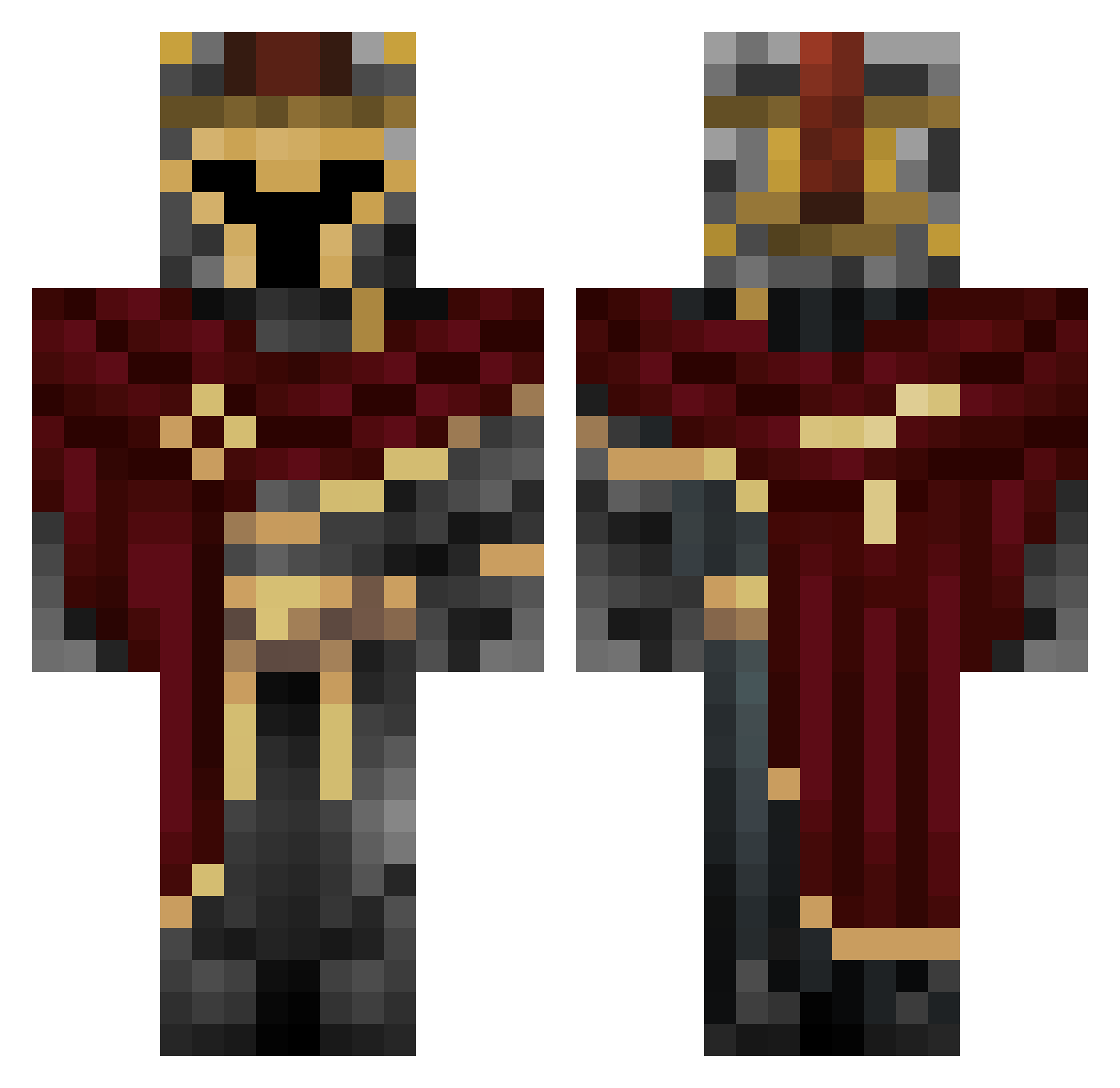
Current Minecraft skin of the player wthwexpll, loaded from the official Mojang API. Rotate the 3D model with your mouse or finger, then download the skin as a PNG file and use it in Minecraft: Bedrock Edition or Java Edition for free. When wthwexpll changes their skin, this page updates automatically and the old skin stays in the history below.
Other players with this skin (454)
wthwexpll was the 212th player we have seen with this skin, first spotted on 15.09.2026. The same skin was seen on these players. Open a nickname to see their current skin and skin history.
 Xiao_Yueliang Afilok GeoKais micknight04 Manoa_dream NotThatTall TrackStar2389 PVT_tard Gaylord_palms6 Jamie199124 notrax22 JUANPEGG24 Nohay11 AmoKing31 Rafinha79 2172 n_135 goldfusion01 kontay666 JONAAAAAAAAAAH AlfikK grays2cool EDOHdisturbi GIRLSHUNTER Reflextopp xups OverlordNXS maxinreal Boporus Xx_PonGaming_xX Ricko_23 Theo_128 SneakyMuffin_ aNICKin02 ZorroBlanco Murilin1112 Jobulis Automart thekombat MiguelBernardo alioz6830 hug372 locusdeus MinusTheZ hoodviper ScorpioV2 S133pi Hood_Angel Zan7539021 Captainfluffy_ oli_2346 ShadowKing_1209 SchlauerKrieger BrokenHaloSC0 Identty Kkarnos XMAS_Cookie DeathStrategaOfi RobertoTheThirdo
 muggletummclaren
More Spartan Minecraft skins
How to install the wthwexpll skin
- Press the Download button above to save the skin as a PNG file.
- Minecraft: Bedrock Edition (PE): open the Dressing Room from the main menu (or tap your character → Edit Character), go to Classic Skins → Owned, press the + (new skin) button, choose the downloaded PNG and pick the Classic (Steve) model. Works on PC and mobile; consoles cannot import custom skins.
- Minecraft: Java Edition: open the Minecraft Launcher, go to the Skins tab, click New Skin, load the PNG, pick the Classic (Steve) model and press Save & Use. You can also upload it at minecraft.net → Profile → Change Skin.
The skin does not show up after import - what should I do?
Restart Minecraft and open the Dressing Room again - imported skins sometimes appear only after a restart. Also make sure you selected the imported skin and picked the Classic (Steve) model.
Which model should I choose, Classic or Slim?
This skin is designed for the Classic (Steve) model. If you pick the wrong model, the arms of the skin will look stretched or squeezed.
Is the skin of wthwexpll free to download?
Yes. Press Download, save the PNG file and use it in Minecraft: Bedrock Edition or Java Edition - no payment or registration needed. The skin also works on multiplayer servers and Realms.
More skins
Looking for more? Go back to all Minecraft skins and check the top skins of the week, month and all time, or find any player's skin by nickname.