
wolfyy15 - Minecraft Skins & Skin History
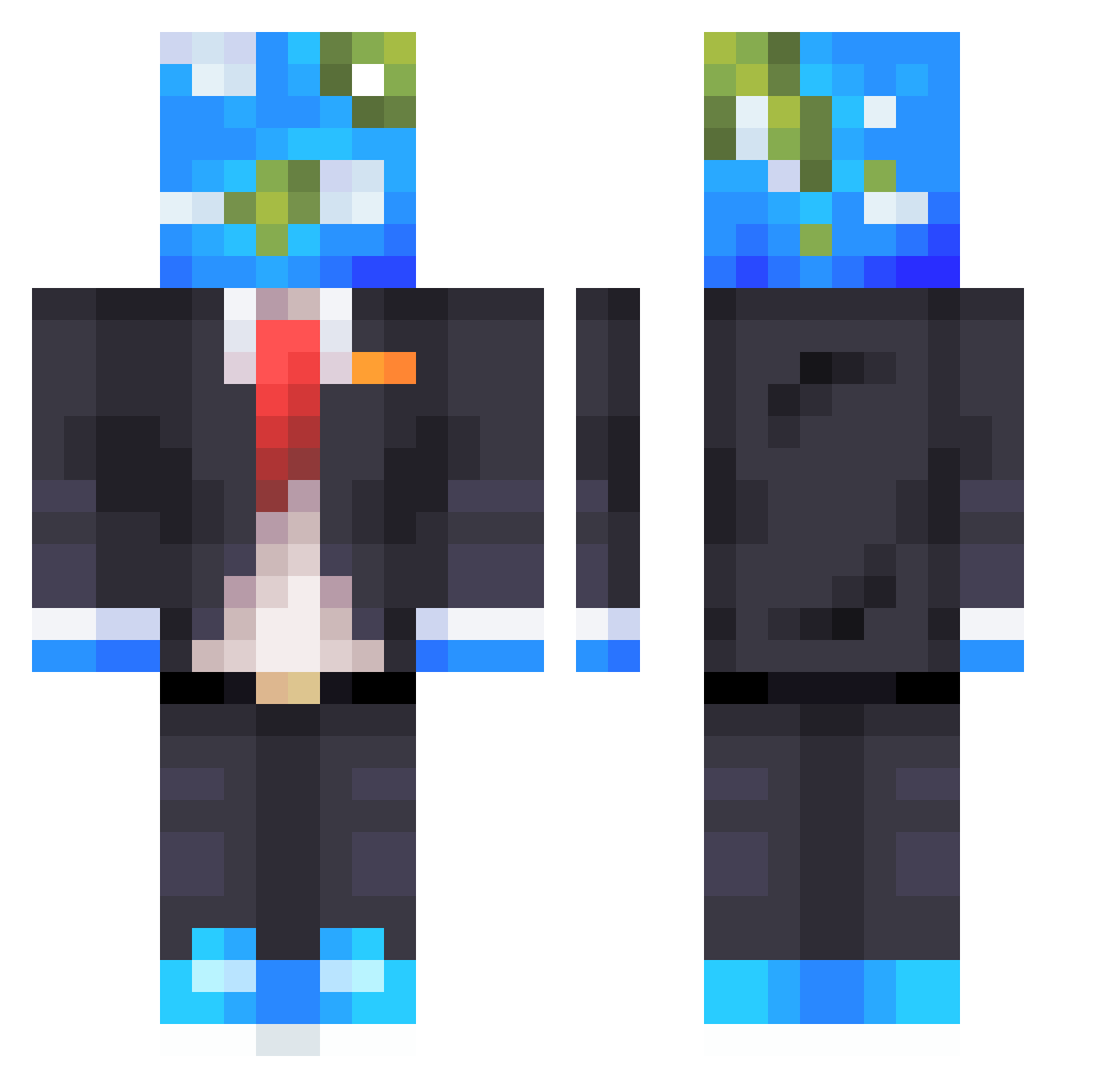
Current Minecraft skin of the player wolfyy15, loaded from the official Mojang API. Rotate the 3D model with your mouse or finger, then download the skin as a PNG file and use it in Minecraft: Bedrock Edition or Java Edition for free. When wolfyy15 changes their skin, this page updates automatically and the old skin stays in the history below.
Other players with this skin (610)
wolfyy15 was the 35th player we have seen with this skin, first spotted on 30.07.2026. The same skin was seen on these players. Open a nickname to see their current skin and skin history.
 Geek_ DomiDominus KingWill37 UnkindShadow grigfits pisnicht1 braaywood FILIPADAMS Box_Mao Y4suk3 paintensei021 rckohla Janco777 Casssthelad Fernadix Takamura72 Peek211 r_warren ykl12 Sorentas Swixell lockz1 TheNerdGuy_ JawsKill RenitentV cookie___man Tio_King_ofc ch0pp7 ProGamerz11111 _Mark_Master_ Bouldersmash ReDiice
 Caratrin MarkPanther Tinngy Elliotwld 404or666 Tsukili0116 Atimu613 ggglobus228 iTz_Game_PvP Koji1102 wahaajnxtdoor Elvalen100 _Tusia_033 g_unit2005 MikeAlzein Davy_Jones02 Haruto_XYZ8010 Rykerb09 oNlghtmare Jus4games20 Zero__________ MClink iAmoghyWoghy Kg261228 Shortcast efg37 ThisPiggy2 Artudiitu
More Earth Head Minecraft skins
How to install the wolfyy15 skin
- Press the Download button above to save the skin as a PNG file.
- Minecraft: Bedrock Edition (PE): open the Dressing Room from the main menu (or tap your character → Edit Character), go to Classic Skins → Owned, press the + (new skin) button, choose the downloaded PNG and pick the Classic (Steve) model. Works on PC and mobile; consoles cannot import custom skins.
- Minecraft: Java Edition: open the Minecraft Launcher, go to the Skins tab, click New Skin, load the PNG, pick the Classic (Steve) model and press Save & Use. You can also upload it at minecraft.net → Profile → Change Skin.
The skin does not show up after import - what should I do?
Restart Minecraft and open the Dressing Room again - imported skins sometimes appear only after a restart. Also make sure you selected the imported skin and picked the Classic (Steve) model.
Which model should I choose, Classic or Slim?
This skin is designed for the Classic (Steve) model. If you pick the wrong model, the arms of the skin will look stretched or squeezed.
Is the skin of wolfyy15 free to download?
Yes. Press Download, save the PNG file and use it in Minecraft: Bedrock Edition or Java Edition - no payment or registration needed. The skin also works on multiplayer servers and Realms.
More skins
Looking for more? Go back to all Minecraft skins and check the top skins of the week, month and all time, or find any player's skin by nickname.