
windking666 - Minecraft Skins & Skin History
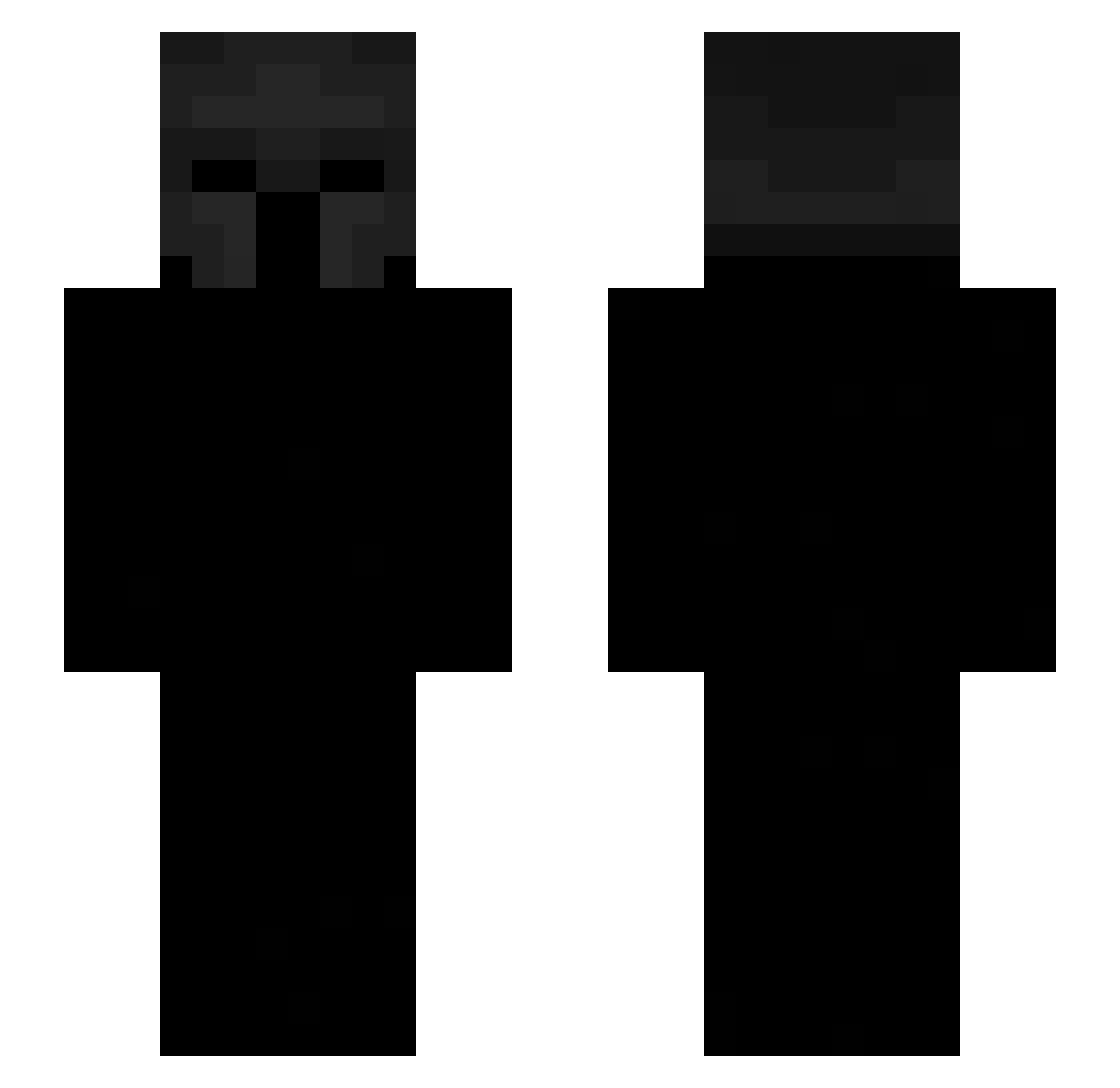
Current Minecraft skin of the player windking666, loaded from the official Mojang API. Rotate the 3D model with your mouse or finger, then download the skin as a PNG file and use it in Minecraft: Bedrock Edition or Java Edition for free. When windking666 changes their skin, this page updates automatically and the old skin stays in the history below.
Other players with this skin (531)
windking666 was the 492nd player we have seen with this skin, first spotted on 26.10.2026. The same skin was seen on these players. Open a nickname to see their current skin and skin history.
 CarsonJones JaFlyss zivvvi Randomguyfr Gs_zinho zotovaa SeamedLoki36707 RynxxMC mux_ud1 oppy_ SaMidia ij79 linkk77 Wondrq Phsyics LAME555 4ndrxs_ASD ItzKlyzee sebasmikse Loofy101 sera3811 Scales07 charlyqeu Satriani88 Hilisc NSBX1 VnukSama Rex5679 MysteriionM Snowy_John hux12 1MX1M ShotoN1 ItsNoobo Asderti Hor1mya Maxypoo08 Dizeiy_ tonybra101 TSR_Loop BW__11 hunchosavagegoon SecretMikus NOT_4DX _santino_arce_ LeventF zeko356 Pabloh Johnriber krayostz Bibletybob Solorza27 hymski TonyIsSoCool brokenarteries EmperorOfPain PrlLoucas CoolDons captainboomboom Deivisf
More Spartan Minecraft skins
How to install the windking666 skin
- Press the Download button above to save the skin as a PNG file.
- Minecraft: Bedrock Edition (PE): open the Dressing Room from the main menu (or tap your character → Edit Character), go to Classic Skins → Owned, press the + (new skin) button, choose the downloaded PNG and pick the Slim (Alex) model. Works on PC and mobile; consoles cannot import custom skins.
- Minecraft: Java Edition: open the Minecraft Launcher, go to the Skins tab, click New Skin, load the PNG, pick the Slim (Alex) model and press Save & Use. You can also upload it at minecraft.net → Profile → Change Skin.
The skin does not show up after import - what should I do?
Restart Minecraft and open the Dressing Room again - imported skins sometimes appear only after a restart. Also make sure you selected the imported skin and picked the Slim (Alex) model.
Which model should I choose, Classic or Slim?
This skin is designed for the Slim (Alex) model. If you pick the wrong model, the arms of the skin will look stretched or squeezed.
Is the skin of windking666 free to download?
Yes. Press Download, save the PNG file and use it in Minecraft: Bedrock Edition or Java Edition - no payment or registration needed. The skin also works on multiplayer servers and Realms.
More skins
Looking for more? Go back to all Minecraft skins and check the top skins of the week, month and all time, or find any player's skin by nickname.