
willians2897 - Minecraft Skins & Skin History
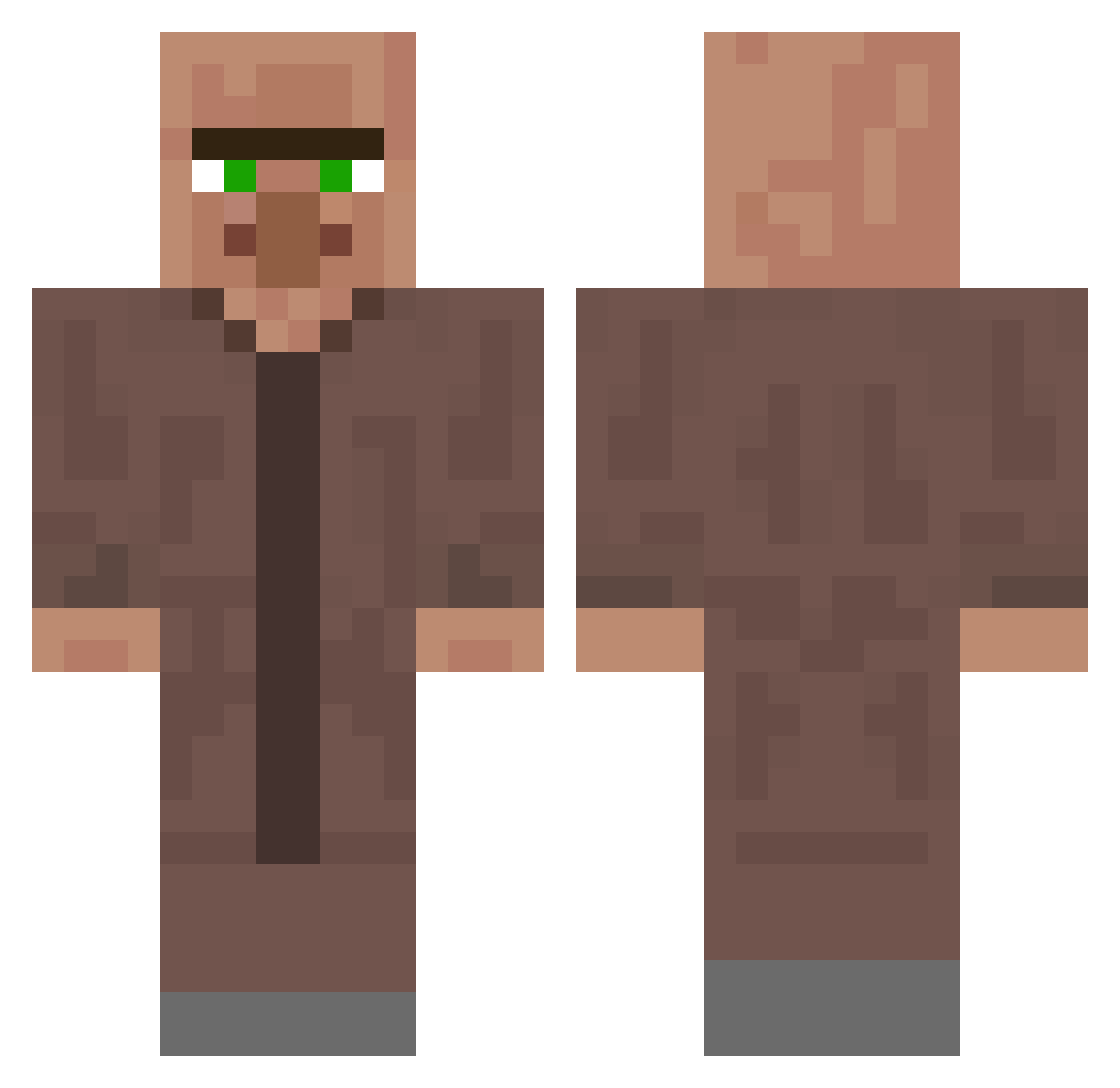
Current Minecraft skin of the player willians2897, loaded from the official Mojang API. Rotate the 3D model with your mouse or finger, then download the skin as a PNG file and use it in Minecraft: Bedrock Edition or Java Edition for free. When willians2897 changes their skin, this page updates automatically and the old skin stays in the history below.
Other players with this skin (397)
willians2897 was the 387th player we have seen with this skin, first spotted on 16.11.2026. The same skin was seen on these players. Open a nickname to see their current skin and skin history.
 Superstar_64 Dali5n MlNECRAT laconix974 cent147 HRK1003 MapleSyrup0001 ZsoMaWo jahsleftnutt LazarSol CORZ_W ASkula2 Gaiteir0daBalada vakariukas555 Susanto Roan046 technoOtis comicolt160811 alnaqbi9 BTW_Mathi TBone20223 kuczko ImAGirlISwear Almaka17 villaerg Almen02 MagicEmperor100 Sugar_Pizza MReaper007 Artyggc bekkow62 MongoMitBart Kexchoklad09 Peti42 huanghaochen88 Tryt308 anulax1225 rui130716 Joedoen spurgos_su_mesa TheNaxwer Skyboy3000 Lxyottoooo Felixecht Otcellan NoriMac JeanLeRat Almighty_Jackas2 Bmojzes21 oreo890905 khled_ Rickss_ TioTapolino Mordhoschi Kiruage Luc87TheDog555 Bull3tcat alfiehunt2006 2trucks Nathancraft33112
More Villager Minecraft skins
How to install the willians2897 skin
- Press the Download button above to save the skin as a PNG file.
- Minecraft: Bedrock Edition (PE): open the Dressing Room from the main menu (or tap your character → Edit Character), go to Classic Skins → Owned, press the + (new skin) button, choose the downloaded PNG and pick the Classic (Steve) model. Works on PC and mobile; consoles cannot import custom skins.
- Minecraft: Java Edition: open the Minecraft Launcher, go to the Skins tab, click New Skin, load the PNG, pick the Classic (Steve) model and press Save & Use. You can also upload it at minecraft.net → Profile → Change Skin.
The skin does not show up after import - what should I do?
Restart Minecraft and open the Dressing Room again - imported skins sometimes appear only after a restart. Also make sure you selected the imported skin and picked the Classic (Steve) model.
Which model should I choose, Classic or Slim?
This skin is designed for the Classic (Steve) model. If you pick the wrong model, the arms of the skin will look stretched or squeezed.
Is the skin of willians2897 free to download?
Yes. Press Download, save the PNG file and use it in Minecraft: Bedrock Edition or Java Edition - no payment or registration needed. The skin also works on multiplayer servers and Realms.
More skins
Looking for more? Go back to all Minecraft skins and check the top skins of the week, month and all time, or find any player's skin by nickname.