
wavygravytrain - Minecraft Skins & Skin History
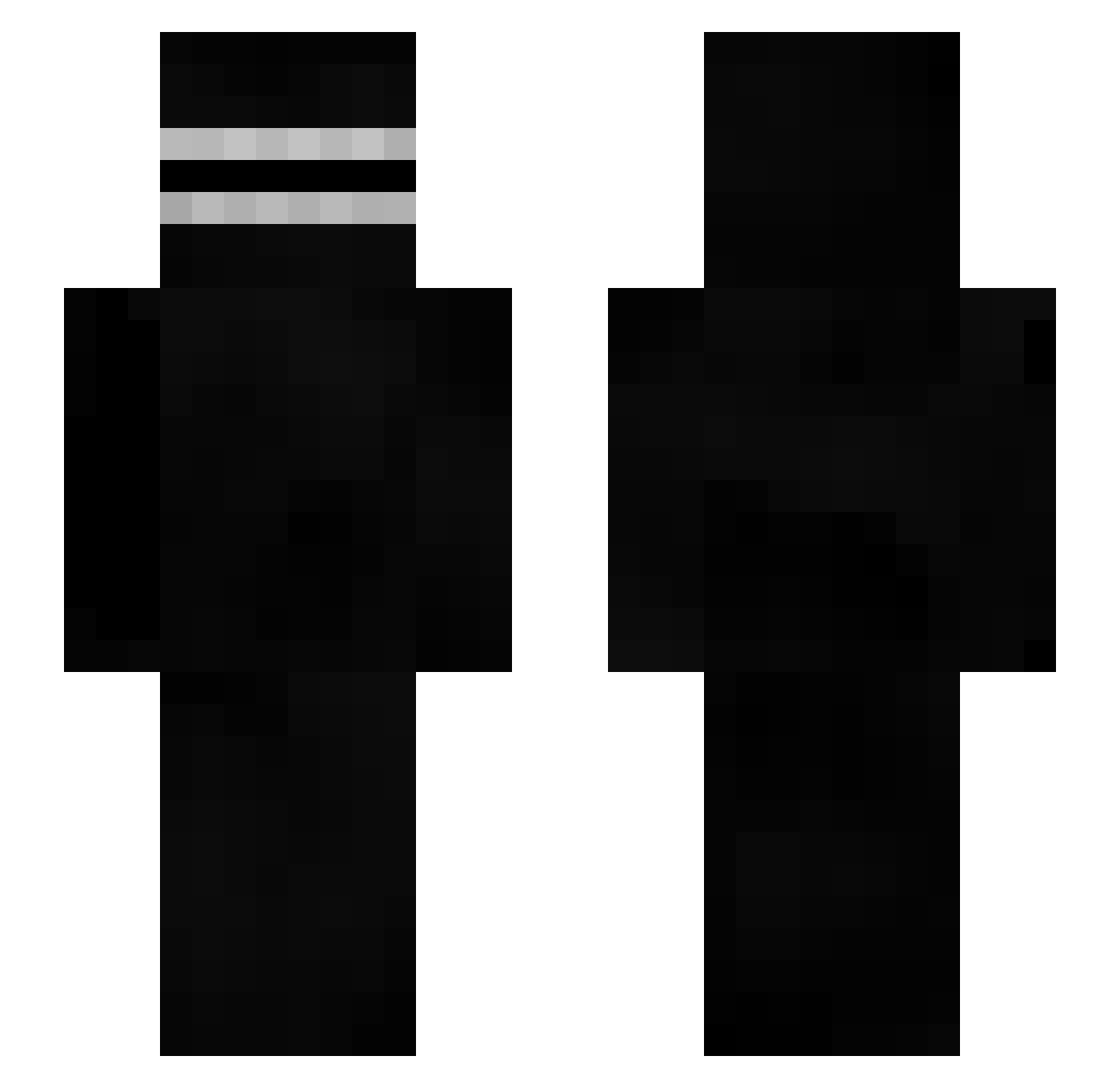
Current Minecraft skin of the player wavygravytrain, loaded from the official Mojang API. Rotate the 3D model with your mouse or finger, then download the skin as a PNG file and use it in Minecraft: Bedrock Edition or Java Edition for free. When wavygravytrain changes their skin, this page updates automatically and the old skin stays in the history below.
Other players with this skin (414)
wavygravytrain was the 254th player we have seen with this skin, first spotted on 30.09.2026. The same skin was seen on these players. Open a nickname to see their current skin and skin history.
 thisissofire AdiTheProXD gaugemartin StopZZZ hardkapitalizm01 Poidahouse ToothyFairy siwoo0404 sinnonnn GOZgg IS7SpaceTank qfasutq 0r00 Ra1sk1yy larsonek69 022zakuu GansoTheGoose Coarell FarsiardLas kepl0 ACabuto88 De3thsc4lt 11OO1100 YTRYREPLAYZ HT3ninorc15 kryjkaqwe _rocked __V1perZ__ YumChu toastyboi093 Swillie3333 MarcIce CultTime JohmLemon ____OOCK__ontop MAKSIDZE_S lilhurricaneong Adaamzz_ dmldnr seroi 53696d6f6e65 specialnut AFM27 Feddt Breaaad__ ANIMALINSTINCTS winidepute me_in_9 thetrick420 IWannaHacj xytoper Ifromspace TheFancyFinger JKsou Iorcos freijer1 WoozyOstrich92 Peachuxo q4ar abovemycity
More Creepypasta Minecraft skins
How to install the wavygravytrain skin
- Press the Download button above to save the skin as a PNG file.
- Minecraft: Bedrock Edition (PE): open the Dressing Room from the main menu (or tap your character → Edit Character), go to Classic Skins → Owned, press the + (new skin) button, choose the downloaded PNG and pick the Slim (Alex) model. Works on PC and mobile; consoles cannot import custom skins.
- Minecraft: Java Edition: open the Minecraft Launcher, go to the Skins tab, click New Skin, load the PNG, pick the Slim (Alex) model and press Save & Use. You can also upload it at minecraft.net → Profile → Change Skin.
The skin does not show up after import - what should I do?
Restart Minecraft and open the Dressing Room again - imported skins sometimes appear only after a restart. Also make sure you selected the imported skin and picked the Slim (Alex) model.
Which model should I choose, Classic or Slim?
This skin is designed for the Slim (Alex) model. If you pick the wrong model, the arms of the skin will look stretched or squeezed.
Is the skin of wavygravytrain free to download?
Yes. Press Download, save the PNG file and use it in Minecraft: Bedrock Edition or Java Edition - no payment or registration needed. The skin also works on multiplayer servers and Realms.
More skins
Looking for more? Go back to all Minecraft skins and check the top skins of the week, month and all time, or find any player's skin by nickname.