
watercolorlily - Minecraft Skins & Skin History
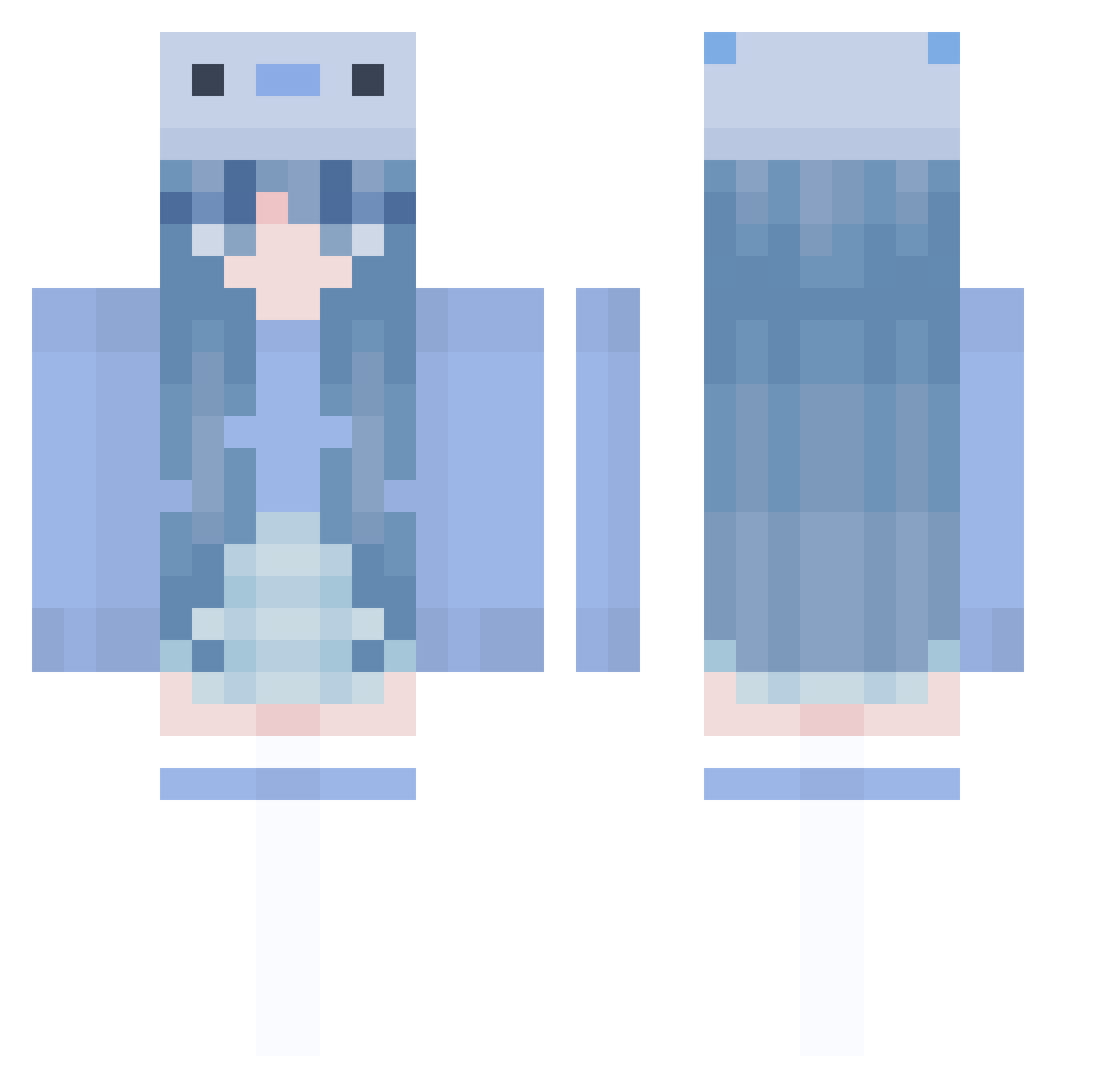
Current Minecraft skin of the player watercolorlily, loaded from the official Mojang API. Rotate the 3D model with your mouse or finger, then download the skin as a PNG file and use it in Minecraft: Bedrock Edition or Java Edition for free. When watercolorlily changes their skin, this page updates automatically and the old skin stays in the history below.
Other players with this skin (1005)
watercolorlily was the 313th player we have seen with this skin, first spotted on 28.08.2026. The same skin was seen on these players. Open a nickname to see their current skin and skin history.
 nanase_S2 CouldBeAri hanhan2000 chillwaters AxolotlEverest CCIceCream Caronine 25gun BYanez92 Anniiken AlliCat3 easyyZ MalloryKnox Dabazou industriousness pandass109 Jerry08180 iamcool10 hyeyoon0 drakenrex yurush1 Ca3b0 KH506 jarnisfly adtunm CC3927 marcus1250 KeEn1010 soda1019 RarukuJP mtsss_ stayrlw mochen425 Papazetoz Wajtelo zhongmeng59 pudding0825 zourjia Aphrodytii DerGamer09 SailorT Eryyy1213 BFFFamilk B3TAGAMER_2 okaaami HARUTO0805 CzAjNiK_x daVinciDynamite Minmin_chan sseohana antuanclapp Majji_baka Save_The_Oceans MoRaN1122 Magdalena0806 lanamarie17 Arkyter GengD Jared2022 emmyb214
More Axolotl Minecraft skins
How to install the watercolorlily skin
- Press the Download button above to save the skin as a PNG file.
- Minecraft: Bedrock Edition (PE): open the Dressing Room from the main menu (or tap your character → Edit Character), go to Classic Skins → Owned, press the + (new skin) button, choose the downloaded PNG and pick the Classic (Steve) model. Works on PC and mobile; consoles cannot import custom skins.
- Minecraft: Java Edition: open the Minecraft Launcher, go to the Skins tab, click New Skin, load the PNG, pick the Classic (Steve) model and press Save & Use. You can also upload it at minecraft.net → Profile → Change Skin.
The skin does not show up after import - what should I do?
Restart Minecraft and open the Dressing Room again - imported skins sometimes appear only after a restart. Also make sure you selected the imported skin and picked the Classic (Steve) model.
Which model should I choose, Classic or Slim?
This skin is designed for the Classic (Steve) model. If you pick the wrong model, the arms of the skin will look stretched or squeezed.
Is the skin of watercolorlily free to download?
Yes. Press Download, save the PNG file and use it in Minecraft: Bedrock Edition or Java Edition - no payment or registration needed. The skin also works on multiplayer servers and Realms.
More skins
Looking for more? Go back to all Minecraft skins and check the top skins of the week, month and all time, or find any player's skin by nickname.