
wang170427 - Minecraft Skins & Skin History
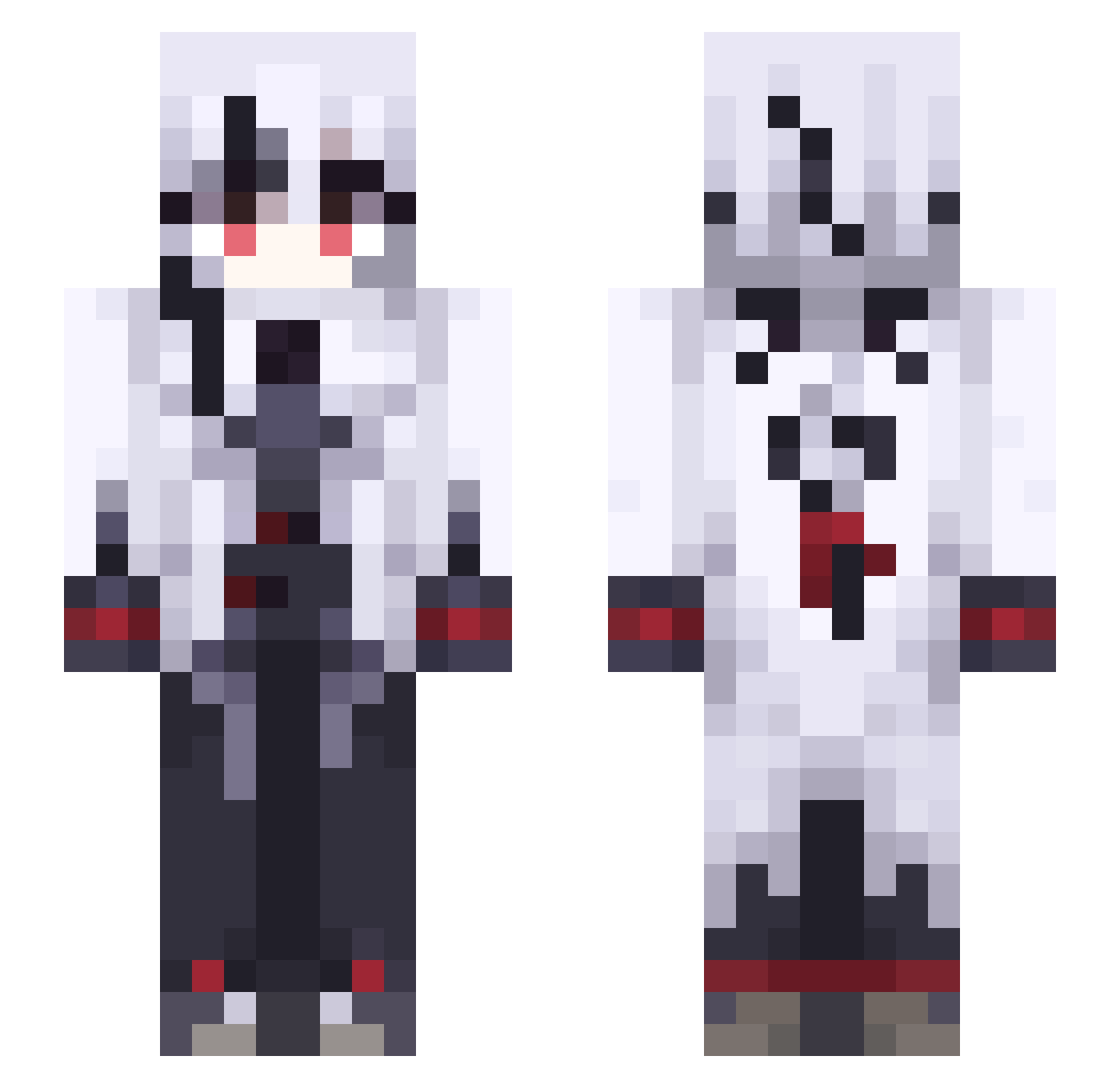
Current Minecraft skin of the player wang170427, loaded from the official Mojang API. Rotate the 3D model with your mouse or finger, then download the skin as a PNG file and use it in Minecraft: Bedrock Edition or Java Edition for free. When wang170427 changes their skin, this page updates automatically and the old skin stays in the history below.
Other players with this skin (491)
wang170427 was the 31st player we have seen with this skin, first spotted on 30.07.2026. The same skin was seen on these players. Open a nickname to see their current skin and skin history.
 liuyasong JoJo_GIGA ShyningTV fish_4736 shiochan5
 LilithIsSilly Dummy2753 Arch6708 weber_D zenitsu20085 Kadzux0 Sigono VarcoRage demi_greennnnn neivil OmegaWanderer shuaibicheng nyanshi LongDog19 yugata0212 OceanSoda namakenoR sou0825 NemNel3 arlecchino_822 NotAFemboy01
 minigajmer
 Theaka_ SatB145 jiusyi Faddy07 sqS241 Kamisato_kaori Koba1672 TZd2 KmzE322 K0rbel Xylime_ TURARY MaidenlessMeow KByh237 MorTaEAn Hysilensthighs MuniAkira31 LihzYs ISSACFRANK leno0o0 sjb0823 MrHandy3148 Tenshi_san WeeImagrenade Wesley1020 puriketch Kaito8121 EbXi731 SzTj61 EquinoxF1ower yigar502 Im_Kaizer kill_tex
More Goth Minecraft skins
How to install the wang170427 skin
- Press the Download button above to save the skin as a PNG file.
- Minecraft: Bedrock Edition (PE): open the Dressing Room from the main menu (or tap your character → Edit Character), go to Classic Skins → Owned, press the + (new skin) button, choose the downloaded PNG and pick the Slim (Alex) model. Works on PC and mobile; consoles cannot import custom skins.
- Minecraft: Java Edition: open the Minecraft Launcher, go to the Skins tab, click New Skin, load the PNG, pick the Slim (Alex) model and press Save & Use. You can also upload it at minecraft.net → Profile → Change Skin.
The skin does not show up after import - what should I do?
Restart Minecraft and open the Dressing Room again - imported skins sometimes appear only after a restart. Also make sure you selected the imported skin and picked the Slim (Alex) model.
Which model should I choose, Classic or Slim?
This skin is designed for the Slim (Alex) model. If you pick the wrong model, the arms of the skin will look stretched or squeezed.
Is the skin of wang170427 free to download?
Yes. Press Download, save the PNG file and use it in Minecraft: Bedrock Edition or Java Edition - no payment or registration needed. The skin also works on multiplayer servers and Realms.
More skins
Looking for more? Go back to all Minecraft skins and check the top skins of the week, month and all time, or find any player's skin by nickname.