
w1ldf1re - Minecraft Skins & Skin History
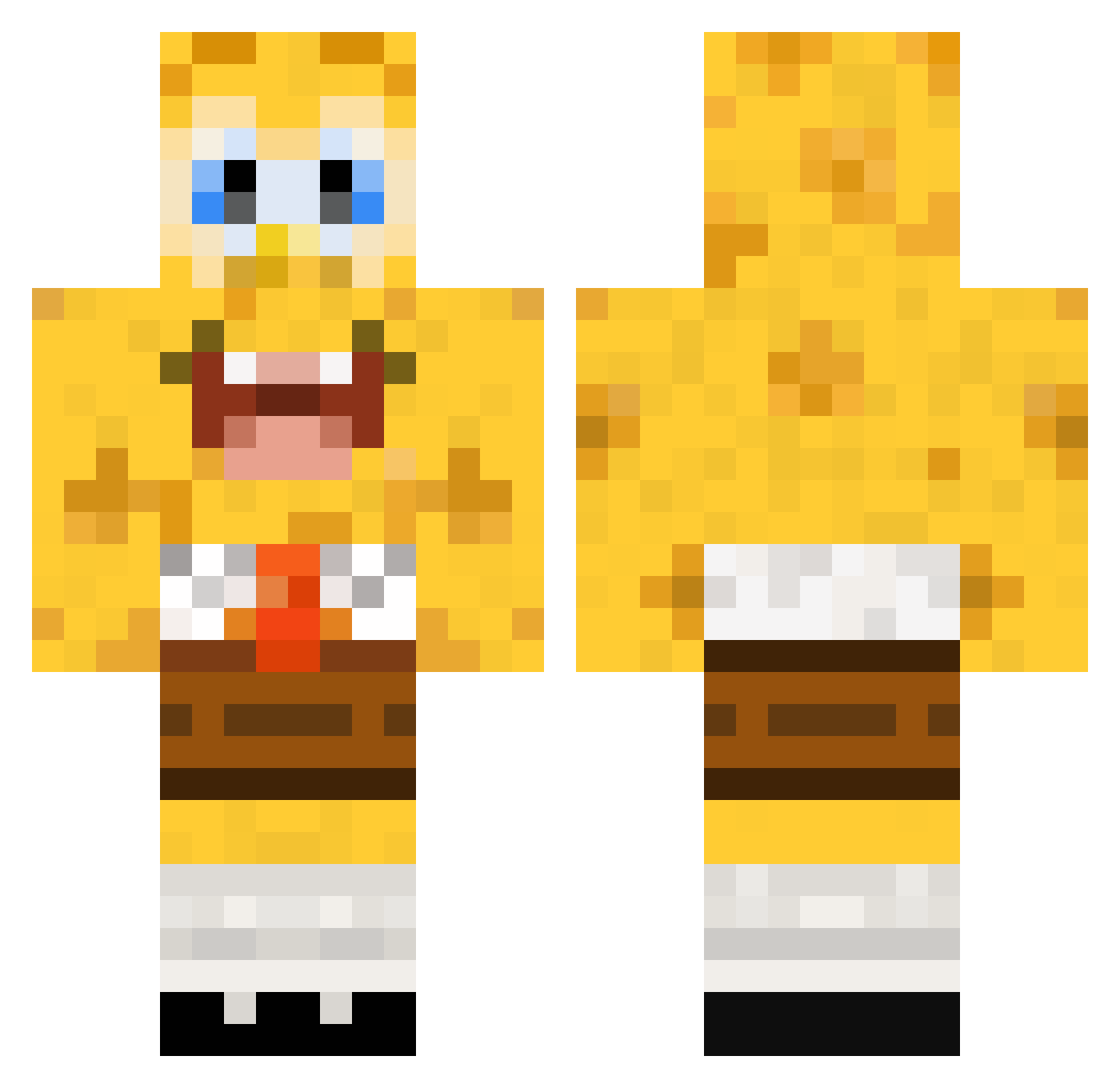
Current Minecraft skin of the player w1ldf1re, loaded from the official Mojang API. Rotate the 3D model with your mouse or finger, then download the skin as a PNG file and use it in Minecraft: Bedrock Edition or Java Edition for free. When w1ldf1re changes their skin, this page updates automatically and the old skin stays in the history below.
Other players with this skin (448)
w1ldf1re was the 211th player we have seen with this skin, first spotted on 21.09.2026. The same skin was seen on these players. Open a nickname to see their current skin and skin history.
 emilieminecraFt Lemon653 Bigw00dy Bigtimersh5 OntoysTV Silviole Sigillo85 Basketball1w Flomaes zZzsamzZz tildehs helixtang ToolManager lukecottle19 Hetzer150 jonathanekbladh AnnieTheSurvivor Bostitch blokkum Franz1234 Emil0428 Wachimingo123 maxo5201 mbh0659 justmine12345 Monster_Xtrem John_Sinan avantgardejazz 0Racecarbed Standemannn sweetdonut Apels1nka JohnnyQuest98 Contriturate nm510 riancooper1234 PrettyxFlacko APLASTICBAGGY Gohabsgo6 Kingcreza odlanor ollekol Superthies Popcornman300 wellexcuseme blockman278 Craaazy88 Kromann95 pigsAhoy176 viller2004 lauren926 lolgameing jdbeta Ryanosausages alucard2762 amiike spunke Buffinater dashed112 Matthi99
More Cartoon Minecraft skins
How to install the w1ldf1re skin
- Press the Download button above to save the skin as a PNG file.
- Minecraft: Bedrock Edition (PE): open the Dressing Room from the main menu (or tap your character → Edit Character), go to Classic Skins → Owned, press the + (new skin) button, choose the downloaded PNG and pick the Classic (Steve) model. Works on PC and mobile; consoles cannot import custom skins.
- Minecraft: Java Edition: open the Minecraft Launcher, go to the Skins tab, click New Skin, load the PNG, pick the Classic (Steve) model and press Save & Use. You can also upload it at minecraft.net → Profile → Change Skin.
The skin does not show up after import - what should I do?
Restart Minecraft and open the Dressing Room again - imported skins sometimes appear only after a restart. Also make sure you selected the imported skin and picked the Classic (Steve) model.
Which model should I choose, Classic or Slim?
This skin is designed for the Classic (Steve) model. If you pick the wrong model, the arms of the skin will look stretched or squeezed.
Is the skin of w1ldf1re free to download?
Yes. Press Download, save the PNG file and use it in Minecraft: Bedrock Edition or Java Edition - no payment or registration needed. The skin also works on multiplayer servers and Realms.
More skins
Looking for more? Go back to all Minecraft skins and check the top skins of the week, month and all time, or find any player's skin by nickname.