
amiike - Minecraft Skins & Skin History
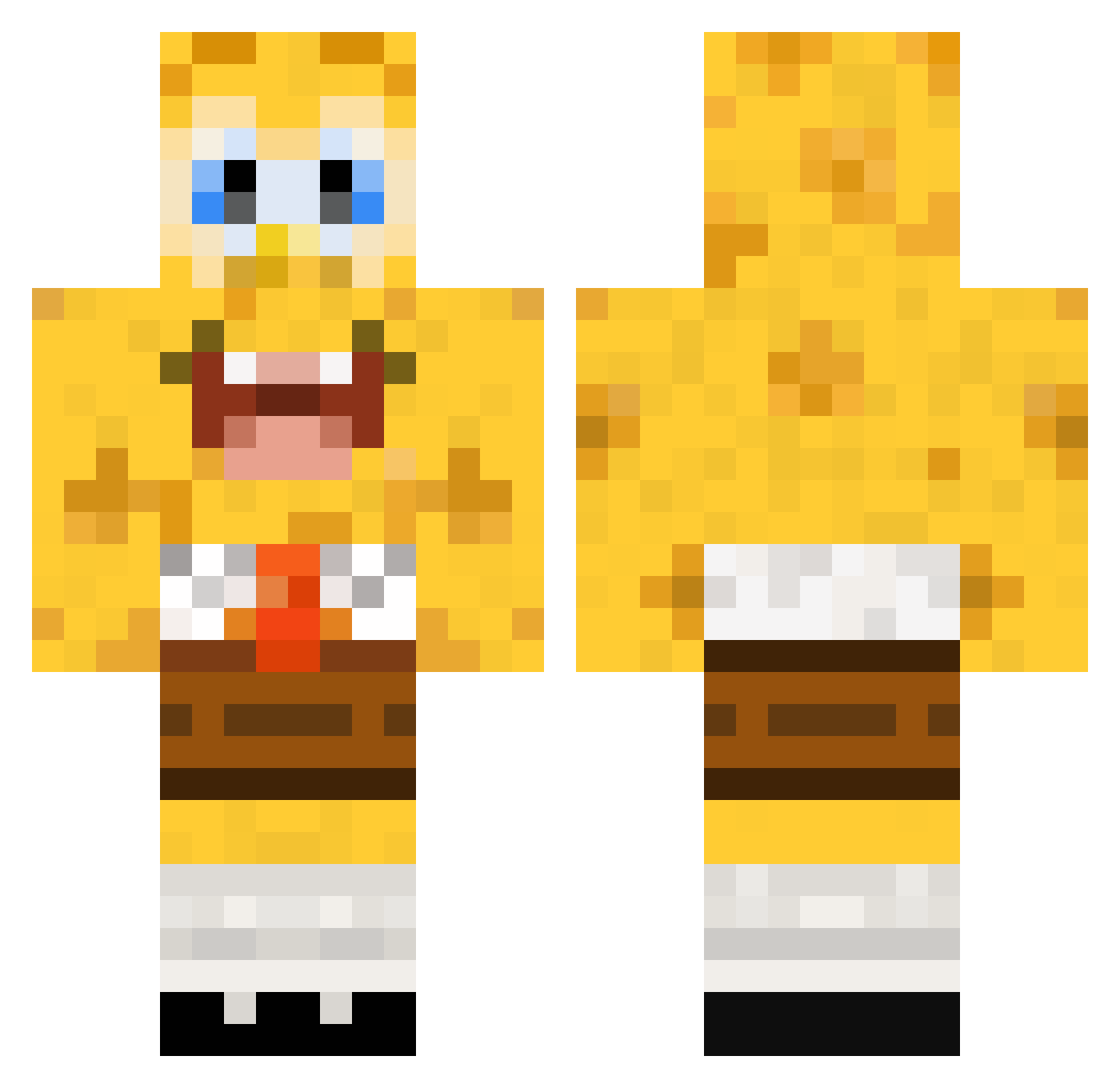
Current Minecraft skin of the player amiike, loaded from the official Mojang API. Rotate the 3D model with your mouse or finger, then download the skin as a PNG file and use it in Minecraft: Bedrock Edition or Java Edition for free. When amiike changes their skin, this page updates automatically and the old skin stays in the history below.
Other players with this skin (448)
amiike was the 247th player we have seen with this skin, first spotted on 27.09.2026. The same skin was seen on these players. Open a nickname to see their current skin and skin history.
 alucard2762 dashed112 Matthi99 miget478 twobeers1993 lolgameing lauren926 viller2004 sbjillian pigsAhoy176 Kromann95 Craaazy88 wochenende2308 Coronis blockman278 Popcornman300 hotdogmaster227 ollekol wijnzeiker Kingcreza espitia10 jackhodgson Kayzahh APLASTICBAGGY thato riancooper1234 nm510 Contriturate jettabettan JohnnyQuest98 LiCheng1116 monkeyhugo53 GBob2008 Apels1nka sweetdonut Standemannn MrGriffinHD rstendalen avantgardejazz John_Sinan Monster_Xtrem justmine12345 Mash_peculier mbh0659 minecraft0511 PwnyMcPwnerson Wachimingo123 SoloCommentator Emil0428 Bostitch Palahero seriousno1 jonathanekbladh bbking38 Hetzer150 Hate95 dawnzilla Bloodslicer86 ToolManager Marcous8
More Cartoon Minecraft skins
How to install the amiike skin
- Press the Download button above to save the skin as a PNG file.
- Minecraft: Bedrock Edition (PE): open the Dressing Room from the main menu (or tap your character → Edit Character), go to Classic Skins → Owned, press the + (new skin) button, choose the downloaded PNG and pick the Classic (Steve) model. Works on PC and mobile; consoles cannot import custom skins.
- Minecraft: Java Edition: open the Minecraft Launcher, go to the Skins tab, click New Skin, load the PNG, pick the Classic (Steve) model and press Save & Use. You can also upload it at minecraft.net → Profile → Change Skin.
The skin does not show up after import - what should I do?
Restart Minecraft and open the Dressing Room again - imported skins sometimes appear only after a restart. Also make sure you selected the imported skin and picked the Classic (Steve) model.
Which model should I choose, Classic or Slim?
This skin is designed for the Classic (Steve) model. If you pick the wrong model, the arms of the skin will look stretched or squeezed.
Is the skin of amiike free to download?
Yes. Press Download, save the PNG file and use it in Minecraft: Bedrock Edition or Java Edition - no payment or registration needed. The skin also works on multiplayer servers and Realms.
More skins
Looking for more? Go back to all Minecraft skins and check the top skins of the week, month and all time, or find any player's skin by nickname.