
vio2023 - Minecraft Skins & Skin History
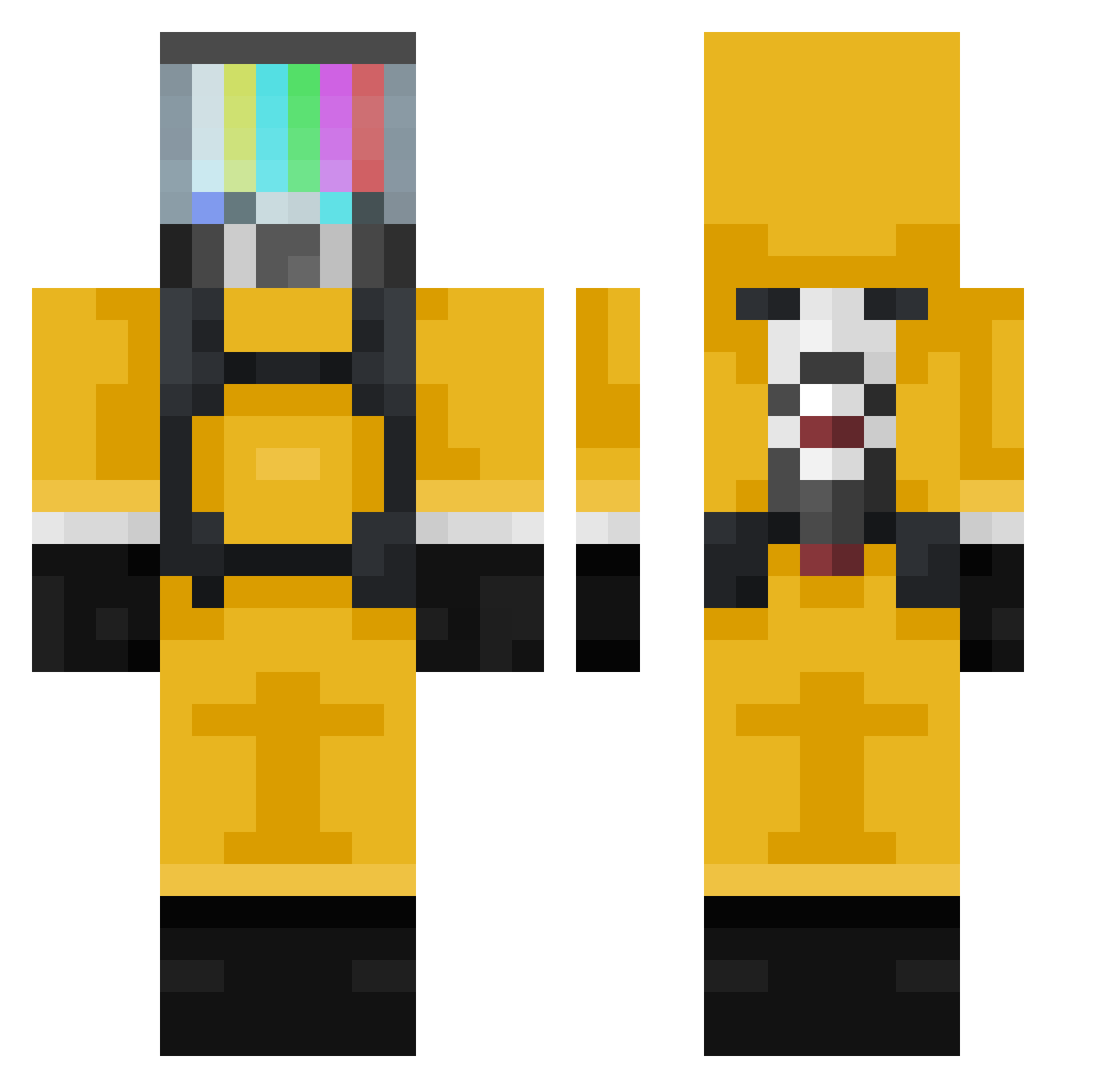
Current Minecraft skin of the player vio2023, loaded from the official Mojang API. Rotate the 3D model with your mouse or finger, then download the skin as a PNG file and use it in Minecraft: Bedrock Edition or Java Edition for free. When vio2023 changes their skin, this page updates automatically and the old skin stays in the history below.
Other players with this skin (377)
vio2023 was the 132nd player we have seen with this skin, first spotted on 06.09.2026. The same skin was seen on these players. Open a nickname to see their current skin and skin history.
 Kryten0 elZODIAK medicheuk ForFa_MoMenT AunGandi AhriF0X Breedug the_weird_thing KAZ3538 InHumanRisk srabe _iiQ_ Bailek ChuNo97 dat_insanity Pixheart Iglesias0 guuuuie BecllessNoob Crjbb Conor5151 alprazolam97 Didsworth ArcaneGh0st MrShebaxYT dexzu4553 pablichou7 SmilingSketch Chairon123 UltimateMLGNinja TheReedyBranch CaptainStuckley SumoSquirrel BooBuilding zDefozerX b4pt_p Interdepend sawsaw1234 Konghon cabdjaiker CHANdaMAN0513 kounoupis PikSieben77 LaChoppe Bilo1214 sunstroke98 clownery_exe _hirumi Larenka jurgen1507 Thebravogm sphee74 LT_Footlong FlappyChicken456 PorongaLoca Nukes2all JordyAI MrZiomSon thebleudiiamant Goum_s
More TV Head Minecraft skins
How to install the vio2023 skin
- Press the Download button above to save the skin as a PNG file.
- Minecraft: Bedrock Edition (PE): open the Dressing Room from the main menu (or tap your character → Edit Character), go to Classic Skins → Owned, press the + (new skin) button, choose the downloaded PNG and pick the Classic (Steve) model. Works on PC and mobile; consoles cannot import custom skins.
- Minecraft: Java Edition: open the Minecraft Launcher, go to the Skins tab, click New Skin, load the PNG, pick the Classic (Steve) model and press Save & Use. You can also upload it at minecraft.net → Profile → Change Skin.
The skin does not show up after import - what should I do?
Restart Minecraft and open the Dressing Room again - imported skins sometimes appear only after a restart. Also make sure you selected the imported skin and picked the Classic (Steve) model.
Which model should I choose, Classic or Slim?
This skin is designed for the Classic (Steve) model. If you pick the wrong model, the arms of the skin will look stretched or squeezed.
Is the skin of vio2023 free to download?
Yes. Press Download, save the PNG file and use it in Minecraft: Bedrock Edition or Java Edition - no payment or registration needed. The skin also works on multiplayer servers and Realms.
More skins
Looking for more? Go back to all Minecraft skins and check the top skins of the week, month and all time, or find any player's skin by nickname.