
 dominationstu Pictionary nicocoric0 deklam kyowana WarresusXD Sm0ke_18 Slatt12 UmyeonMP Avalencia99 Red_Wings__ ivanalamo zjxVGs JesusTakeTheJuul thib67fire KappyKan_ Ketiket Parramont pascaldinho9 PMelin backium Interdepend vxcay MrKatch Siegebreaker9843 kmaat ruizone streetrunner07 Gapsi2045 M3RCYWTF BIowYourMaMaUP King_Watermel0n jiali2008 The_Greater TANGUYFP19 Averight vuxvis oscarallo Resmoque LUDA0410 jestem_nowy jorgeom25 jjsovik ZeRo000_ Syncetify BelianoR ZeroRanK FMT2010 miketant Herpes_91 Hacero0o DecaFix Darincho0 LmnP kibawa plade Kurogo Bidlo228 AgentPIayboy ori129
Minecraft skin of keta_kees. Rotate the 3D model with your mouse or finger to view the skin from every angle, then download it as a PNG file and use it in Minecraft: Bedrock Edition or Java Edition for free. Rate the skin with stars to help other players find the best skins in our collection.
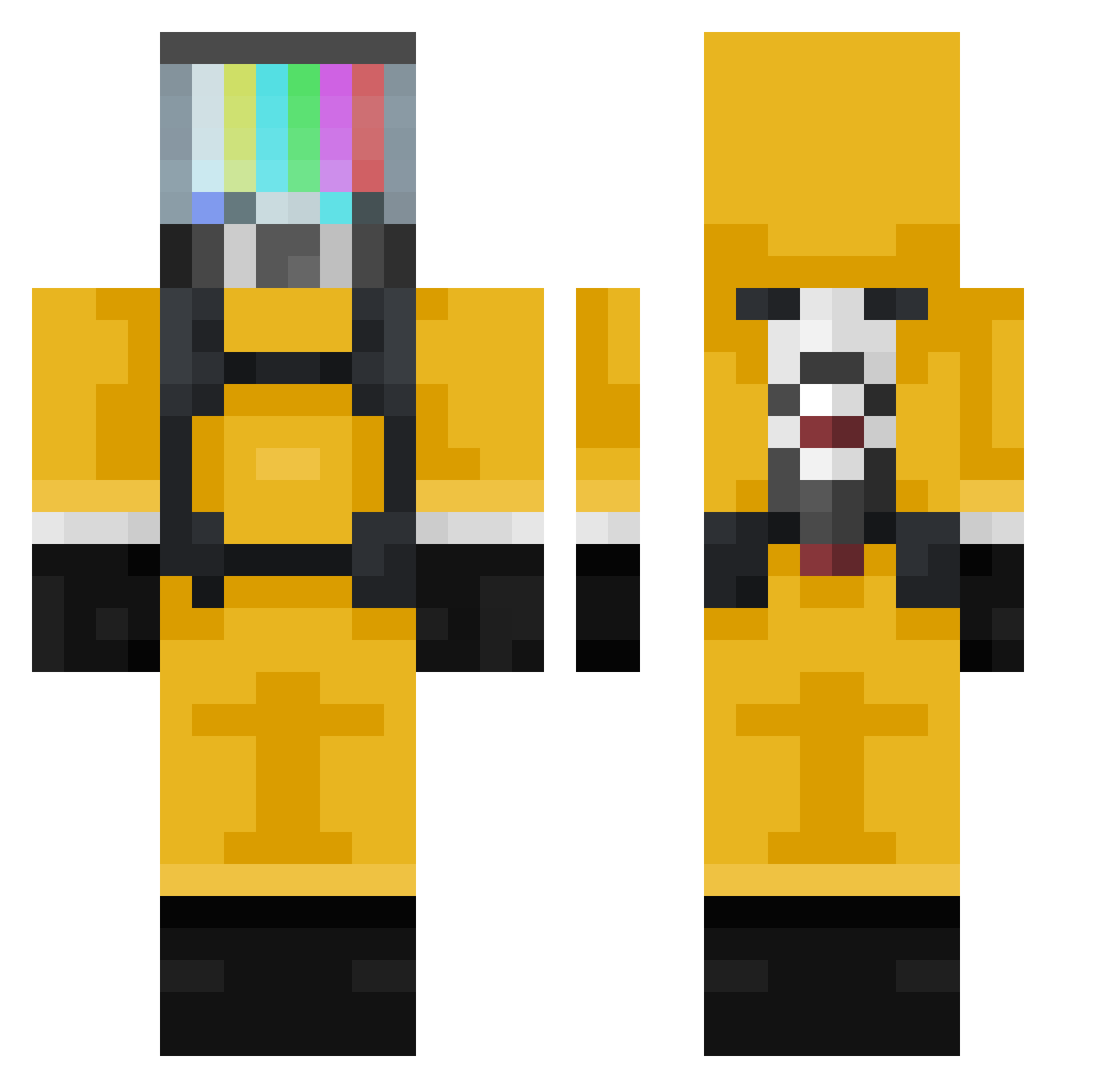
How to install the keta_kees skin
- Press the Download button above to save the skin as a PNG file.
- Minecraft: Bedrock Edition (PE): open the Dressing Room from the main menu (or tap your character → Edit Character), go to Classic Skins → Owned, press the + (new skin) button, choose the downloaded PNG and pick the Classic (Steve) model. Works on PC and mobile; consoles cannot import custom skins.
- Minecraft: Java Edition: open the Minecraft Launcher, go to the Skins tab, click New Skin, load the PNG, pick the Classic (Steve) model and press Save & Use. You can also upload it at minecraft.net → Profile → Change Skin.
The skin does not show up after import - what should I do?
Restart Minecraft and open the Dressing Room again - imported skins sometimes appear only after a restart. Also make sure you selected the imported skin and picked the Classic (Steve) model.
Which model should I choose, Classic or Slim?
This skin is designed for the Classic (Steve) model. If you pick the wrong model, the arms of the skin will look stretched or squeezed.
Is this skin free to use?
Yes. Press Download, save the PNG file and use it in Minecraft: Bedrock Edition or Java Edition - no payment or registration needed. The skin also works on multiplayer servers and Realms.
More TV Head Minecraft skins
More skins
Looking for more? Go back to all Minecraft skins and check the top skins of the week, month and all time, or find any player's skin by nickname.