
vasy_pypkin - Minecraft Skins & Skin History
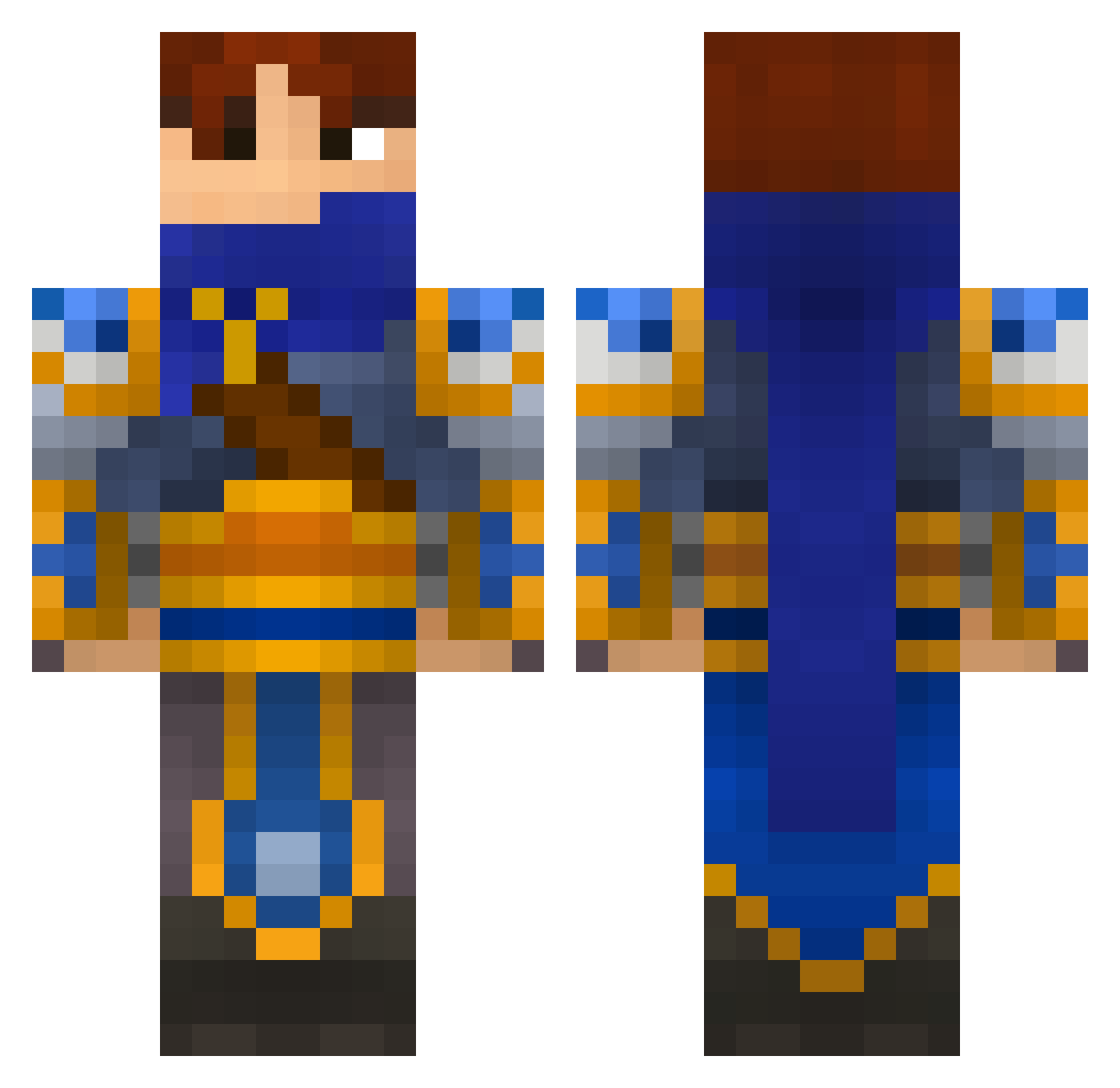
Current Minecraft skin of the player vasy_pypkin, loaded from the official Mojang API. Rotate the 3D model with your mouse or finger, then download the skin as a PNG file and use it in Minecraft: Bedrock Edition or Java Edition for free. When vasy_pypkin changes their skin, this page updates automatically and the old skin stays in the history below.
Other players with this skin (696)
vasy_pypkin was the 187th player we have seen with this skin, first spotted on 29.08.2026. The same skin was seen on these players. Open a nickname to see their current skin and skin history.
 APS202 Tezooon Destroyer_420 rusina49 Douhnut4life MrBuddySam Metamess Valisha91 Saalo Targold67 MyGunKicks WhippedComa Noble_Slayer carlbradburn PoptartNinjaEX McReizo JasonHunt juracan05 Crowler9 Jenks1035 XDNagatoXD JHallas Eliasdok Rubadubdubb AlixanderXavious ToastyElm King_Roy alien347 JoganXIV blackswhite amaya1212 evildark00 Lyzanxia o0CyberReaper0o Krom_CM Wacked_Swe tuttuku Cpt_Brown_Beard YangddingTV Kyban Absidon _crap_ XGost2 NItebi Alex9849 havock_x VortexMaster01 Blazn45 scottynapalmn G_Nubil PNDAxSUBSNIPERx Mikatsura kat041003 Bensos04 Ryuzakii59 DonSandro wightwolf4 Ctaylor98 bigdongdan427 Jaymish
More Warrior Minecraft skins
How to install the vasy_pypkin skin
- Press the Download button above to save the skin as a PNG file.
- Minecraft: Bedrock Edition (PE): open the Dressing Room from the main menu (or tap your character → Edit Character), go to Classic Skins → Owned, press the + (new skin) button, choose the downloaded PNG and pick the Classic (Steve) model. Works on PC and mobile; consoles cannot import custom skins.
- Minecraft: Java Edition: open the Minecraft Launcher, go to the Skins tab, click New Skin, load the PNG, pick the Classic (Steve) model and press Save & Use. You can also upload it at minecraft.net → Profile → Change Skin.
The skin does not show up after import - what should I do?
Restart Minecraft and open the Dressing Room again - imported skins sometimes appear only after a restart. Also make sure you selected the imported skin and picked the Classic (Steve) model.
Which model should I choose, Classic or Slim?
This skin is designed for the Classic (Steve) model. If you pick the wrong model, the arms of the skin will look stretched or squeezed.
Is the skin of vasy_pypkin free to download?
Yes. Press Download, save the PNG file and use it in Minecraft: Bedrock Edition or Java Edition - no payment or registration needed. The skin also works on multiplayer servers and Realms.
More skins
Looking for more? Go back to all Minecraft skins and check the top skins of the week, month and all time, or find any player's skin by nickname.