
valeriiiio - Minecraft Skins & Skin History
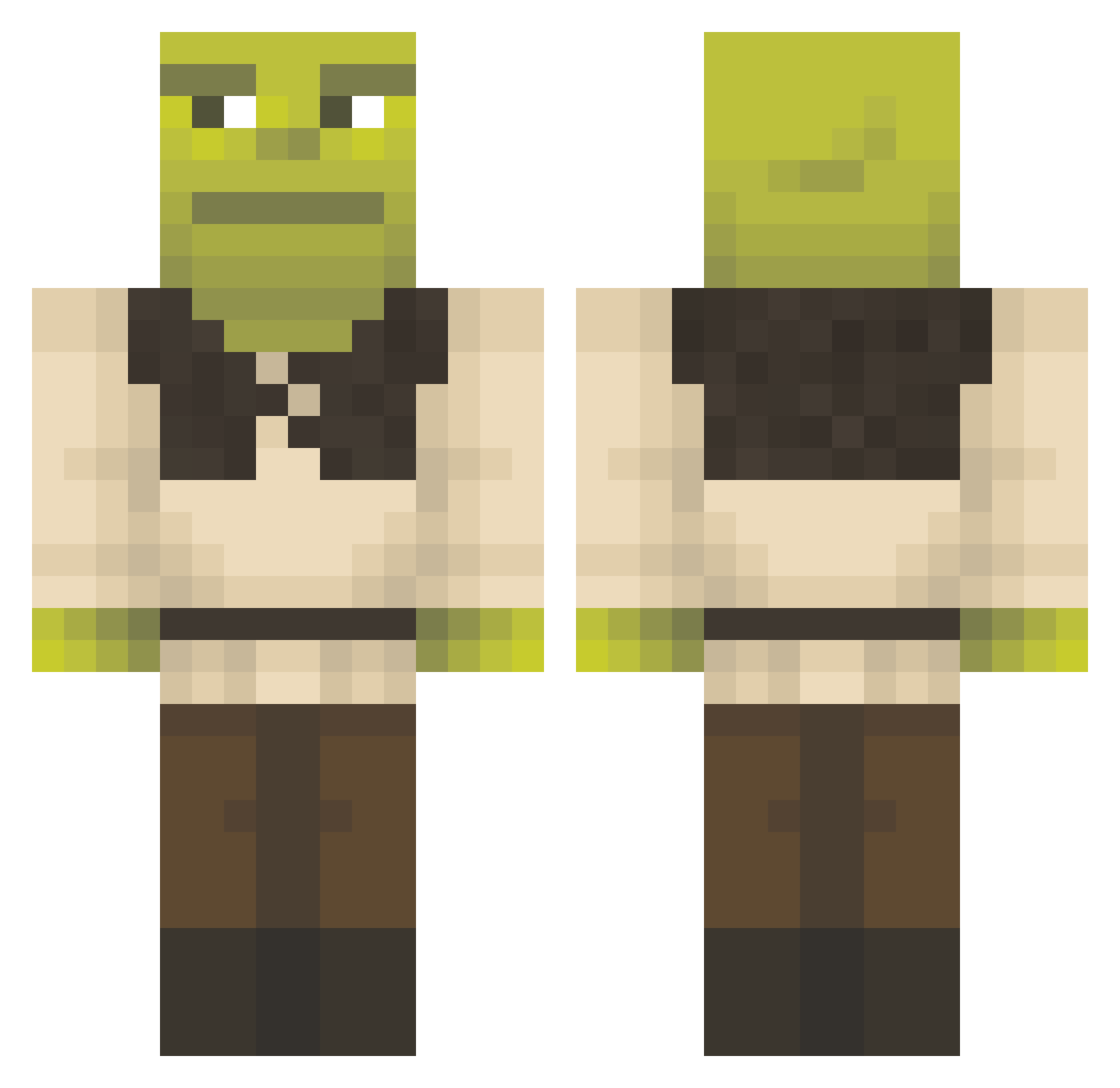
Current Minecraft skin of the player valeriiiio, loaded from the official Mojang API. Rotate the 3D model with your mouse or finger, then download the skin as a PNG file and use it in Minecraft: Bedrock Edition or Java Edition for free. When valeriiiio changes their skin, this page updates automatically and the old skin stays in the history below.
Other players with this skin (1297)
valeriiiio was the 959th player we have seen with this skin, first spotted on 07.10.2026. The same skin was seen on these players. Open a nickname to see their current skin and skin history.
 Godfreu elvato12 froisf davidM0612 S1LV3Rman CRYPTOJANICK twixphobia chournaobiziana MonkeyPickle77 bruh1761 Dasodin NajmaH67 AchimTudor Schnisel17 Shreksofon XaviArntz Lawdog41 Nalogowyspy11 cal1ca Lifestealerx GayInder MonsieurWhale Szyplonn yunihuni Jacudo59 srt7400 IAMAWATERMELON7 hvufo bigjacko69 Pofucuks Birkenbongo LN20211887 gasgasgas292 welpppp Pepijn030404 Thecamiii Deadevil2007 Yinn3r shaejg Michaelstinkt mrcoam00 MFDOOMITO BIGolSHREK ArrogantSwami andrelio TREYAK FudgeDevourer farkleminkuss WeakBerry TherealLudo Rihardsk3 squeakkie CorrexCZ becerra5500 mariacedeno28 Igna06 kelwin12 Jowi420 untag_YBS Platester24
More Shrek Minecraft skins
How to install the valeriiiio skin
- Press the Download button above to save the skin as a PNG file.
- Minecraft: Bedrock Edition (PE): open the Dressing Room from the main menu (or tap your character → Edit Character), go to Classic Skins → Owned, press the + (new skin) button, choose the downloaded PNG and pick the Classic (Steve) model. Works on PC and mobile; consoles cannot import custom skins.
- Minecraft: Java Edition: open the Minecraft Launcher, go to the Skins tab, click New Skin, load the PNG, pick the Classic (Steve) model and press Save & Use. You can also upload it at minecraft.net → Profile → Change Skin.
The skin does not show up after import - what should I do?
Restart Minecraft and open the Dressing Room again - imported skins sometimes appear only after a restart. Also make sure you selected the imported skin and picked the Classic (Steve) model.
Which model should I choose, Classic or Slim?
This skin is designed for the Classic (Steve) model. If you pick the wrong model, the arms of the skin will look stretched or squeezed.
Is the skin of valeriiiio free to download?
Yes. Press Download, save the PNG file and use it in Minecraft: Bedrock Edition or Java Edition - no payment or registration needed. The skin also works on multiplayer servers and Realms.
More skins
Looking for more? Go back to all Minecraft skins and check the top skins of the week, month and all time, or find any player's skin by nickname.