
ultramusiclover - Minecraft Skins & Skin History
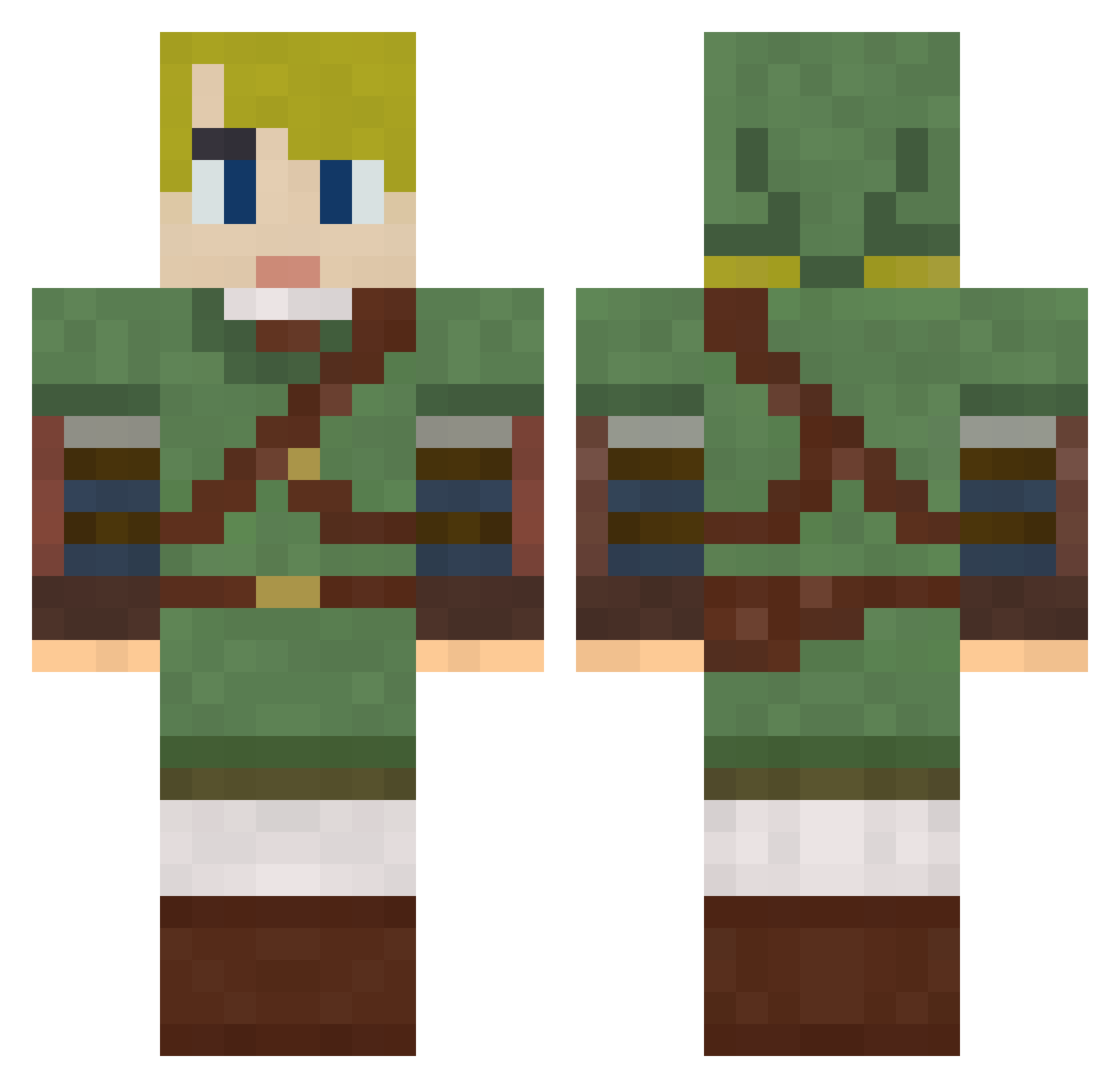
Current Minecraft skin of the player ultramusiclover, loaded from the official Mojang API. Rotate the 3D model with your mouse or finger, then download the skin as a PNG file and use it in Minecraft: Bedrock Edition or Java Edition for free. When ultramusiclover changes their skin, this page updates automatically and the old skin stays in the history below.
Other players with this skin (792)
ultramusiclover was the 329th player we have seen with this skin, first spotted on 08.09.2026. The same skin was seen on these players. Open a nickname to see their current skin and skin history.
 Johyo_ Hokidoki9 Hatsauce renzider albino734 P3doJo3 lokiiddqd NauseantHeart6 sk8te4sesch trey420 Beachbody Munkeewrench AsiaKnt ayapapa Rubens0424 Viktor0909 FlyinKat eschubert96 t0mf00lery1981 Baese127 Charlie51200 Phily_K TheDoctor815 jongsik MrsFredFlintston ConflictGenesis LegOfLamb Nitram0103 djdrammeh rainbowdeer17 bleachbottle azrei027 Jamie_2005 zacg24 Wushumen degghi B1gFatTony jnutt011 smartlich RubinGaidin someblackguy14 dippy_eggs D3m0n1xxx Brosnan moose1667 TtrisV KLorow Jorre111 rawrstafarian Random_Adam suzaku_1012 Worin The_Saint103 MeatPopsicle199 Creedifus laney MisterLorence Fettsnella Var1aL Metalheart71
More Zelda Minecraft skins
How to install the ultramusiclover skin
- Press the Download button above to save the skin as a PNG file.
- Minecraft: Bedrock Edition (PE): open the Dressing Room from the main menu (or tap your character → Edit Character), go to Classic Skins → Owned, press the + (new skin) button, choose the downloaded PNG and pick the Classic (Steve) model. Works on PC and mobile; consoles cannot import custom skins.
- Minecraft: Java Edition: open the Minecraft Launcher, go to the Skins tab, click New Skin, load the PNG, pick the Classic (Steve) model and press Save & Use. You can also upload it at minecraft.net → Profile → Change Skin.
The skin does not show up after import - what should I do?
Restart Minecraft and open the Dressing Room again - imported skins sometimes appear only after a restart. Also make sure you selected the imported skin and picked the Classic (Steve) model.
Which model should I choose, Classic or Slim?
This skin is designed for the Classic (Steve) model. If you pick the wrong model, the arms of the skin will look stretched or squeezed.
Is the skin of ultramusiclover free to download?
Yes. Press Download, save the PNG file and use it in Minecraft: Bedrock Edition or Java Edition - no payment or registration needed. The skin also works on multiplayer servers and Realms.
More skins
Looking for more? Go back to all Minecraft skins and check the top skins of the week, month and all time, or find any player's skin by nickname.