
tubabassist - Minecraft Skins & Skin History
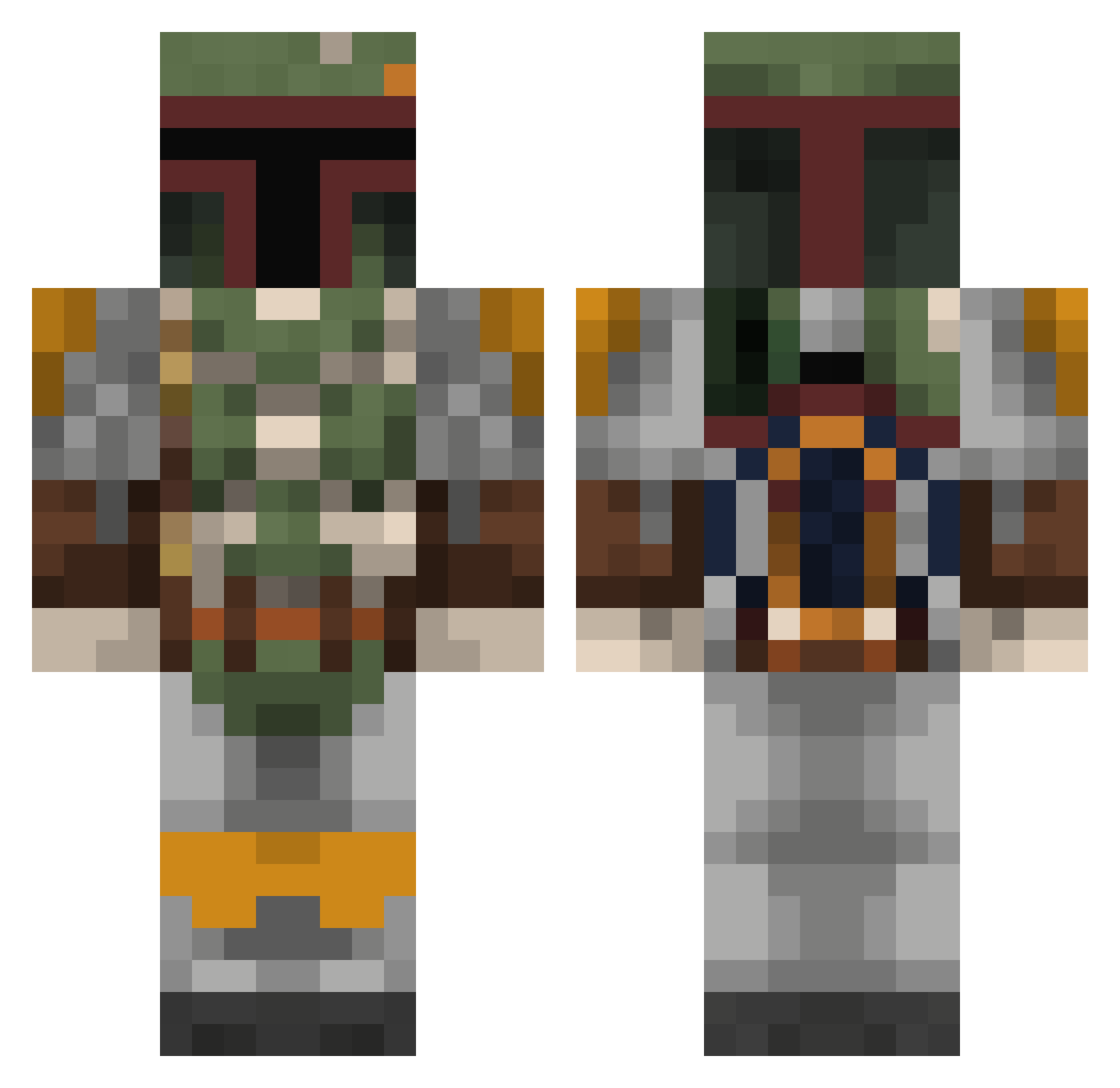
Current Minecraft skin of the player tubabassist, loaded from the official Mojang API. Rotate the 3D model with your mouse or finger, then download the skin as a PNG file and use it in Minecraft: Bedrock Edition or Java Edition for free. When tubabassist changes their skin, this page updates automatically and the old skin stays in the history below.
Other players with this skin (811)
tubabassist was the 595th player we have seen with this skin, first spotted on 12.10.2026. The same skin was seen on these players. Open a nickname to see their current skin and skin history.
 rodentha4 roachbunny Tryggs CK_10 Mendici Dr_McFluffers k3ntizZ Jorge_Oren HawkandDove gaber132 Hoover2126 Todd_Unctuous Infernox11 Ecrast R3HCRA rawrison 1Thunder Sir_Ned CH40s24_7 AnAngryTRex HenryFindley jonno138 TheLionKing285 Sollie007 Sporktacular UssInBoots Naytha Sterwhiz Lillp0nken Limon6ik Alaradin22 FrontalGrub TaTafail42 Frostedpaw ibegandalf mineraph2004 wrestler2001 Shadow_Oracle redmonkey8778 Coltymods Suicide_Seekat strikingcobra77 adato SWAT1067 The_Pataate JDlock _Nevona_ Tateerfu Essabobby Eusey05 DreamChaserDirk Bob3097 zachstracks Harry_Crafter007 mrrsmiley necrid86 Capt_Kicks SOVIET_MAU5 BleuAlt4 StudyHardBeEvil
More Boba Fett Minecraft skins
How to install the tubabassist skin
- Press the Download button above to save the skin as a PNG file.
- Minecraft: Bedrock Edition (PE): open the Dressing Room from the main menu (or tap your character → Edit Character), go to Classic Skins → Owned, press the + (new skin) button, choose the downloaded PNG and pick the Classic (Steve) model. Works on PC and mobile; consoles cannot import custom skins.
- Minecraft: Java Edition: open the Minecraft Launcher, go to the Skins tab, click New Skin, load the PNG, pick the Classic (Steve) model and press Save & Use. You can also upload it at minecraft.net → Profile → Change Skin.
The skin does not show up after import - what should I do?
Restart Minecraft and open the Dressing Room again - imported skins sometimes appear only after a restart. Also make sure you selected the imported skin and picked the Classic (Steve) model.
Which model should I choose, Classic or Slim?
This skin is designed for the Classic (Steve) model. If you pick the wrong model, the arms of the skin will look stretched or squeezed.
Is the skin of tubabassist free to download?
Yes. Press Download, save the PNG file and use it in Minecraft: Bedrock Edition or Java Edition - no payment or registration needed. The skin also works on multiplayer servers and Realms.
More skins
Looking for more? Go back to all Minecraft skins and check the top skins of the week, month and all time, or find any player's skin by nickname.