
trevor_parkes - Minecraft Skins & Skin History
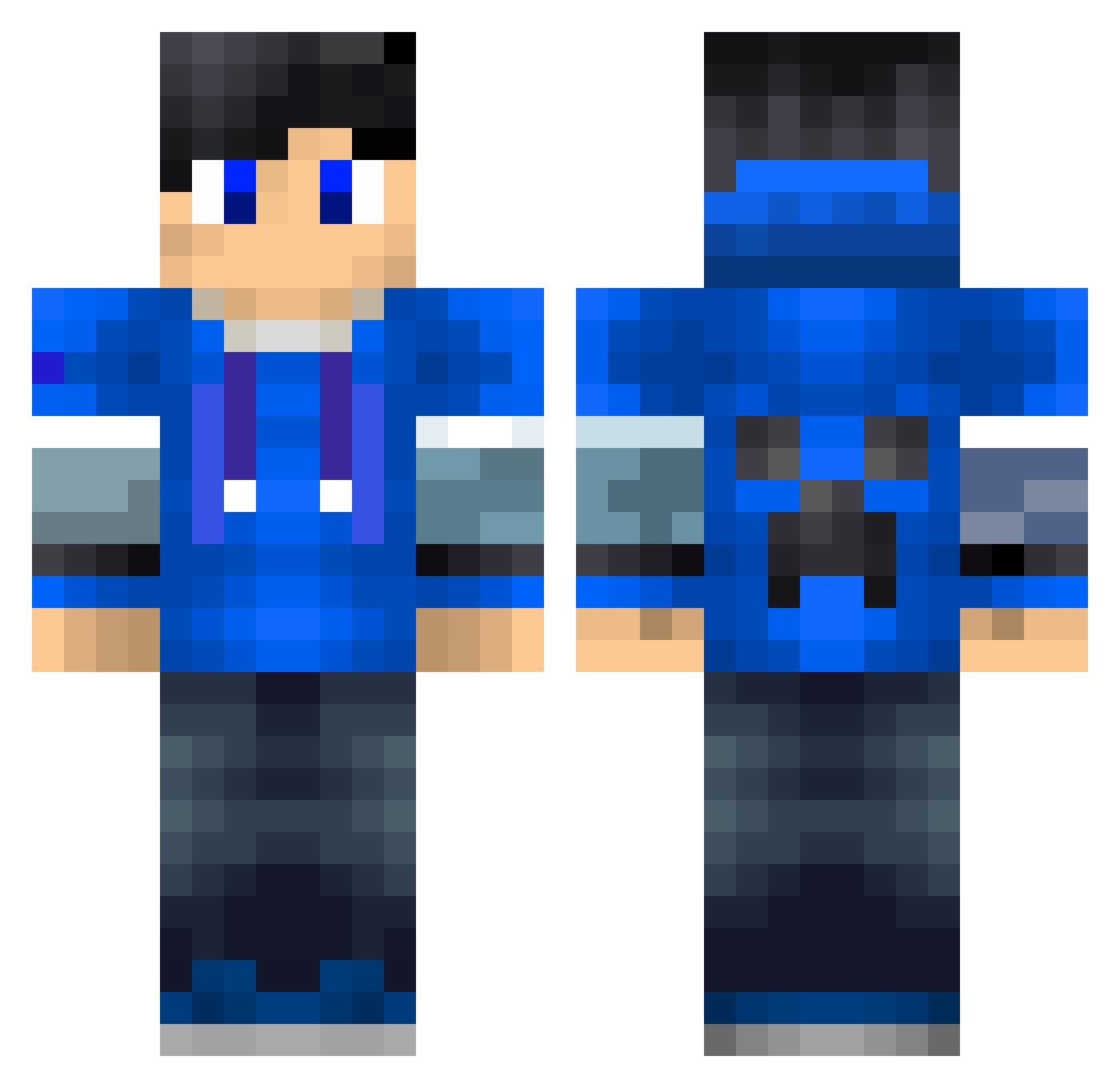
Current Minecraft skin of the player trevor_parkes, loaded from the official Mojang API. Rotate the 3D model with your mouse or finger, then download the skin as a PNG file and use it in Minecraft: Bedrock Edition or Java Edition for free. When trevor_parkes changes their skin, this page updates automatically and the old skin stays in the history below.
Other players with this skin (228)
trevor_parkes was the 129th player we have seen with this skin, first spotted on 27.09.2026. The same skin was seen on these players. Open a nickname to see their current skin and skin history.
 Bruceshi Rico13264 Frem321 TTV_WeTSaUcE dc0202 JarneClaw EricLee casilias2005 nakanix Timeshift64 Joshuaotte6 Thuva9 diamondcraft2013 BrunAll BaiYuYa gragame RoelEngelen WheelJBarrow Rwalshy9 omineeo Obus Spudman_836 Austrem88 bonniethebunny34 Mr_xiaozhou nielsapie Azbgaming Jacoba3000 Jacobi123456 ItsYaBoiJake JonnesHD Rh1geR TrolledUnicorn BlueBoy555 Melone_tv Sammieman9 Simonebomber2002 CreeperSlayerVon zeth_dk Raited TECH7Fox DC_WatchDog meechan007 mattia324 Baconator7 dinotdm9 _DragonYT_ Ripulipvp DoomyNL Larsje1 min0derG RaffiCux Jooj_o_joojador Zehao_ Intes6 ShawZ2 cyw_T BubbaLukey HorseloverErica 1imperialgamer
More Creeper Minecraft skins
How to install the trevor_parkes skin
- Press the Download button above to save the skin as a PNG file.
- Minecraft: Bedrock Edition (PE): open the Dressing Room from the main menu (or tap your character → Edit Character), go to Classic Skins → Owned, press the + (new skin) button, choose the downloaded PNG and pick the Classic (Steve) model. Works on PC and mobile; consoles cannot import custom skins.
- Minecraft: Java Edition: open the Minecraft Launcher, go to the Skins tab, click New Skin, load the PNG, pick the Classic (Steve) model and press Save & Use. You can also upload it at minecraft.net → Profile → Change Skin.
The skin does not show up after import - what should I do?
Restart Minecraft and open the Dressing Room again - imported skins sometimes appear only after a restart. Also make sure you selected the imported skin and picked the Classic (Steve) model.
Which model should I choose, Classic or Slim?
This skin is designed for the Classic (Steve) model. If you pick the wrong model, the arms of the skin will look stretched or squeezed.
Is the skin of trevor_parkes free to download?
Yes. Press Download, save the PNG file and use it in Minecraft: Bedrock Edition or Java Edition - no payment or registration needed. The skin also works on multiplayer servers and Realms.
More skins
Looking for more? Go back to all Minecraft skins and check the top skins of the week, month and all time, or find any player's skin by nickname.