
 Bonneyy NightRaven2115 Dai_P roborilyan MasterGamerX EpicGamerSeth Eplayer61 killmakernl GMP0714 Diminuent JumboCactaur riajix DanyBlu90 GugaJ Camp_Clan5 basmas2111 Yellowmurder WaterBreathMan KnucklesDT Pacman_za BlubVision Colton2007 LBM_Thunderius KAIXIONG360 MHenriksen kjano minimagmutsuper Dschikey Build3r14 GrasshopperT melonjun KOBOB5 Shorty_k07 Tthekiller100 _zJoONaaS MeowTerry ProGamer4444 Faris_80 Delta46 tomdavies CitrineScorpio cooldude10501 Spenner92 humbe94 JoeTheDevil skktlz kalellikespizaa zohanlover123 GAMINGWARHEAD05 RomuloSlk smikkelaar CyberDominus Awesomealek123 Teddeee DRA1NDEMON ManuDong JamiePlaysXD NinjaWarrior16 Willabce8717 flynn300
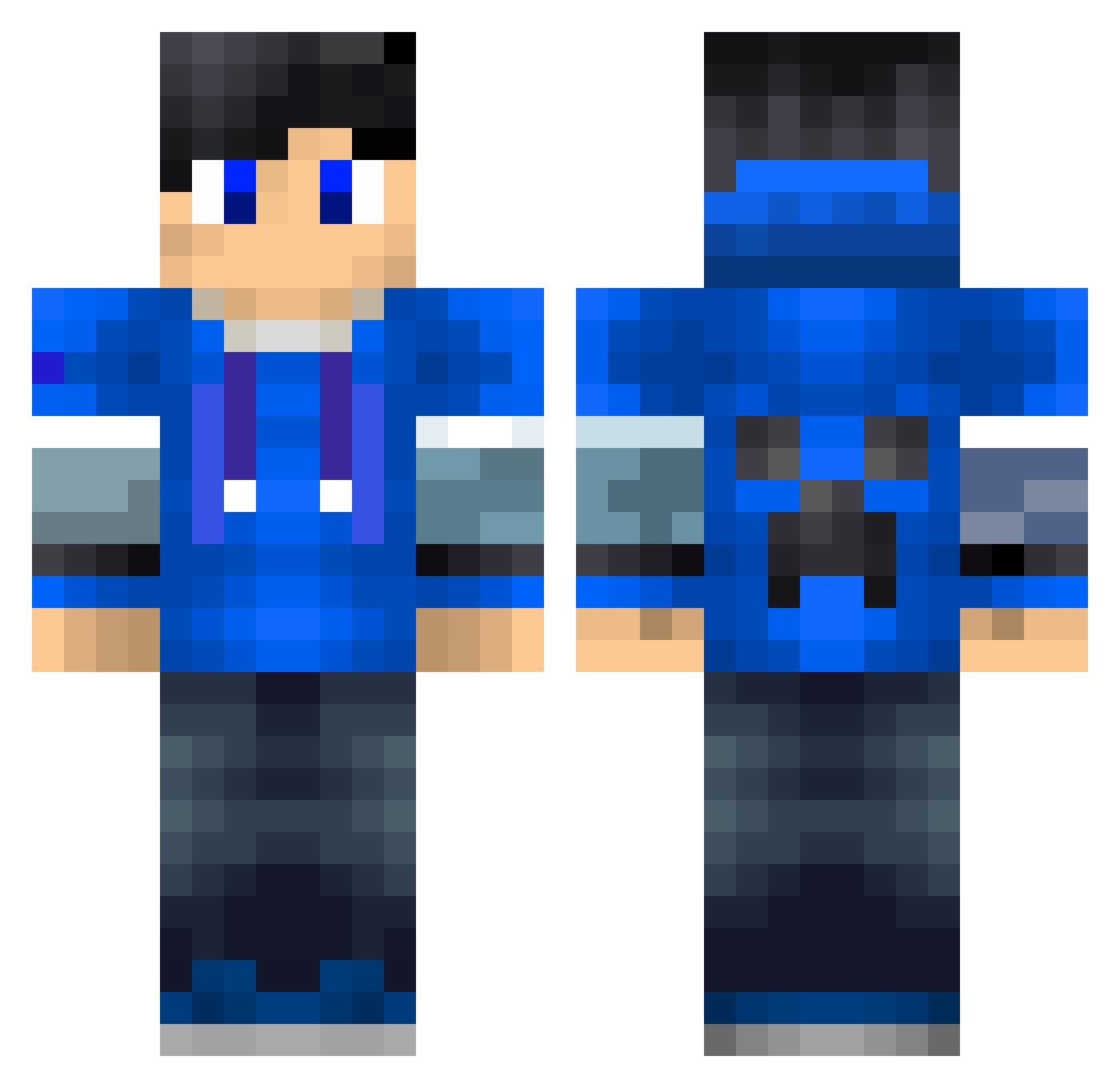
Minecraft skin of Aminator318. Rotate the 3D model with your mouse or finger to view the skin from every angle, then download it as a PNG file and use it in Minecraft: Bedrock Edition or Java Edition for free. Rate the skin with stars to help other players find the best skins in our collection.
How to install the Aminator318 skin
- Press the Download button above to save the skin as a PNG file.
- Minecraft: Bedrock Edition (PE): open the Dressing Room from the main menu (or tap your character → Edit Character), go to Classic Skins → Owned, press the + (new skin) button, choose the downloaded PNG and pick the Classic (Steve) model. Works on PC and mobile; consoles cannot import custom skins.
- Minecraft: Java Edition: open the Minecraft Launcher, go to the Skins tab, click New Skin, load the PNG, pick the Classic (Steve) model and press Save & Use. You can also upload it at minecraft.net → Profile → Change Skin.
The skin does not show up after import - what should I do?
Restart Minecraft and open the Dressing Room again - imported skins sometimes appear only after a restart. Also make sure you selected the imported skin and picked the Classic (Steve) model.
Which model should I choose, Classic or Slim?
This skin is designed for the Classic (Steve) model. If you pick the wrong model, the arms of the skin will look stretched or squeezed.
Is this skin free to use?
Yes. Press Download, save the PNG file and use it in Minecraft: Bedrock Edition or Java Edition - no payment or registration needed. The skin also works on multiplayer servers and Realms.
More Creeper Minecraft skins
More skins
Looking for more? Go back to all Minecraft skins and check the top skins of the week, month and all time, or find any player's skin by nickname.