
trevonoykas - Minecraft Skins & Skin History
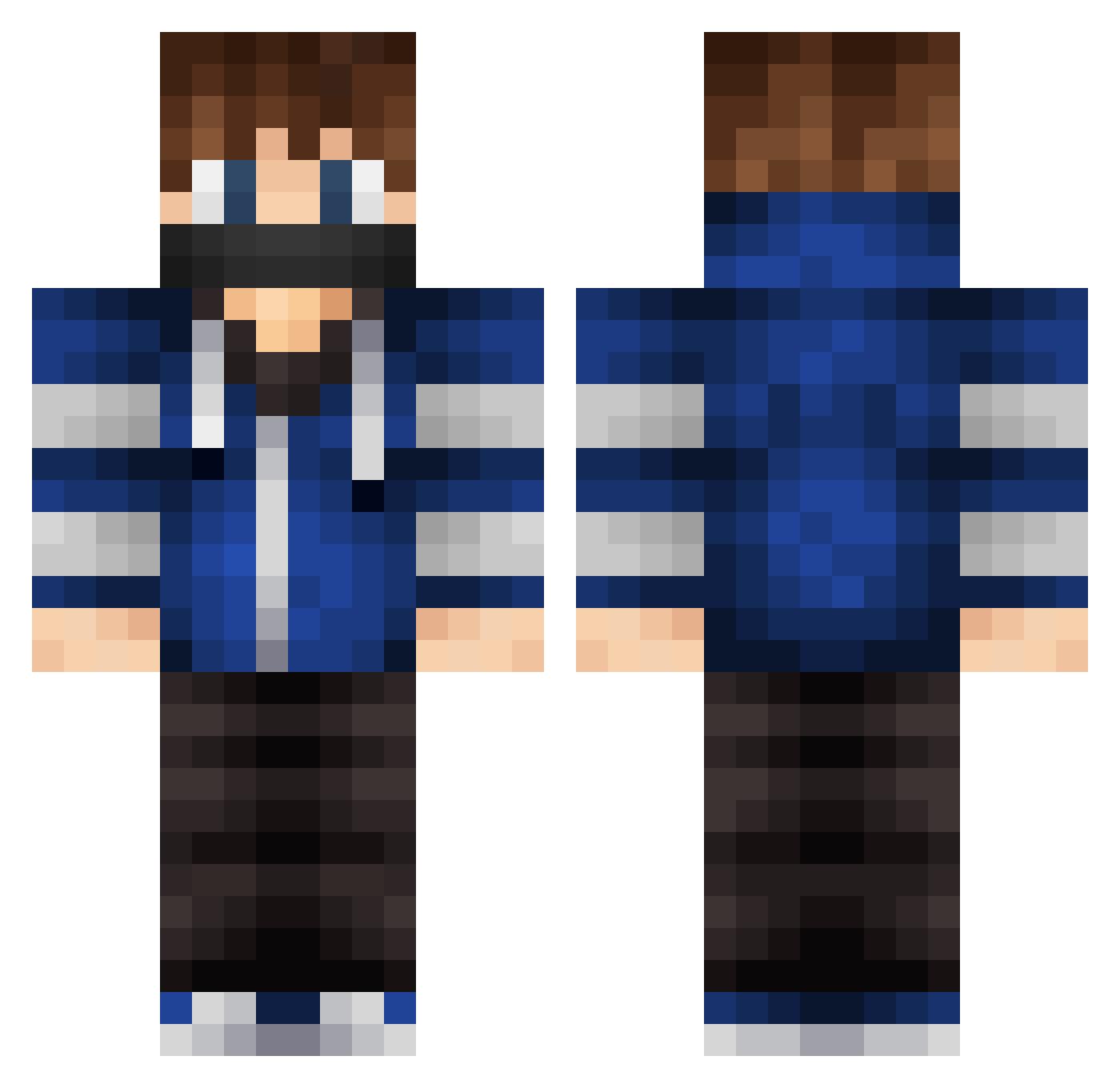
Current Minecraft skin of the player trevonoykas, loaded from the official Mojang API. Rotate the 3D model with your mouse or finger, then download the skin as a PNG file and use it in Minecraft: Bedrock Edition or Java Edition for free. When trevonoykas changes their skin, this page updates automatically and the old skin stays in the history below.
Other players with this skin (228)
trevonoykas was the 165th player we have seen with this skin, first spotted on 28.09.2026. The same skin was seen on these players. Open a nickname to see their current skin and skin history.
 Dylax26 JI_EGE simgalmes13 Storm6801 KimJW0428 rograzzer yu_hui GL321 hoan773 Soapangel islsy wer0638 469ms E6scav SNOWDROP_BOY Jungout Freddi_mac_f CreepeyCreeper Zoogath Impulseps SaZuKo_ IzBlissy PatateMasters sulkku Kopronik WestonM_ ReImprint MrToitle Santicrackuy Jesse22Champ lightning_strom kharlosan Askata Teddy_O6 LeniwyAdrian430 s1919s CyberGhost218 Mantou0106 Revigorate LucasRio488 Aiden_564 zaz666 SchismNavigator eMiL025 Tobsi06 Chu_Qiu Xiao613 undwasistjetzt ExPrezB2 keepoo ducHyjed RangerPlayzz AmericanOperator DerkHawe xxxniconismoxxx El_Keik LeeZ1 TimmyTurner255 alferezio Pixiiu
More Mask Minecraft skins
How to install the trevonoykas skin
- Press the Download button above to save the skin as a PNG file.
- Minecraft: Bedrock Edition (PE): open the Dressing Room from the main menu (or tap your character → Edit Character), go to Classic Skins → Owned, press the + (new skin) button, choose the downloaded PNG and pick the Classic (Steve) model. Works on PC and mobile; consoles cannot import custom skins.
- Minecraft: Java Edition: open the Minecraft Launcher, go to the Skins tab, click New Skin, load the PNG, pick the Classic (Steve) model and press Save & Use. You can also upload it at minecraft.net → Profile → Change Skin.
The skin does not show up after import - what should I do?
Restart Minecraft and open the Dressing Room again - imported skins sometimes appear only after a restart. Also make sure you selected the imported skin and picked the Classic (Steve) model.
Which model should I choose, Classic or Slim?
This skin is designed for the Classic (Steve) model. If you pick the wrong model, the arms of the skin will look stretched or squeezed.
Is the skin of trevonoykas free to download?
Yes. Press Download, save the PNG file and use it in Minecraft: Bedrock Edition or Java Edition - no payment or registration needed. The skin also works on multiplayer servers and Realms.
More skins
Looking for more? Go back to all Minecraft skins and check the top skins of the week, month and all time, or find any player's skin by nickname.