
toroli1 - Minecraft Skins & Skin History
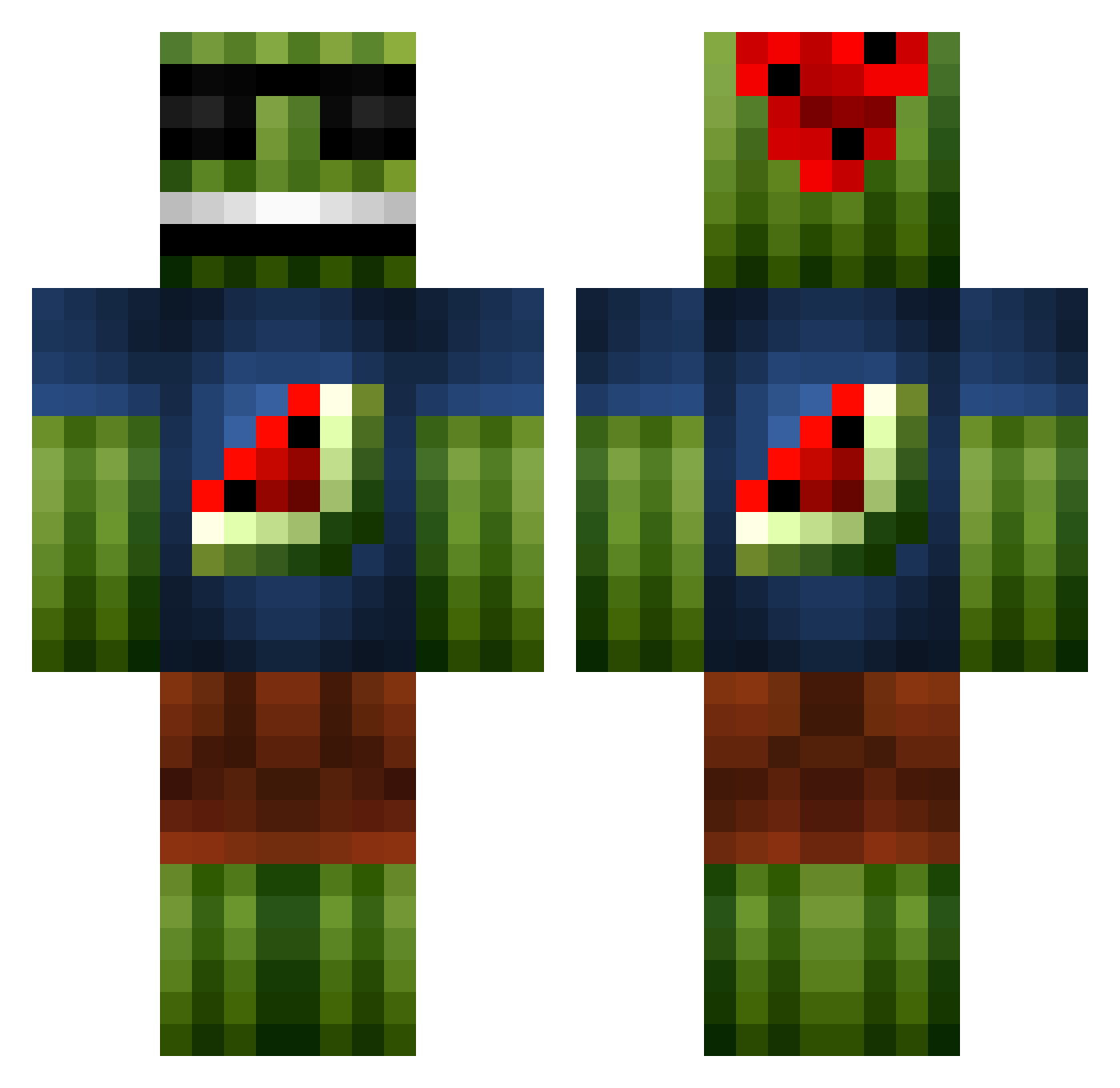
Current Minecraft skin of the player toroli1, loaded from the official Mojang API. Rotate the 3D model with your mouse or finger, then download the skin as a PNG file and use it in Minecraft: Bedrock Edition or Java Edition for free. When toroli1 changes their skin, this page updates automatically and the old skin stays in the history below.
Other players with this skin (1096)
toroli1 was the 434th player we have seen with this skin, first spotted on 11.09.2026. The same skin was seen on these players. Open a nickname to see their current skin and skin history.
 FL0O1 TheMegaMelon joeyboom34 T4rt4ros deathdean REDCHAOS2003 morgan8088 C4lo Dennisxd657 sonicjeff03 KojakR fudgemonkey3 minecraftkid298 Mjelva mcbug12 MCmarcos04 tuinkabouter8 McAnigans captian_nero99 bearshakerr trogdor_unique Jojoko89 Cruxyboi iMTheWAY tillinator2000 _WhiteFlame MadMadMads jasonwill2002 Syndicate1017 hiwhyme szeche fungdoodle78 kingston5035 Soccersanty77 ribena_wrath oVico Denkata_BG M0JJ3 SurfTower sava2000 iLuis_XD ArsenicIV LordJackofUSA Weird_Jay inyourmomsface Huuubsch mirros3000 KubickRubick Ropyy phone18 onefootgiant henrytammo TheMCSlayerr SISSELman1 bdub001 oakey12 1FuzzyMonkey Lord_Ulfric sammmooo KleineEtter
More Watermelon Minecraft skins
How to install the toroli1 skin
- Press the Download button above to save the skin as a PNG file.
- Minecraft: Bedrock Edition (PE): open the Dressing Room from the main menu (or tap your character → Edit Character), go to Classic Skins → Owned, press the + (new skin) button, choose the downloaded PNG and pick the Classic (Steve) model. Works on PC and mobile; consoles cannot import custom skins.
- Minecraft: Java Edition: open the Minecraft Launcher, go to the Skins tab, click New Skin, load the PNG, pick the Classic (Steve) model and press Save & Use. You can also upload it at minecraft.net → Profile → Change Skin.
The skin does not show up after import - what should I do?
Restart Minecraft and open the Dressing Room again - imported skins sometimes appear only after a restart. Also make sure you selected the imported skin and picked the Classic (Steve) model.
Which model should I choose, Classic or Slim?
This skin is designed for the Classic (Steve) model. If you pick the wrong model, the arms of the skin will look stretched or squeezed.
Is the skin of toroli1 free to download?
Yes. Press Download, save the PNG file and use it in Minecraft: Bedrock Edition or Java Edition - no payment or registration needed. The skin also works on multiplayer servers and Realms.
More skins
Looking for more? Go back to all Minecraft skins and check the top skins of the week, month and all time, or find any player's skin by nickname.