
time_0324 - Minecraft Skins & Skin History
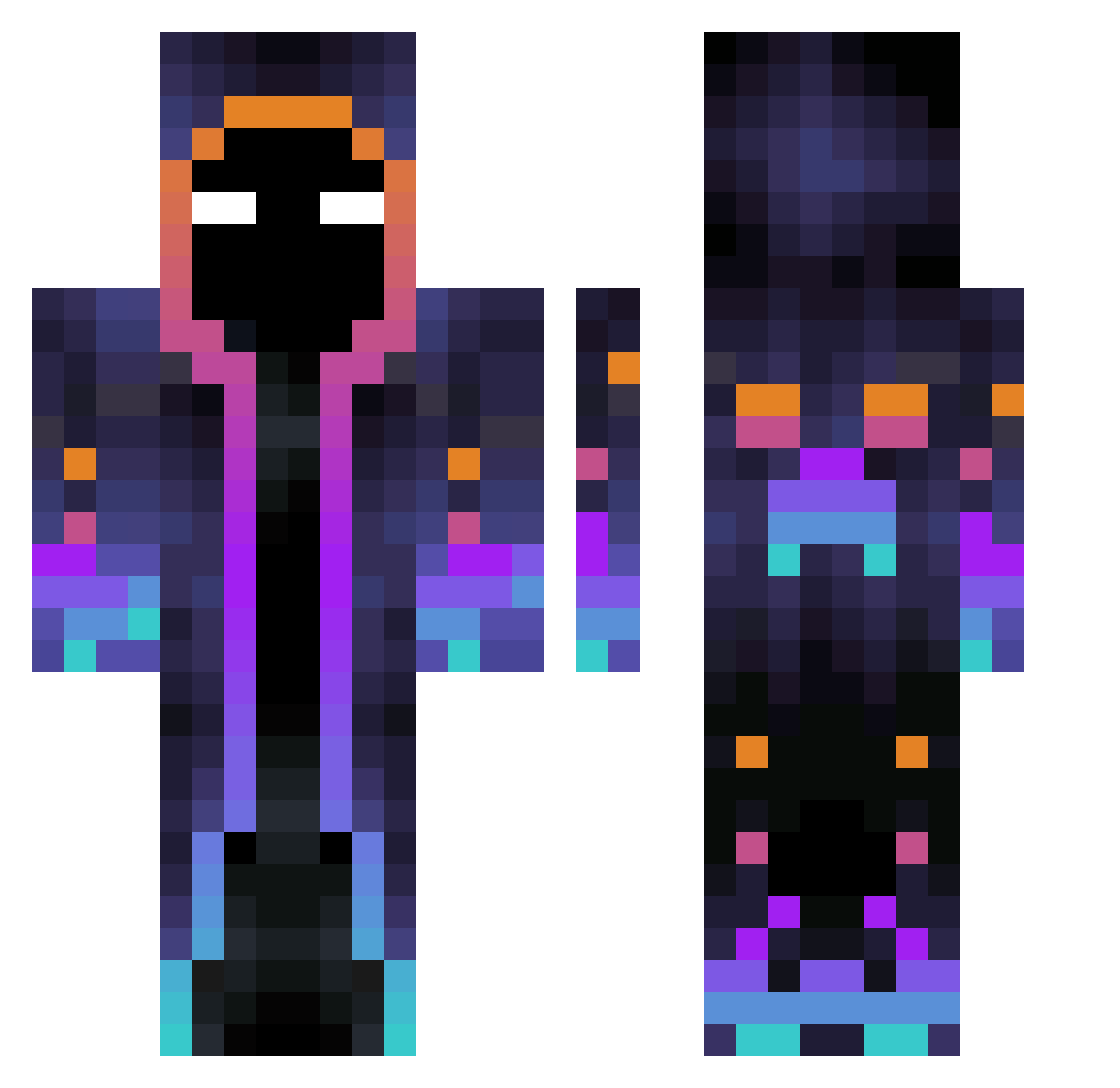
Current Minecraft skin of the player time_0324, loaded from the official Mojang API. Rotate the 3D model with your mouse or finger, then download the skin as a PNG file and use it in Minecraft: Bedrock Edition or Java Edition for free. When time_0324 changes their skin, this page updates automatically and the old skin stays in the history below.
Other players with this skin (597)
time_0324 was the 216th player we have seen with this skin, first spotted on 08.09.2026. The same skin was seen on these players. Open a nickname to see their current skin and skin history.
 H2OhhMy Stevezor1 houhou_1127 dotsh888 Darkzitooo Krognarr Kaelwind Rompecucas1209 GiovanniLanata KiwiTH LionMaster4972 Kstarboy1 RupertOG dembus LiuPai Lyutsuan Mag1c66 FA_TX Elias09187 LucaFFXX JAVS01 DeathlyHorcrx Ayato_1o LunixSG WickedBraum U_Official Jesupekka01 Roundmicrobe314 Ek_pf michaelwave__ jankox2712 MCDiaboromon Bloodthirstyk TheLiamCreeper rlaalswns1457 PDXCH shanec20 LuisFas97 woshidiedi Just_normal2 Lan4ssa Caingamer33 Gradas5658 xiaomeimeimeimei kei317 Arquinho AwokenBeast96 owo_sunshine xxOVIZxx Crystalbauer Jerome012011 SONGBYEONG zaisi7 matthew4304 davide2805 Orion2491 GanjjaCat Winwin_PTW noppers2 Wulaszlo
More Galaxy Minecraft skins
How to install the time_0324 skin
- Press the Download button above to save the skin as a PNG file.
- Minecraft: Bedrock Edition (PE): open the Dressing Room from the main menu (or tap your character → Edit Character), go to Classic Skins → Owned, press the + (new skin) button, choose the downloaded PNG and pick the Classic (Steve) model. Works on PC and mobile; consoles cannot import custom skins.
- Minecraft: Java Edition: open the Minecraft Launcher, go to the Skins tab, click New Skin, load the PNG, pick the Classic (Steve) model and press Save & Use. You can also upload it at minecraft.net → Profile → Change Skin.
The skin does not show up after import - what should I do?
Restart Minecraft and open the Dressing Room again - imported skins sometimes appear only after a restart. Also make sure you selected the imported skin and picked the Classic (Steve) model.
Which model should I choose, Classic or Slim?
This skin is designed for the Classic (Steve) model. If you pick the wrong model, the arms of the skin will look stretched or squeezed.
Is the skin of time_0324 free to download?
Yes. Press Download, save the PNG file and use it in Minecraft: Bedrock Edition or Java Edition - no payment or registration needed. The skin also works on multiplayer servers and Realms.
More skins
Looking for more? Go back to all Minecraft skins and check the top skins of the week, month and all time, or find any player's skin by nickname.