
themuze - Minecraft Skins & Skin History
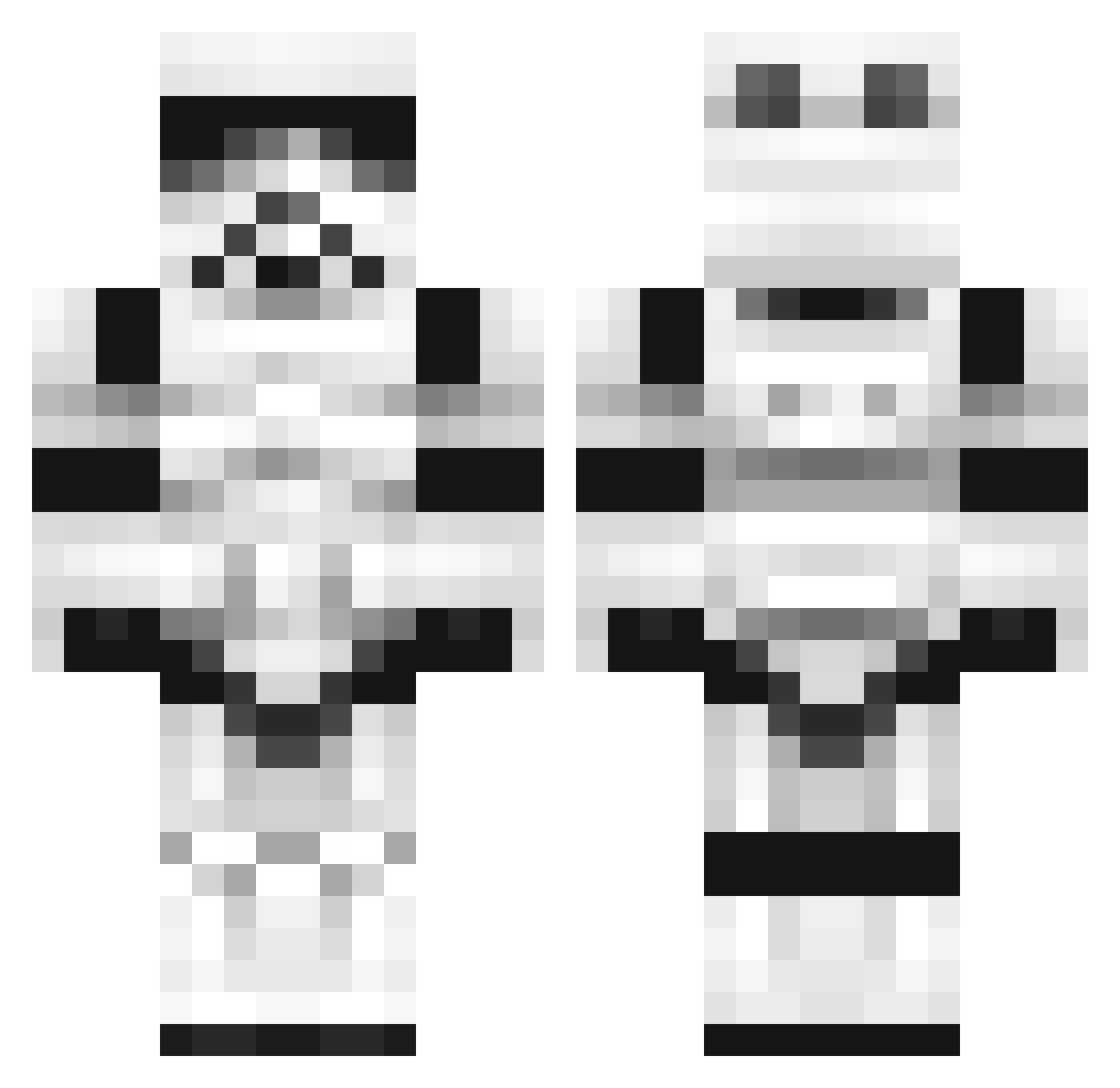
Current Minecraft skin of the player themuze, loaded from the official Mojang API. Rotate the 3D model with your mouse or finger, then download the skin as a PNG file and use it in Minecraft: Bedrock Edition or Java Edition for free. When themuze changes their skin, this page updates automatically and the old skin stays in the history below.
Other players with this skin (1099)
themuze was the 993rd player we have seen with this skin, first spotted on 24.10.2026. The same skin was seen on these players. Open a nickname to see their current skin and skin history.
 gmlggii rojarrasmus Killermaschiene2 l3roseph Aitchy Ju1i_0h xXxYozxXx Maskett2 RohanT71 TECH1983 Bueller_ TooManyDewgongs UnlockereN zEnoxZEENOCKS joeyG1001 PadDav90 Joey_Weaver SeilerTheCreator KaltFusion Aaron_Pinto MalkinNightwing Merwani I_Love_Tacos flipstof slayerknight2010 NamelessHollow Bajerek Eskiet nico1HD1 wadered xxOctoberxx waggz011 joker4evr Limpy ____________Evan Smursta MarineMan88 kevin_patat ZoiglhoE srbuho ChilliWilli Danichlox creeper_Kill3r95 Holyphoenix9192 R3troDJ Rubesqubes Grassgreendude fr0stbite24 CrazyAce13 Ericlol11 TaylorGang64 MedicalDistress 0sondre1 Flo412 pinkfloyd1116 steve9773 Iradale omar3363 Aesops_tables ezra4no1
More Trooper Minecraft skins
How to install the themuze skin
- Press the Download button above to save the skin as a PNG file.
- Minecraft: Bedrock Edition (PE): open the Dressing Room from the main menu (or tap your character → Edit Character), go to Classic Skins → Owned, press the + (new skin) button, choose the downloaded PNG and pick the Classic (Steve) model. Works on PC and mobile; consoles cannot import custom skins.
- Minecraft: Java Edition: open the Minecraft Launcher, go to the Skins tab, click New Skin, load the PNG, pick the Classic (Steve) model and press Save & Use. You can also upload it at minecraft.net → Profile → Change Skin.
The skin does not show up after import - what should I do?
Restart Minecraft and open the Dressing Room again - imported skins sometimes appear only after a restart. Also make sure you selected the imported skin and picked the Classic (Steve) model.
Which model should I choose, Classic or Slim?
This skin is designed for the Classic (Steve) model. If you pick the wrong model, the arms of the skin will look stretched or squeezed.
Is the skin of themuze free to download?
Yes. Press Download, save the PNG file and use it in Minecraft: Bedrock Edition or Java Edition - no payment or registration needed. The skin also works on multiplayer servers and Realms.
More skins
Looking for more? Go back to all Minecraft skins and check the top skins of the week, month and all time, or find any player's skin by nickname.