
theflyingfrog77 - Minecraft Skins & Skin History
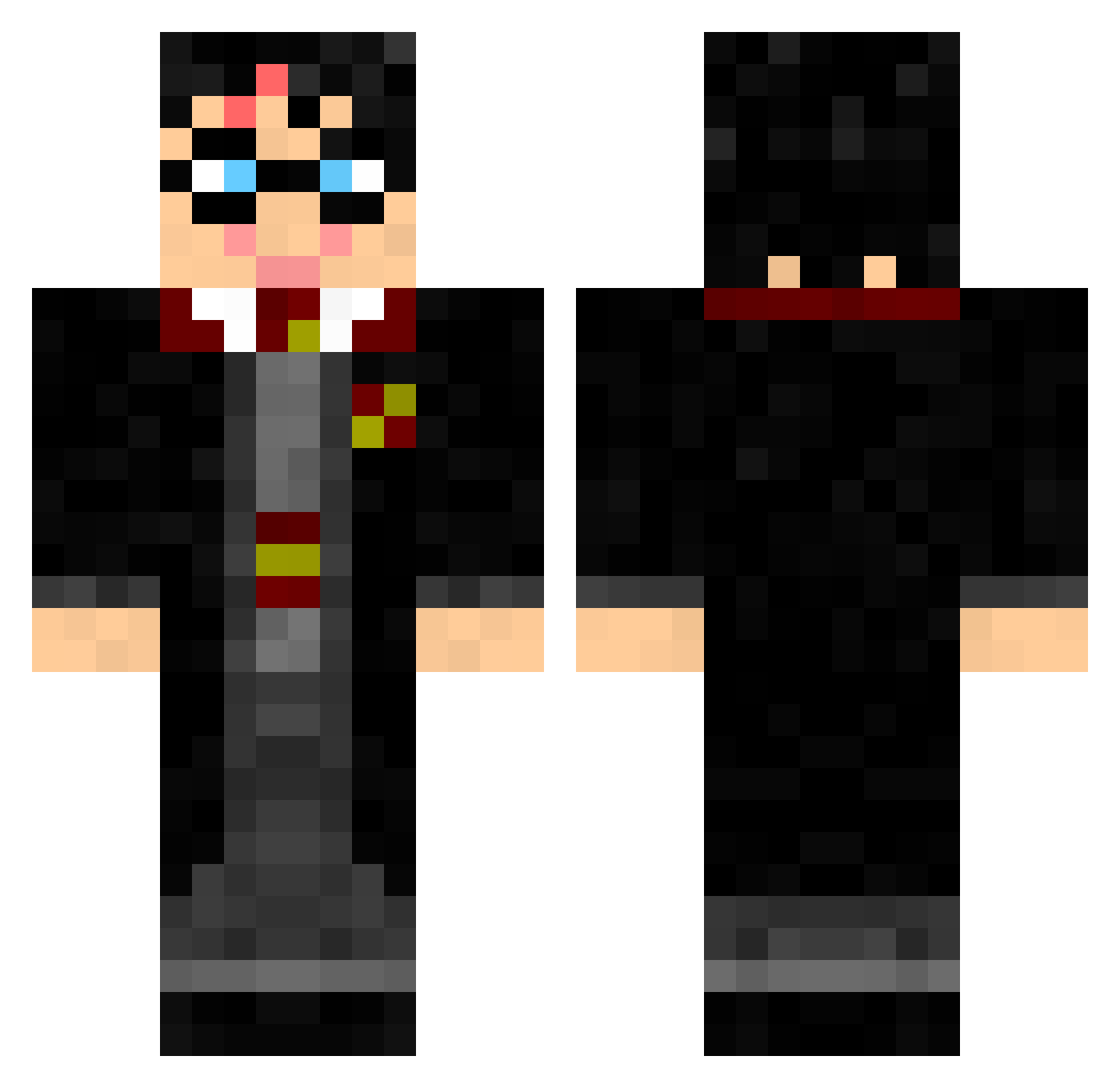
Current Minecraft skin of the player theflyingfrog77, loaded from the official Mojang API. Rotate the 3D model with your mouse or finger, then download the skin as a PNG file and use it in Minecraft: Bedrock Edition or Java Edition for free. When theflyingfrog77 changes their skin, this page updates automatically and the old skin stays in the history below.
Other players with this skin (327)
theflyingfrog77 was the 254th player we have seen with this skin, first spotted on 16.10.2026. The same skin was seen on these players. Open a nickname to see their current skin and skin history.
 chase33 kfbatman burnthewitchh BerkaayK Jank97 OakSnitch PackMan14 MuhammetBilal PAUL78340 vnpowa LB1022 forward100 alwys41974 legolas73 Fisky08 HarryBlocker Willhm Dobbys_SockFTW vannahxxj Kid_Darkness496 CQCOtacon Savagelife21 jakobrobin casanova922 Marleentjuhh noamennekens _Gragol_ f3vang SoraHayashi tornado_kid06 rachmaster7 Bolmgren adamguo09 legofreak911 ryry6101 flamasteve sagcat cstewart07 jamesbarron554 Sundorf Digitalchaos117 Retrosplenial finalnemesis Hockeyfan9411 earlgetthebuick HurricaneEmmy tannebech IronHammersFC AdamJohnson69 EscapeHatch ChulThom Kimberjingle arielhayon CommanderEwan03 mutanzombie12 Melonbiscuits Cronny78 camillahoe dantetldk CTL12321
More Harry Potter Minecraft skins
See all 248 Harry Potter skins
How to install the theflyingfrog77 skin
- Press the Download button above to save the skin as a PNG file.
- Minecraft: Bedrock Edition (PE): open the Dressing Room from the main menu (or tap your character → Edit Character), go to Classic Skins → Owned, press the + (new skin) button, choose the downloaded PNG and pick the Classic (Steve) model. Works on PC and mobile; consoles cannot import custom skins.
- Minecraft: Java Edition: open the Minecraft Launcher, go to the Skins tab, click New Skin, load the PNG, pick the Classic (Steve) model and press Save & Use. You can also upload it at minecraft.net → Profile → Change Skin.
The skin does not show up after import - what should I do?
Restart Minecraft and open the Dressing Room again - imported skins sometimes appear only after a restart. Also make sure you selected the imported skin and picked the Classic (Steve) model.
Which model should I choose, Classic or Slim?
This skin is designed for the Classic (Steve) model. If you pick the wrong model, the arms of the skin will look stretched or squeezed.
Is the skin of theflyingfrog77 free to download?
Yes. Press Download, save the PNG file and use it in Minecraft: Bedrock Edition or Java Edition - no payment or registration needed. The skin also works on multiplayer servers and Realms.
More skins
Looking for more? Go back to all Minecraft skins and check the top skins of the week, month and all time, or find any player's skin by nickname.