
thecoynemyster - Minecraft Skins & Skin History
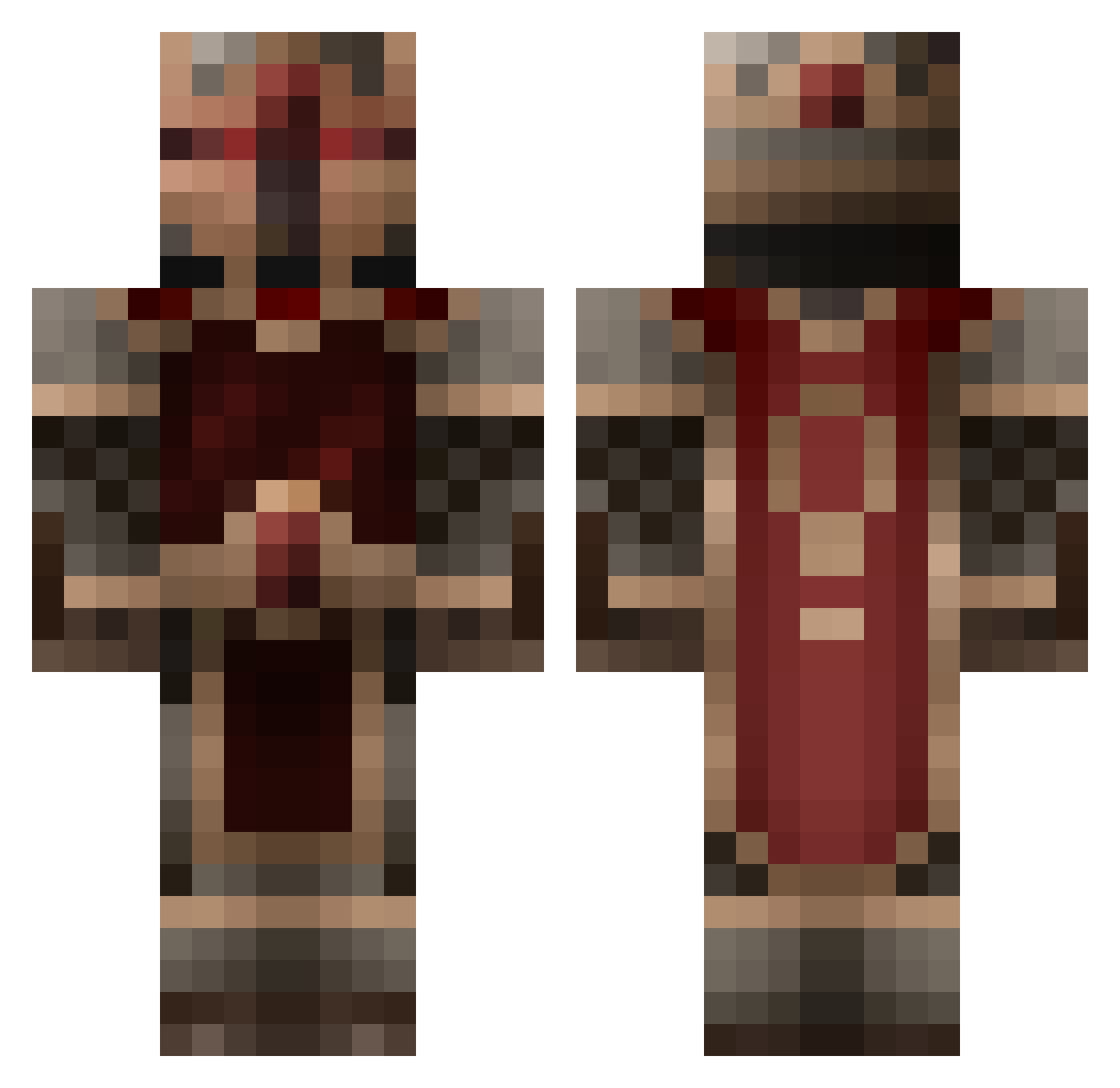
Current Minecraft skin of the player thecoynemyster, loaded from the official Mojang API. Rotate the 3D model with your mouse or finger, then download the skin as a PNG file and use it in Minecraft: Bedrock Edition or Java Edition for free. When thecoynemyster changes their skin, this page updates automatically and the old skin stays in the history below.
Other players with this skin (260)
thecoynemyster was the 173rd player we have seen with this skin, first spotted on 10.10.2026. The same skin was seen on these players. Open a nickname to see their current skin and skin history.
 __JZ DanMcfly kratos37 ZeroCG69 smbgc02 zerofilling IXenthI MrSyndex 6lP SergeantGhost14 neuronepazzo19 Jfitz123 angelic_ig tyrzeo kdowning49 oraine KarlDerRitter Wolfy8138 qingdao_ Tormalix Kitos2 Slipstream4WD Jaggernaut600 lbllee Prophet_Joseph Adam10086 TheHunter_ BrynCraft Akharius LittleGuy420 Chegorath GoldenMerchant20 zero_btw_yt Oxetos countmax Mardraws_the_2nd Mattski08 UseTheDice ZyPoK64 Skadooshmaster69 Fractiss07 ExecutingEagle YusukyRyoshi yeyushi123456 Starluka BluaMpplo StarfleetCMD cmsrmaster Raven1110 MathiXP white_armor FrozenCrabs Graorth AffluentWeevil1 AlexNova420 August_Fire StarSpangLLed StradivariusRJ DragonWarrior018 hammerlord76
More King Minecraft skins
How to install the thecoynemyster skin
- Press the Download button above to save the skin as a PNG file.
- Minecraft: Bedrock Edition (PE): open the Dressing Room from the main menu (or tap your character → Edit Character), go to Classic Skins → Owned, press the + (new skin) button, choose the downloaded PNG and pick the Classic (Steve) model. Works on PC and mobile; consoles cannot import custom skins.
- Minecraft: Java Edition: open the Minecraft Launcher, go to the Skins tab, click New Skin, load the PNG, pick the Classic (Steve) model and press Save & Use. You can also upload it at minecraft.net → Profile → Change Skin.
The skin does not show up after import - what should I do?
Restart Minecraft and open the Dressing Room again - imported skins sometimes appear only after a restart. Also make sure you selected the imported skin and picked the Classic (Steve) model.
Which model should I choose, Classic or Slim?
This skin is designed for the Classic (Steve) model. If you pick the wrong model, the arms of the skin will look stretched or squeezed.
Is the skin of thecoynemyster free to download?
Yes. Press Download, save the PNG file and use it in Minecraft: Bedrock Edition or Java Edition - no payment or registration needed. The skin also works on multiplayer servers and Realms.
More skins
Looking for more? Go back to all Minecraft skins and check the top skins of the week, month and all time, or find any player's skin by nickname.