
thechipking761 - Minecraft Skins & Skin History
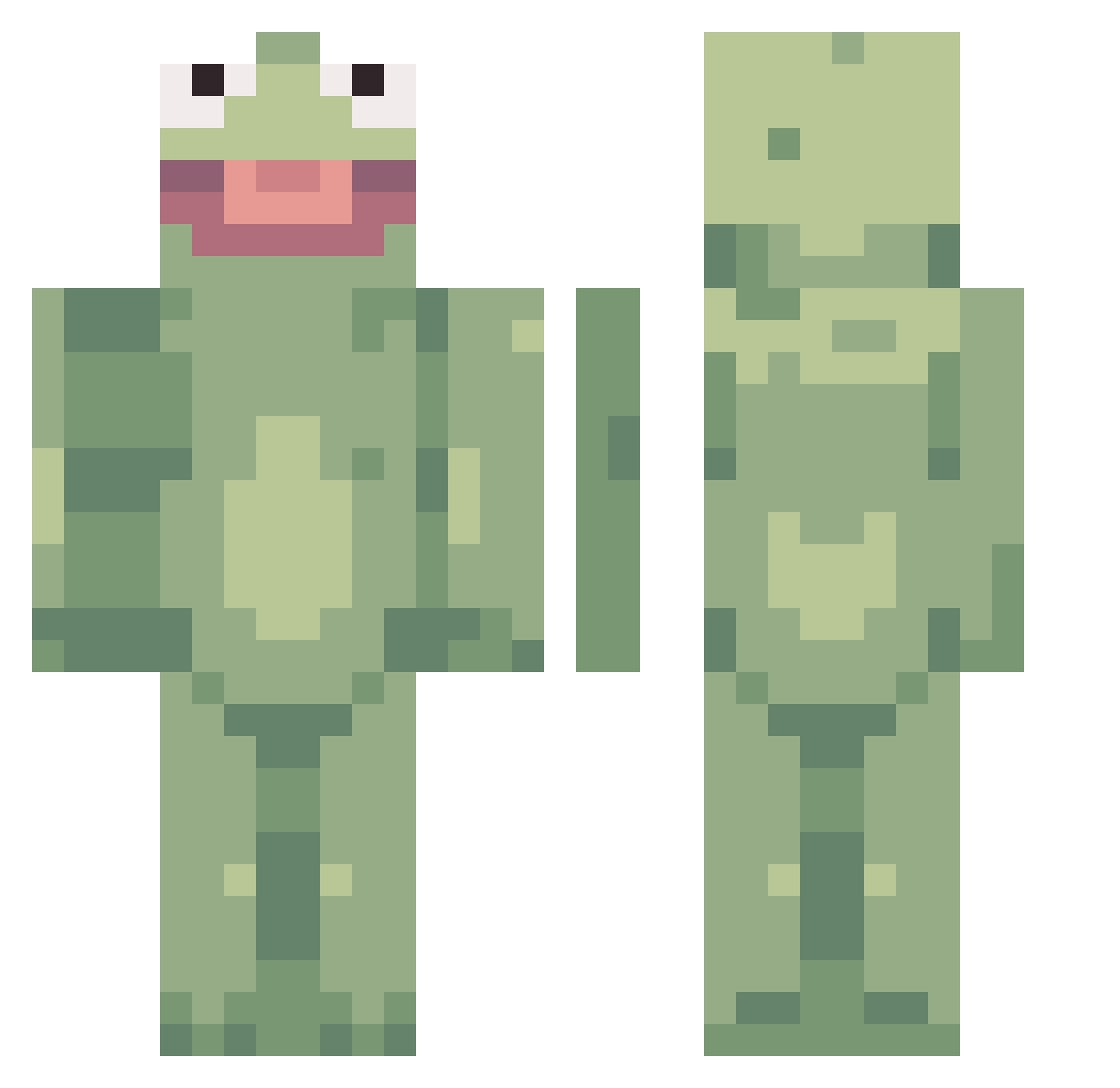
Current Minecraft skin of the player thechipking761, loaded from the official Mojang API. Rotate the 3D model with your mouse or finger, then download the skin as a PNG file and use it in Minecraft: Bedrock Edition or Java Edition for free. When thechipking761 changes their skin, this page updates automatically and the old skin stays in the history below.
Other players with this skin (124)
thechipking761 was the 61st player we have seen with this skin, first spotted on 16.09.2026. The same skin was seen on these players. Open a nickname to see their current skin and skin history.
 Csmith101214 Snivelz Hildalilja Zzzelp RarePhora iCxtastrophic TYLERTHRASHER noGains IDK2018 hondatdog safetyviolator aangeel_ Sebby_Gee aelloyd devildog6492 Been2 Zenobe10 kimixino BooNasty ChazTheRazz ShigLord APOLARCAT Woods2000 GreyReform BlueWolfieYT4 Buildking050 gmoneyyyyyyyyy Jmoney_1205 OhU druitus plebatron DracoGX Greenairplane10 cpahunter JabaTheFrog aaa__o_o__aaa Jam_nan9 ChispiritoGamer Vantreeox BUTTFUCKERY yundeng2 Pogthan Lille_Pede BulkyBark671280 MrZanderson vDokTerx braggbros5 DaizyVir Ruroku Babovic yummycheeto MohamedAbdelal PIGGY76 Chew_Z dipfrick Geher tonberry7777 CreamPapis Ferg95 Numms
More Kermit The Frog Minecraft skins
See all 432 Kermit The Frog skins
How to install the thechipking761 skin
- Press the Download button above to save the skin as a PNG file.
- Minecraft: Bedrock Edition (PE): open the Dressing Room from the main menu (or tap your character → Edit Character), go to Classic Skins → Owned, press the + (new skin) button, choose the downloaded PNG and pick the Classic (Steve) model. Works on PC and mobile; consoles cannot import custom skins.
- Minecraft: Java Edition: open the Minecraft Launcher, go to the Skins tab, click New Skin, load the PNG, pick the Classic (Steve) model and press Save & Use. You can also upload it at minecraft.net → Profile → Change Skin.
The skin does not show up after import - what should I do?
Restart Minecraft and open the Dressing Room again - imported skins sometimes appear only after a restart. Also make sure you selected the imported skin and picked the Classic (Steve) model.
Which model should I choose, Classic or Slim?
This skin is designed for the Classic (Steve) model. If you pick the wrong model, the arms of the skin will look stretched or squeezed.
Is the skin of thechipking761 free to download?
Yes. Press Download, save the PNG file and use it in Minecraft: Bedrock Edition or Java Edition - no payment or registration needed. The skin also works on multiplayer servers and Realms.
More skins
Looking for more? Go back to all Minecraft skins and check the top skins of the week, month and all time, or find any player's skin by nickname.