
tecno__blade - Minecraft Skins & Skin History
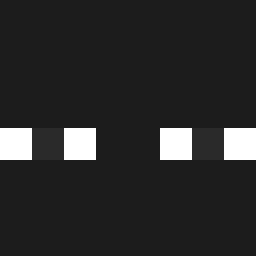
Current Minecraft skin of the player tecno__blade, loaded from the official Mojang API. Rotate the 3D model with your mouse or finger, then download the skin as a PNG file and use it in Minecraft: Bedrock Edition or Java Edition for free. When tecno__blade changes their skin, this page updates automatically and the old skin stays in the history below.

Other players with this skin (1194)
tecno__blade was the 1085th player we have seen with this skin, first spotted on 24.10.2026. The same skin was seen on these players. Open a nickname to see their current skin and skin history.
 Magical_Seal The_RafaMan AmburgesoCT SiimpelS Mrzaskmm duxwz__ Huguitocrack ddp10 duduuuureal Lych_mc OroszCsirke06 BAGAKIS aaapifa gdouzi TheBoykissOld CookiesPro123 Vumper Logrix nisi_xd oumasay QwpRsQ _aSpedek JefflolI Jordxn2302 winteryan PapiJuanes flipper_404 Volac_ NexxShooty Pootpoott LittleFlea04 Drmz4 valkyreep dropzons1230 TotalySeriousPlz park0724 SevPopovich Agenteoso2 JPan263 ZIggyPiggy420 Nemitzzz_ vyperozzy anaian Prujiho ThiccMommyGF Rage12334 ambrosjb MxlleLow Laddos01 Oganj Almondso ZakiDaBaby Saritagg bartekk4 Josue_Juarez SOUPYNOODLES317 Galamadri Zuhteriz Benp_2809 haahaa3
How to install the tecno__blade skin
- Press the Download button above to save the skin as a PNG file.
- Minecraft: Bedrock Edition (PE): open the Dressing Room from the main menu (or tap your character → Edit Character), go to Classic Skins → Owned, press the + (new skin) button, choose the downloaded PNG and pick the Classic (Steve) model. Works on PC and mobile; consoles cannot import custom skins.
- Minecraft: Java Edition: open the Minecraft Launcher, go to the Skins tab, click New Skin, load the PNG, pick the Classic (Steve) model and press Save & Use. You can also upload it at minecraft.net → Profile → Change Skin.
The skin does not show up after import - what should I do?
Restart Minecraft and open the Dressing Room again - imported skins sometimes appear only after a restart. Also make sure you selected the imported skin and picked the Classic (Steve) model.
Which model should I choose, Classic or Slim?
This skin is designed for the Classic (Steve) model. If you pick the wrong model, the arms of the skin will look stretched or squeezed.
Is the skin of tecno__blade free to download?
Yes. Press Download, save the PNG file and use it in Minecraft: Bedrock Edition or Java Edition - no payment or registration needed. The skin also works on multiplayer servers and Realms.
More skins
Looking for more? Go back to all Minecraft skins and check the top skins of the week, month and all time, or find any player's skin by nickname.