
technoAL - Minecraft Skins & Skin History
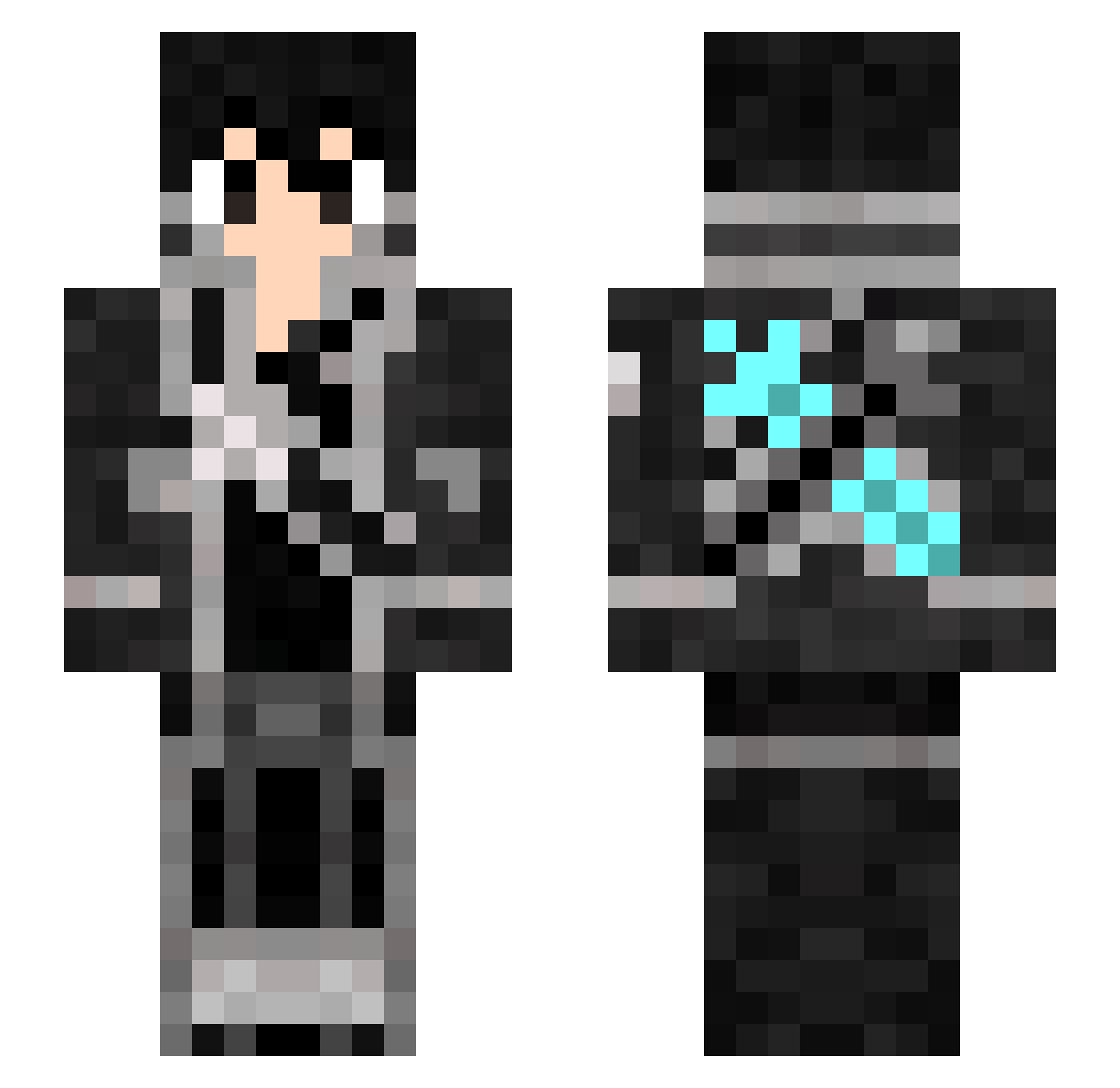
Current Minecraft skin of the player technoAL, loaded from the official Mojang API. Rotate the 3D model with your mouse or finger, then download the skin as a PNG file and use it in Minecraft: Bedrock Edition or Java Edition for free. When technoAL changes their skin, this page updates automatically and the old skin stays in the history below.
Other players with this skin (368)
technoAL was the 327th player we have seen with this skin, first spotted on 08.11.2026. The same skin was seen on these players. Open a nickname to see their current skin and skin history.
 lFrossT PixelPatrickYT_ Amb_Pogoo tyawai irohasu_168 HandsomeFrog1128 Takashi1998 sabada05 Wabemar KiritoTGE swervup kriberkirito Feelsbadman6 volcovzz EternityNator_ vergil1011 Lun_30 Kirito2116 Eve_422 reyxrey2221 Jonathangamingx Shori_27 DTS1275 cafein21 MisterKS GABTN0 sariu12 Combat_Vixen AntV2021 Minrong AmbushingRogue Moustymoust dofuraming DylanIsSoNinja Yotsuba58 Yoann83500 Ethan_Connor kopakac1403 sakato12 EMT_Al Lichun_is_gay tulio543 Apokamastay Barnettt XiaoYuuu Kurie9731 loolerboom Knurlag Scochocolate AKAGI_TOMO ravenhira takeyourlife3000 VroumVroum_96 Smash8035 AumUnity kombainXD EMINEM04 asuna__0930 iAsTroBlaZe koe2525
More Kirito Minecraft skins
How to install the technoAL skin
- Press the Download button above to save the skin as a PNG file.
- Minecraft: Bedrock Edition (PE): open the Dressing Room from the main menu (or tap your character → Edit Character), go to Classic Skins → Owned, press the + (new skin) button, choose the downloaded PNG and pick the Slim (Alex) model. Works on PC and mobile; consoles cannot import custom skins.
- Minecraft: Java Edition: open the Minecraft Launcher, go to the Skins tab, click New Skin, load the PNG, pick the Slim (Alex) model and press Save & Use. You can also upload it at minecraft.net → Profile → Change Skin.
The skin does not show up after import - what should I do?
Restart Minecraft and open the Dressing Room again - imported skins sometimes appear only after a restart. Also make sure you selected the imported skin and picked the Slim (Alex) model.
Which model should I choose, Classic or Slim?
This skin is designed for the Slim (Alex) model. If you pick the wrong model, the arms of the skin will look stretched or squeezed.
Is the skin of technoAL free to download?
Yes. Press Download, save the PNG file and use it in Minecraft: Bedrock Edition or Java Edition - no payment or registration needed. The skin also works on multiplayer servers and Realms.
More skins
Looking for more? Go back to all Minecraft skins and check the top skins of the week, month and all time, or find any player's skin by nickname.