
teailmon - Minecraft Skins & Skin History
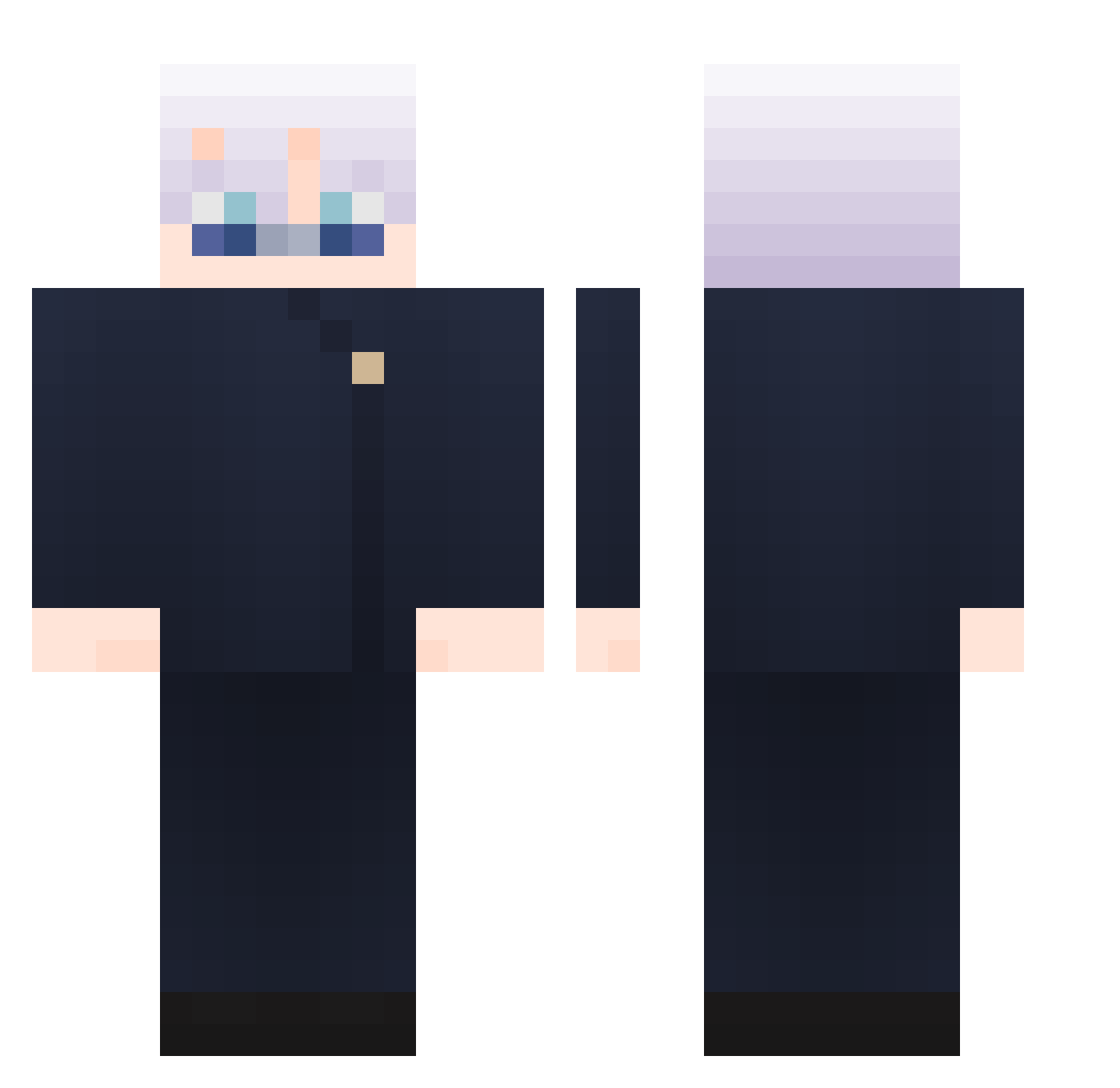
Current Minecraft skin of the player teailmon, loaded from the official Mojang API. Rotate the 3D model with your mouse or finger, then download the skin as a PNG file and use it in Minecraft: Bedrock Edition or Java Edition for free. When teailmon changes their skin, this page updates automatically and the old skin stays in the history below.
Other players with this skin (896)
teailmon was the 848th player we have seen with this skin, first spotted on 21.10.2026. The same skin was seen on these players. Open a nickname to see their current skin and skin history.
 Sn00z1 Wan1049 CKTuning CopperH MC_5t5 milaca ZonXS NotFraise oskku RW0311 EririSpencerSawa Yizeds _WizofOz_ Eddy_the_Villain JohnM0711 ZYQ0317 kselina22 yassi99 easyhho Mercuryamber WinterKnight232 BlazingRook41 Bowen825 OneTros n3tella MIGOJ XUS_0303 kimjh1027 checkmate911 UNKNOWN_65127 Cainefy dongchuan06 Dark_void_angel mrvalkyrie6583 minos187 simper08 jiaaaaaaxin soyuzii FrancisTw ZUTO_MAYO ihasyessir swagxen JEU5 Saifeldz SetanteZ Daruuuum Dino2184 ZoRalNo KissIm3k Jonatoneking BEIRAMAR777 Floooowwwww Divine_Sublime Zeraug Jonathan7447 EoHiroshi jaehyok hh_93 ElDant Soramame_WHITE
More Satoru Gojo Minecraft skins
See all 1246 Satoru Gojo skins
How to install the teailmon skin
- Press the Download button above to save the skin as a PNG file.
- Minecraft: Bedrock Edition (PE): open the Dressing Room from the main menu (or tap your character → Edit Character), go to Classic Skins → Owned, press the + (new skin) button, choose the downloaded PNG and pick the Classic (Steve) model. Works on PC and mobile; consoles cannot import custom skins.
- Minecraft: Java Edition: open the Minecraft Launcher, go to the Skins tab, click New Skin, load the PNG, pick the Classic (Steve) model and press Save & Use. You can also upload it at minecraft.net → Profile → Change Skin.
The skin does not show up after import - what should I do?
Restart Minecraft and open the Dressing Room again - imported skins sometimes appear only after a restart. Also make sure you selected the imported skin and picked the Classic (Steve) model.
Which model should I choose, Classic or Slim?
This skin is designed for the Classic (Steve) model. If you pick the wrong model, the arms of the skin will look stretched or squeezed.
Is the skin of teailmon free to download?
Yes. Press Download, save the PNG file and use it in Minecraft: Bedrock Edition or Java Edition - no payment or registration needed. The skin also works on multiplayer servers and Realms.
More skins
Looking for more? Go back to all Minecraft skins and check the top skins of the week, month and all time, or find any player's skin by nickname.