
hh_93 - Minecraft Skins & Skin History
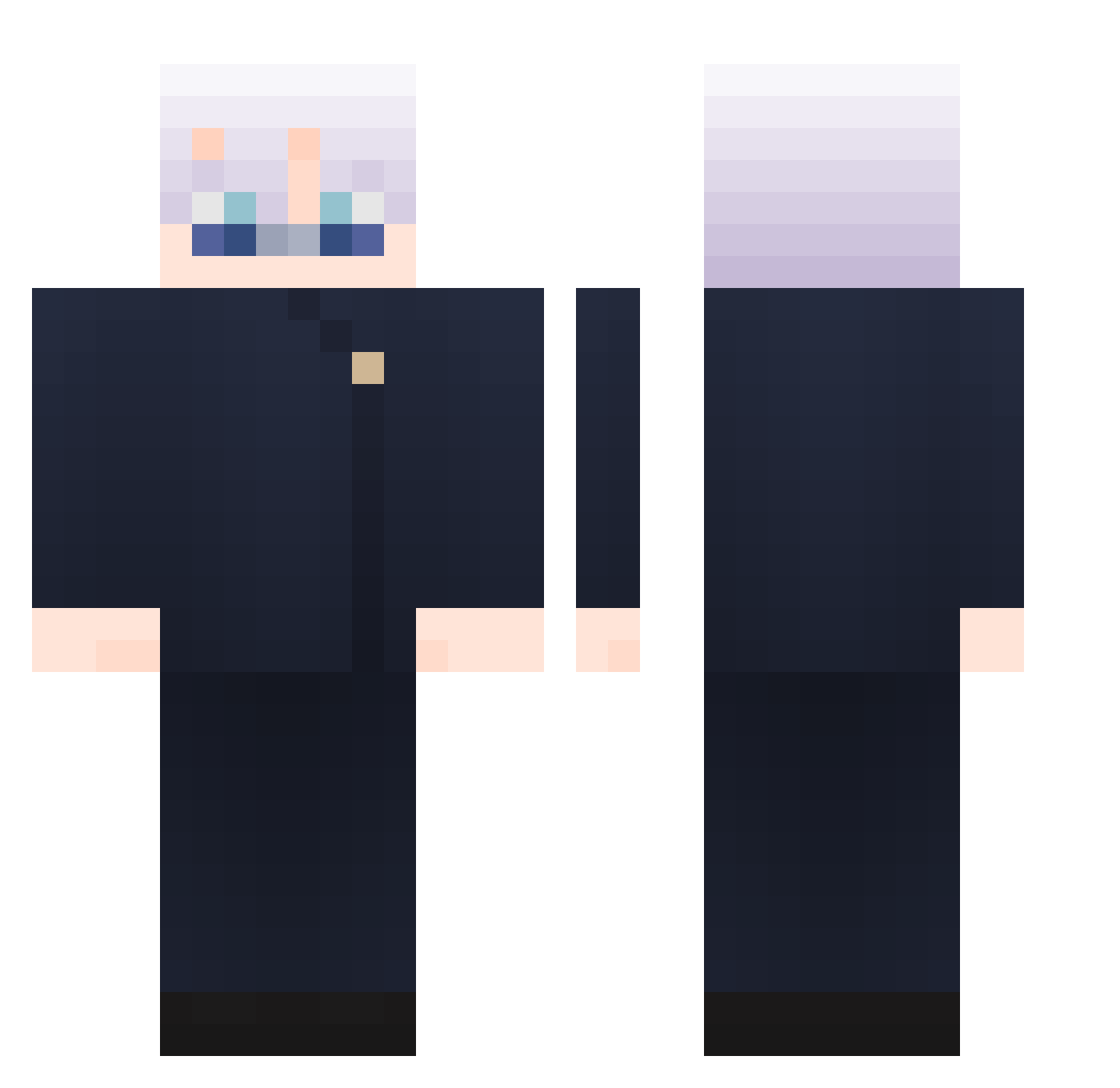
Current Minecraft skin of the player hh_93, loaded from the official Mojang API. Rotate the 3D model with your mouse or finger, then download the skin as a PNG file and use it in Minecraft: Bedrock Edition or Java Edition for free. When hh_93 changes their skin, this page updates automatically and the old skin stays in the history below.
Other players with this skin (896)
hh_93 was the 821st player we have seen with this skin, first spotted on 18.10.2026. The same skin was seen on these players. Open a nickname to see their current skin and skin history.
 HarlemMK Providence2000 Jonathan7447 Zeraug NottConar Floooowwwww BenGuz2002 Jonatoneking Tony0w0_2050 KissIm3k ZoMoni allen76101 lpldmx Jeffedys Fyodor_04 xvinii ming980323 VINGRAW swagxen ihasyessir ZUTO_MAYO jiaaaaaaxin susuminn L4qk minos187 TTA_ATT mrvalkyrie6583 Dark_void_angel UNKNOWN_65127 Weekand Skromev XolsBurner ByHGH MIGOJ n3tella valerie_6 Atar0110 TeymurG500 chocopafai Diegoucraft wjdwo1020 Bowen825 WinterKnight232 Mercuryamber ZYQ0317 SoyXen alexcclo Tatz01 Eddy_the_Villain Archietect375 Zhowone wnsgml1188 CreeperSlayer2 Yizeds Kakimayo EririSpencerSawa RW0311 Itiin01 oskku Taikun_
More Satoru Gojo Minecraft skins
See all 1246 Satoru Gojo skins
How to install the hh_93 skin
- Press the Download button above to save the skin as a PNG file.
- Minecraft: Bedrock Edition (PE): open the Dressing Room from the main menu (or tap your character → Edit Character), go to Classic Skins → Owned, press the + (new skin) button, choose the downloaded PNG and pick the Classic (Steve) model. Works on PC and mobile; consoles cannot import custom skins.
- Minecraft: Java Edition: open the Minecraft Launcher, go to the Skins tab, click New Skin, load the PNG, pick the Classic (Steve) model and press Save & Use. You can also upload it at minecraft.net → Profile → Change Skin.
The skin does not show up after import - what should I do?
Restart Minecraft and open the Dressing Room again - imported skins sometimes appear only after a restart. Also make sure you selected the imported skin and picked the Classic (Steve) model.
Which model should I choose, Classic or Slim?
This skin is designed for the Classic (Steve) model. If you pick the wrong model, the arms of the skin will look stretched or squeezed.
Is the skin of hh_93 free to download?
Yes. Press Download, save the PNG file and use it in Minecraft: Bedrock Edition or Java Edition - no payment or registration needed. The skin also works on multiplayer servers and Realms.
More skins
Looking for more? Go back to all Minecraft skins and check the top skins of the week, month and all time, or find any player's skin by nickname.