
sxcu - Minecraft Skins & Skin History
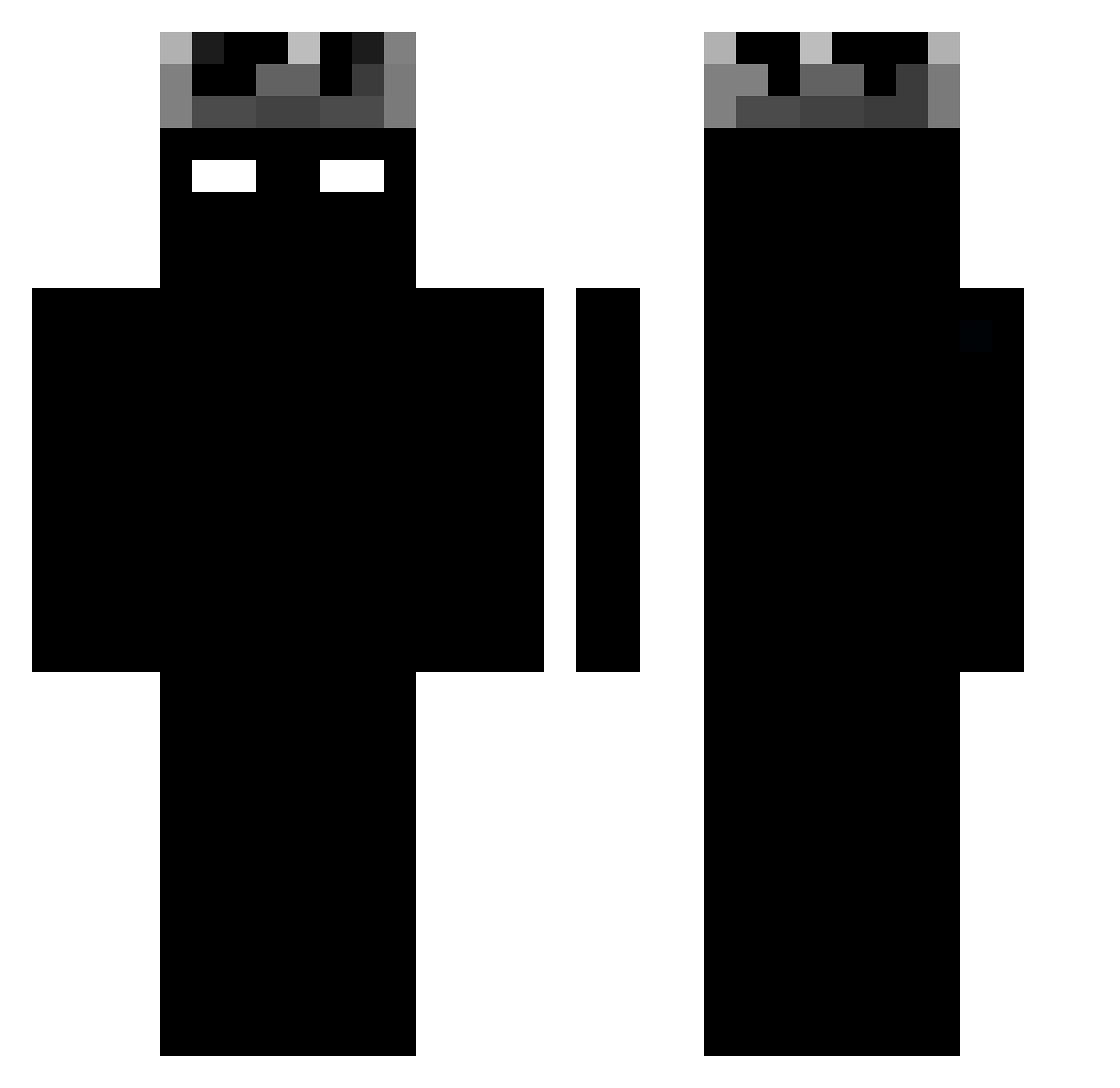
Current Minecraft skin of the player sxcu, loaded from the official Mojang API. Rotate the 3D model with your mouse or finger, then download the skin as a PNG file and use it in Minecraft: Bedrock Edition or Java Edition for free. When sxcu changes their skin, this page updates automatically and the old skin stays in the history below.
Other players with this skin (73)
sxcu was the 27th player we have seen with this skin, first spotted on 05.09.2026. The same skin was seen on these players. Open a nickname to see their current skin and skin history.
 jofinek l3qc YuanXing86 Movaal VaLerDeK Raykill666 sasoJack N4iSu _kcRvdxq Jane0504 doyoung1010 Adeaw unsensored _The_Ezz_ TheServerAlex iXooLz Chadyyzz Nqva__ Momosz13 kaspa2115 Ruscia_ INFXNY IonVintage Sb_Colen illa188 KARAM2301 JoyfulHydra4616 Ectoexo JorjaisNG Selectus_7 suanwei JustILWjets RabbitKR ZeCoolDude Zicer33 Xpzitto Blitz201101 zHxns christianhp Budapr Nxte07 philzia ElDonCoco Sigma_Art
 Dargom_12 WiNTell25 Jeanking1 _magic_whiter_ putifero69 TramDaGoat Vmogsuuuu Sw0r5Kinng Narkche vladislavii4 vBrezzz SCARDART Certero124 EGGISKING IMWXSH4D Jjonathan28
More Herobrine Minecraft skins
How to install the sxcu skin
- Press the Download button above to save the skin as a PNG file.
- Minecraft: Bedrock Edition (PE): open the Dressing Room from the main menu (or tap your character → Edit Character), go to Classic Skins → Owned, press the + (new skin) button, choose the downloaded PNG and pick the Classic (Steve) model. Works on PC and mobile; consoles cannot import custom skins.
- Minecraft: Java Edition: open the Minecraft Launcher, go to the Skins tab, click New Skin, load the PNG, pick the Classic (Steve) model and press Save & Use. You can also upload it at minecraft.net → Profile → Change Skin.
The skin does not show up after import - what should I do?
Restart Minecraft and open the Dressing Room again - imported skins sometimes appear only after a restart. Also make sure you selected the imported skin and picked the Classic (Steve) model.
Which model should I choose, Classic or Slim?
This skin is designed for the Classic (Steve) model. If you pick the wrong model, the arms of the skin will look stretched or squeezed.
Is the skin of sxcu free to download?
Yes. Press Download, save the PNG file and use it in Minecraft: Bedrock Edition or Java Edition - no payment or registration needed. The skin also works on multiplayer servers and Realms.
More skins
Looking for more? Go back to all Minecraft skins and check the top skins of the week, month and all time, or find any player's skin by nickname.