
sundae72 - Minecraft Skins & Skin History
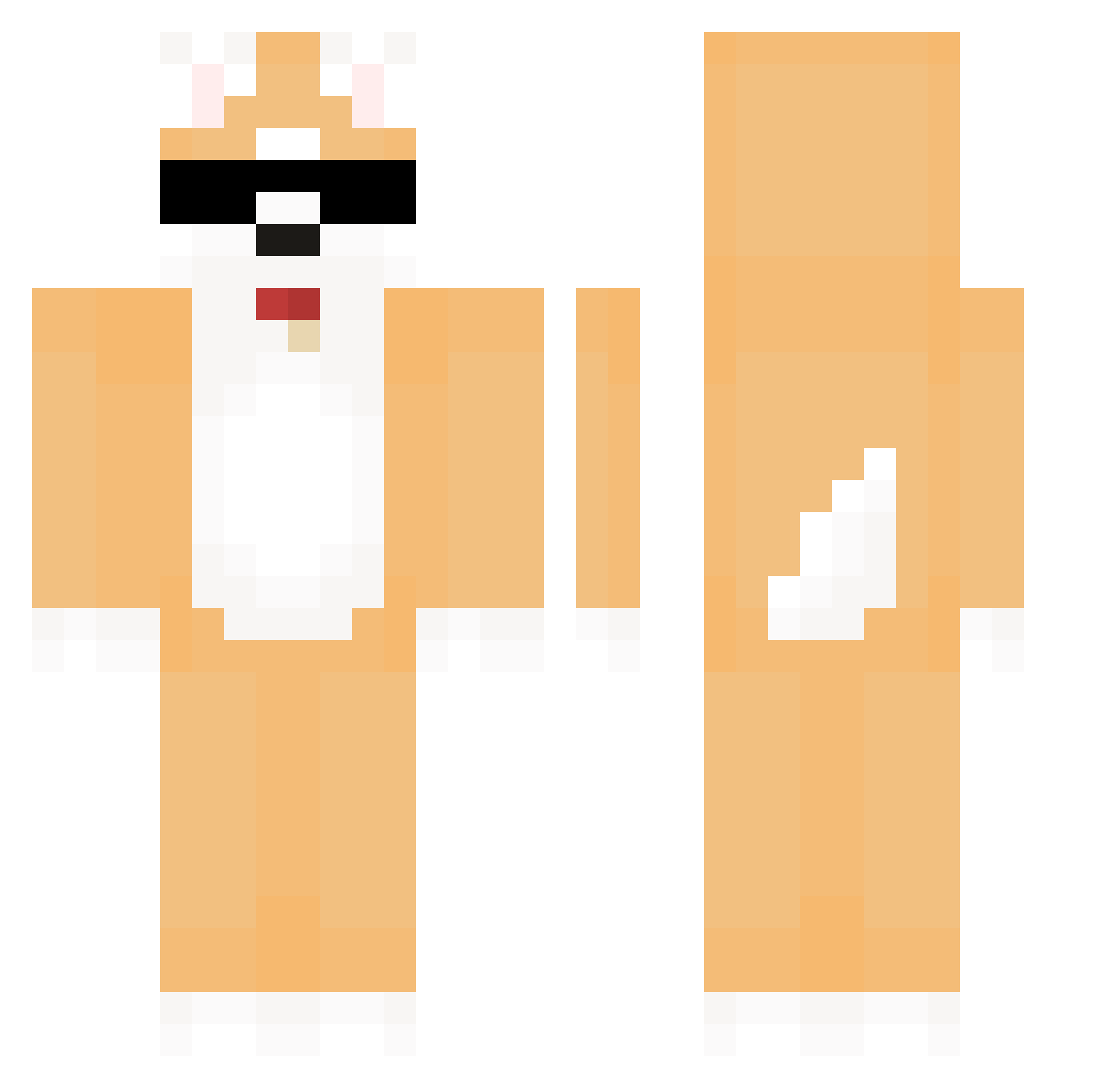
Current Minecraft skin of the player sundae72, loaded from the official Mojang API. Rotate the 3D model with your mouse or finger, then download the skin as a PNG file and use it in Minecraft: Bedrock Edition or Java Edition for free. When sundae72 changes their skin, this page updates automatically and the old skin stays in the history below.
Other players with this skin (606)
sundae72 was the 102nd player we have seen with this skin, first spotted on 13.08.2026. The same skin was seen on these players. Open a nickname to see their current skin and skin history.
 seonggeun_ hann_che Remdotpy Pavel_123HI aFurryBeatU rystaffx Chamsem yihyun2 woochan0805 momosuke0105 denver_ rodrigoc5 Jung_Maeng Lockdownman zzzz1220 jiayo0324 tlsrkdhs olucaa NationalDog 1nnuu happyrisso SuZai_ SKINTOLIVE13919 Clousx Soc2210 nikko0o ddw1p sharky1937 No_Yea PHH_NHM xKuschelnder zeromic1 HHHHHH_ YeNaJiGeuMiNa kuritaroP3 SeHun16 ttiyong123 RumoA nagful Pafe_Iwashi suan_7 PredicT_GOD eunseon0721 sstrenn Gracz_PL ChanZzi glomglommy KimDeokSOon_ ReveAlva yummy816 LayYoon panram MotherBabby1031 Joundori JunMin00 King_slayer0 Gom_bang_ Sy608 Mimine Champs7955
More Shiba Inu Minecraft skins
How to install the sundae72 skin
- Press the Download button above to save the skin as a PNG file.
- Minecraft: Bedrock Edition (PE): open the Dressing Room from the main menu (or tap your character → Edit Character), go to Classic Skins → Owned, press the + (new skin) button, choose the downloaded PNG and pick the Classic (Steve) model. Works on PC and mobile; consoles cannot import custom skins.
- Minecraft: Java Edition: open the Minecraft Launcher, go to the Skins tab, click New Skin, load the PNG, pick the Classic (Steve) model and press Save & Use. You can also upload it at minecraft.net → Profile → Change Skin.
The skin does not show up after import - what should I do?
Restart Minecraft and open the Dressing Room again - imported skins sometimes appear only after a restart. Also make sure you selected the imported skin and picked the Classic (Steve) model.
Which model should I choose, Classic or Slim?
This skin is designed for the Classic (Steve) model. If you pick the wrong model, the arms of the skin will look stretched or squeezed.
Is the skin of sundae72 free to download?
Yes. Press Download, save the PNG file and use it in Minecraft: Bedrock Edition or Java Edition - no payment or registration needed. The skin also works on multiplayer servers and Realms.
More skins
Looking for more? Go back to all Minecraft skins and check the top skins of the week, month and all time, or find any player's skin by nickname.