
sukuna225 - Minecraft Skins & Skin History
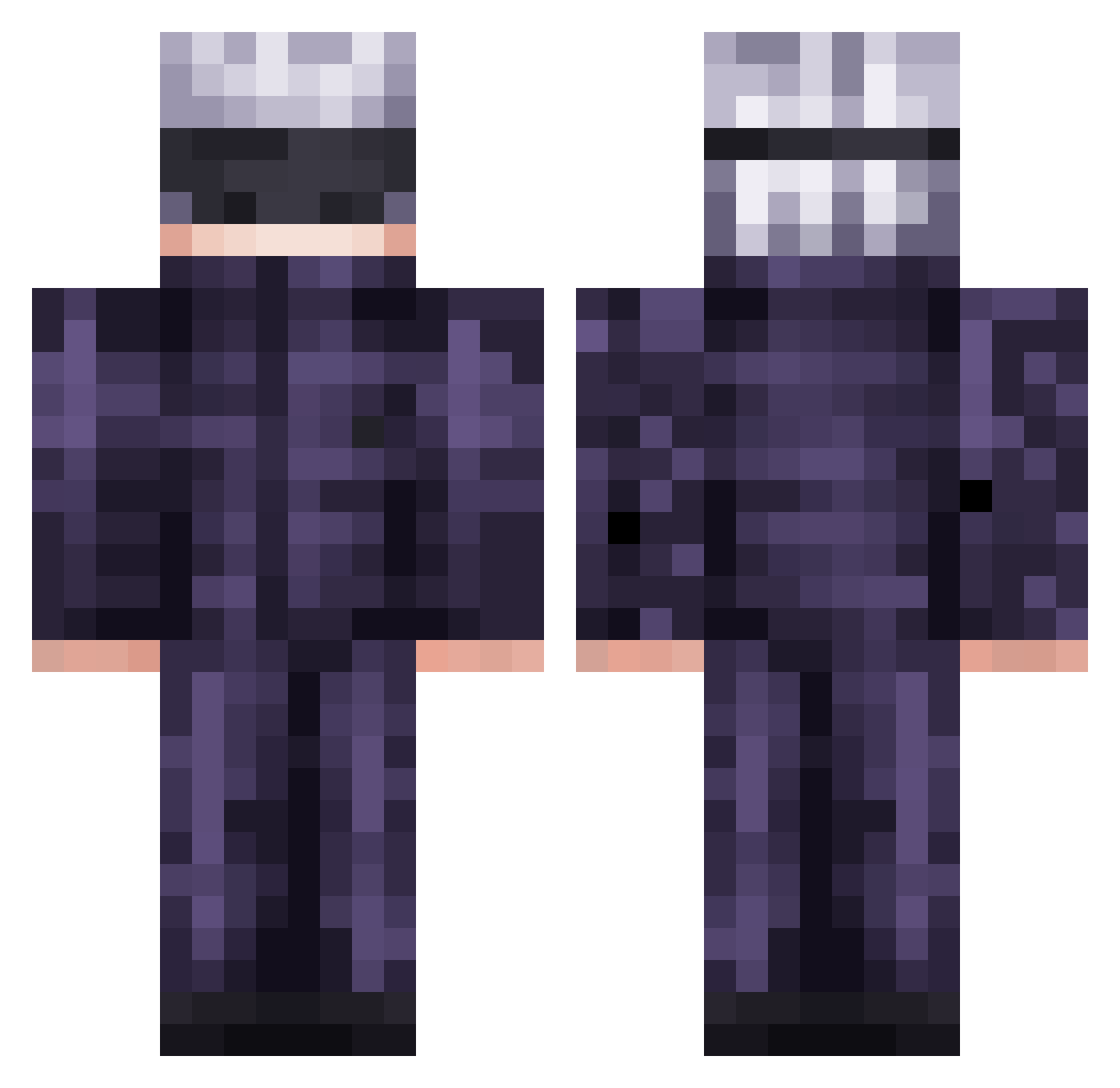
Current Minecraft skin of the player sukuna225, loaded from the official Mojang API. Rotate the 3D model with your mouse or finger, then download the skin as a PNG file and use it in Minecraft: Bedrock Edition or Java Edition for free. When sukuna225 changes their skin, this page updates automatically and the old skin stays in the history below.
Other players with this skin (568)
sukuna225 was the 405th player we have seen with this skin, first spotted on 10.10.2026. The same skin was seen on these players. Open a nickname to see their current skin and skin history.
 Calvri pLum511 MysteryXMan Danieleker SpiritSensei Jevroum Saturntotally Vov4k911 proproprouser Nayamm AnAngryOstrich Nolemoci Midas7320 lunechk EugeoNC realMTG shinobuishot Reversorekk WilliamWoodiam1 Dark_Alex90 Chimuelo2010 BOT_GOD y3oshua JLZIN8 Iro2099 UruPrime Black_Dallas Chmosh Paracetamol1l Supguys555 Bigscoooper Fifiv47 Nates_Triggered applegottalent Daryl32yy DKjr06 Hmmws_1 Mr_Cmoon Light0Destroyer Mikato6579 GloriousLeader72 Dylei_23 VipApache Purplesnowy simovito Yoshimura159 EnriqueXx J4MP4S GavTheWaterGod kamkam1 wanmey reax11 Jasesko75 royalgeneral dudumark jambirilili_ nouip123 skosny_smak Dirazote WPredatorX
More Satoru Gojo Minecraft skins
See all 1375 Satoru Gojo skins
How to install the sukuna225 skin
- Press the Download button above to save the skin as a PNG file.
- Minecraft: Bedrock Edition (PE): open the Dressing Room from the main menu (or tap your character → Edit Character), go to Classic Skins → Owned, press the + (new skin) button, choose the downloaded PNG and pick the Classic (Steve) model. Works on PC and mobile; consoles cannot import custom skins.
- Minecraft: Java Edition: open the Minecraft Launcher, go to the Skins tab, click New Skin, load the PNG, pick the Classic (Steve) model and press Save & Use. You can also upload it at minecraft.net → Profile → Change Skin.
The skin does not show up after import - what should I do?
Restart Minecraft and open the Dressing Room again - imported skins sometimes appear only after a restart. Also make sure you selected the imported skin and picked the Classic (Steve) model.
Which model should I choose, Classic or Slim?
This skin is designed for the Classic (Steve) model. If you pick the wrong model, the arms of the skin will look stretched or squeezed.
Is the skin of sukuna225 free to download?
Yes. Press Download, save the PNG file and use it in Minecraft: Bedrock Edition or Java Edition - no payment or registration needed. The skin also works on multiplayer servers and Realms.
More skins
Looking for more? Go back to all Minecraft skins and check the top skins of the week, month and all time, or find any player's skin by nickname.