
stupidtargetzhan - Minecraft Skins & Skin History
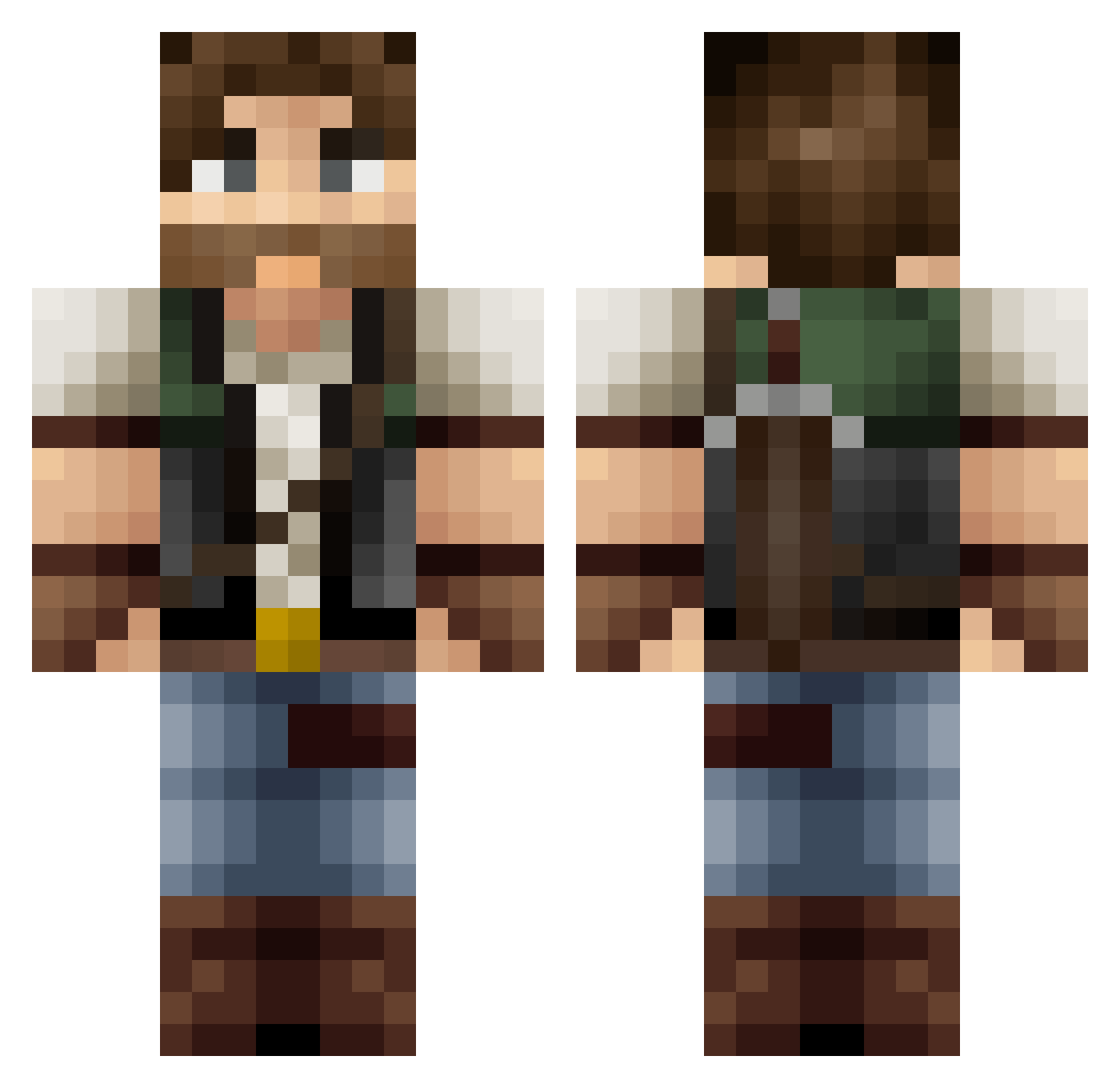
Current Minecraft skin of the player stupidtargetzhan, loaded from the official Mojang API. Rotate the 3D model with your mouse or finger, then download the skin as a PNG file and use it in Minecraft: Bedrock Edition or Java Edition for free. When stupidtargetzhan changes their skin, this page updates automatically and the old skin stays in the history below.
Other players with this skin (116)
stupidtargetzhan was the 79th player we have seen with this skin, first spotted on 28.09.2026. The same skin was seen on these players. Open a nickname to see their current skin and skin history.
 Ozwolf laomai11 Peacemaker_Faust lightinup Cryovane TianYujian Houstoniscool MillerShan Stacy85 Aeunek CaptainPalito vgn_max BigPYC HR_Ruby Saschu98 joethefro2903 Parkerlul daphysh LordBaoErye John_Dou7 guyvlio GUIDEPC nashville1964 Wezktor Temge Trax0306 CrimsonBFC LemmingGER Senor_Ras OwenPiet cursed_samp storchi FourNier_ OmegaStorm Banasiewiczz Matafora Chareidio ScoWal Imurgod13 snappe kilskull Dannelicious NetVip3r Q_JJ MineYuta Unwanted_Design IiImonix4 DeathOfLuggage AQKAQKAQK SeMydiPED ScaryJarad GOOBY_DOOBY Akikoab MattaKing clshrock Zeturios Lazywolf07 SkurpySlurp Cal1te Panzerwulfen
More Survival Minecraft skins
How to install the stupidtargetzhan skin
- Press the Download button above to save the skin as a PNG file.
- Minecraft: Bedrock Edition (PE): open the Dressing Room from the main menu (or tap your character → Edit Character), go to Classic Skins → Owned, press the + (new skin) button, choose the downloaded PNG and pick the Classic (Steve) model. Works on PC and mobile; consoles cannot import custom skins.
- Minecraft: Java Edition: open the Minecraft Launcher, go to the Skins tab, click New Skin, load the PNG, pick the Classic (Steve) model and press Save & Use. You can also upload it at minecraft.net → Profile → Change Skin.
The skin does not show up after import - what should I do?
Restart Minecraft and open the Dressing Room again - imported skins sometimes appear only after a restart. Also make sure you selected the imported skin and picked the Classic (Steve) model.
Which model should I choose, Classic or Slim?
This skin is designed for the Classic (Steve) model. If you pick the wrong model, the arms of the skin will look stretched or squeezed.
Is the skin of stupidtargetzhan free to download?
Yes. Press Download, save the PNG file and use it in Minecraft: Bedrock Edition or Java Edition - no payment or registration needed. The skin also works on multiplayer servers and Realms.
More skins
Looking for more? Go back to all Minecraft skins and check the top skins of the week, month and all time, or find any player's skin by nickname.