
stupidox3 - Minecraft Skins & Skin History
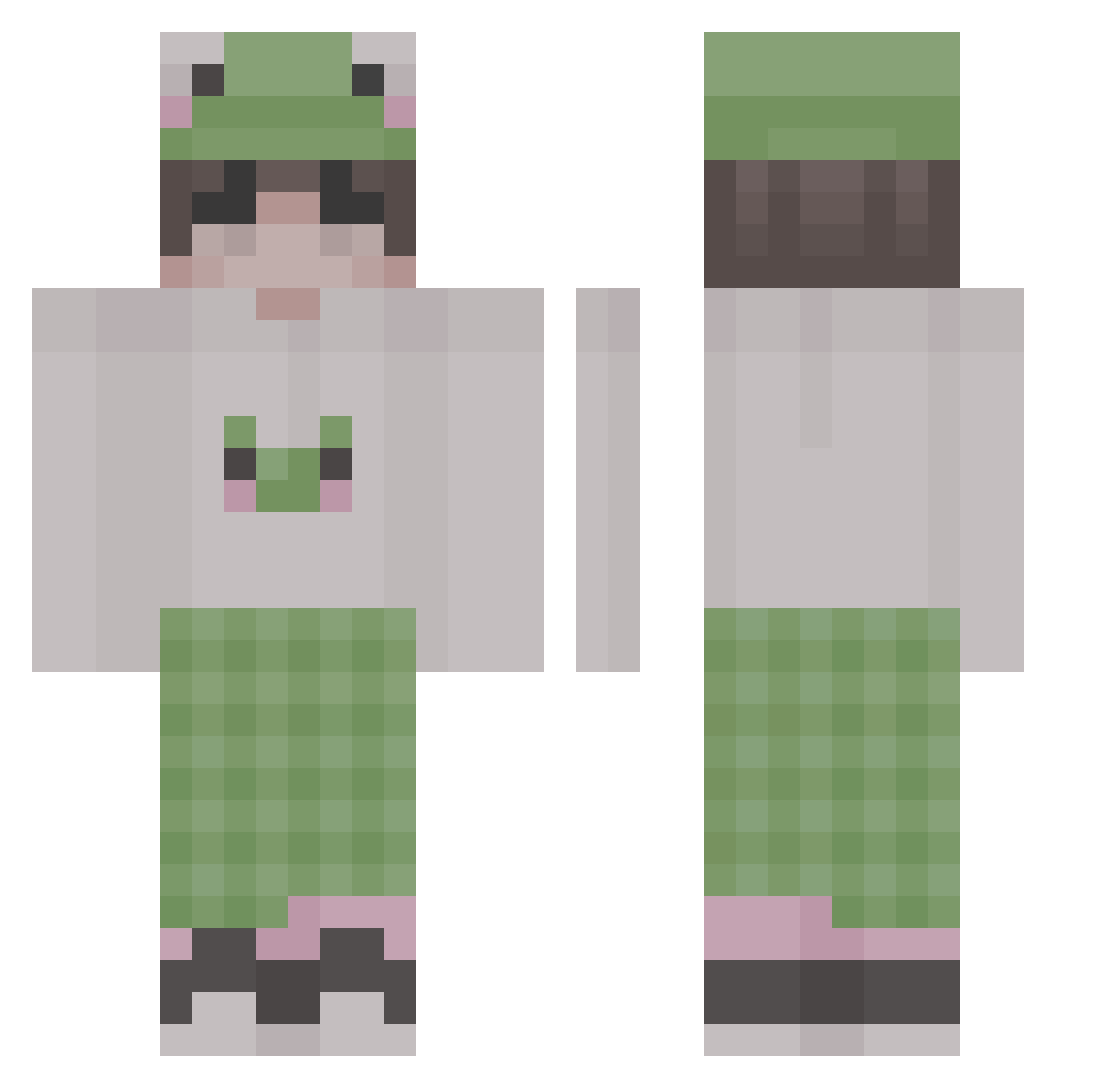
Current Minecraft skin of the player stupidox3, loaded from the official Mojang API. Rotate the 3D model with your mouse or finger, then download the skin as a PNG file and use it in Minecraft: Bedrock Edition or Java Edition for free. When stupidox3 changes their skin, this page updates automatically and the old skin stays in the history below.
Other players with this skin (158)
stupidox3 was the 33rd player we have seen with this skin, first spotted on 20.08.2026. The same skin was seen on these players. Open a nickname to see their current skin and skin history.
 zylts Gargamel4 _LeChevreuil_ Pot2mieI GaboKappaUWU weong1786 KuLLeR972 pokerx_br megtr0n Assan4iKruassan Hedgehog_09 juulingiscooling DanglyEarings MrKryakShowerma mateo_mew taeisy HitsLikeDoran MMCjelly SilverAfter frog66 Suicine Yuan_Rui full_moon_sword 2LODI Jaeseok0413 chillfrog333 jg0m3z ThickyGilly WolfDog25 Modisal okCrafterr Gahyeon YiQianYa Maryann990 suwwai patri7k SUNPUFFER PqngPqng Ryxcia dilmoon JoshLee007 tielore chang_gu0114 xXFoood66Xx kai64 qkrwnsgur0628 Malayali_Dev Awokenz mathioo P3SQUID W4NN3 terror5604 SpikeEat MirzOwner prosinger101 MickaUwU xcdoom eliisanidiot VNLACREAM fishie_bucket
More Frog Hat Minecraft skins
How to install the stupidox3 skin
- Press the Download button above to save the skin as a PNG file.
- Minecraft: Bedrock Edition (PE): open the Dressing Room from the main menu (or tap your character → Edit Character), go to Classic Skins → Owned, press the + (new skin) button, choose the downloaded PNG and pick the Classic (Steve) model. Works on PC and mobile; consoles cannot import custom skins.
- Minecraft: Java Edition: open the Minecraft Launcher, go to the Skins tab, click New Skin, load the PNG, pick the Classic (Steve) model and press Save & Use. You can also upload it at minecraft.net → Profile → Change Skin.
The skin does not show up after import - what should I do?
Restart Minecraft and open the Dressing Room again - imported skins sometimes appear only after a restart. Also make sure you selected the imported skin and picked the Classic (Steve) model.
Which model should I choose, Classic or Slim?
This skin is designed for the Classic (Steve) model. If you pick the wrong model, the arms of the skin will look stretched or squeezed.
Is the skin of stupidox3 free to download?
Yes. Press Download, save the PNG file and use it in Minecraft: Bedrock Edition or Java Edition - no payment or registration needed. The skin also works on multiplayer servers and Realms.
More skins
Looking for more? Go back to all Minecraft skins and check the top skins of the week, month and all time, or find any player's skin by nickname.