
stevek042 - Minecraft Skins & Skin History
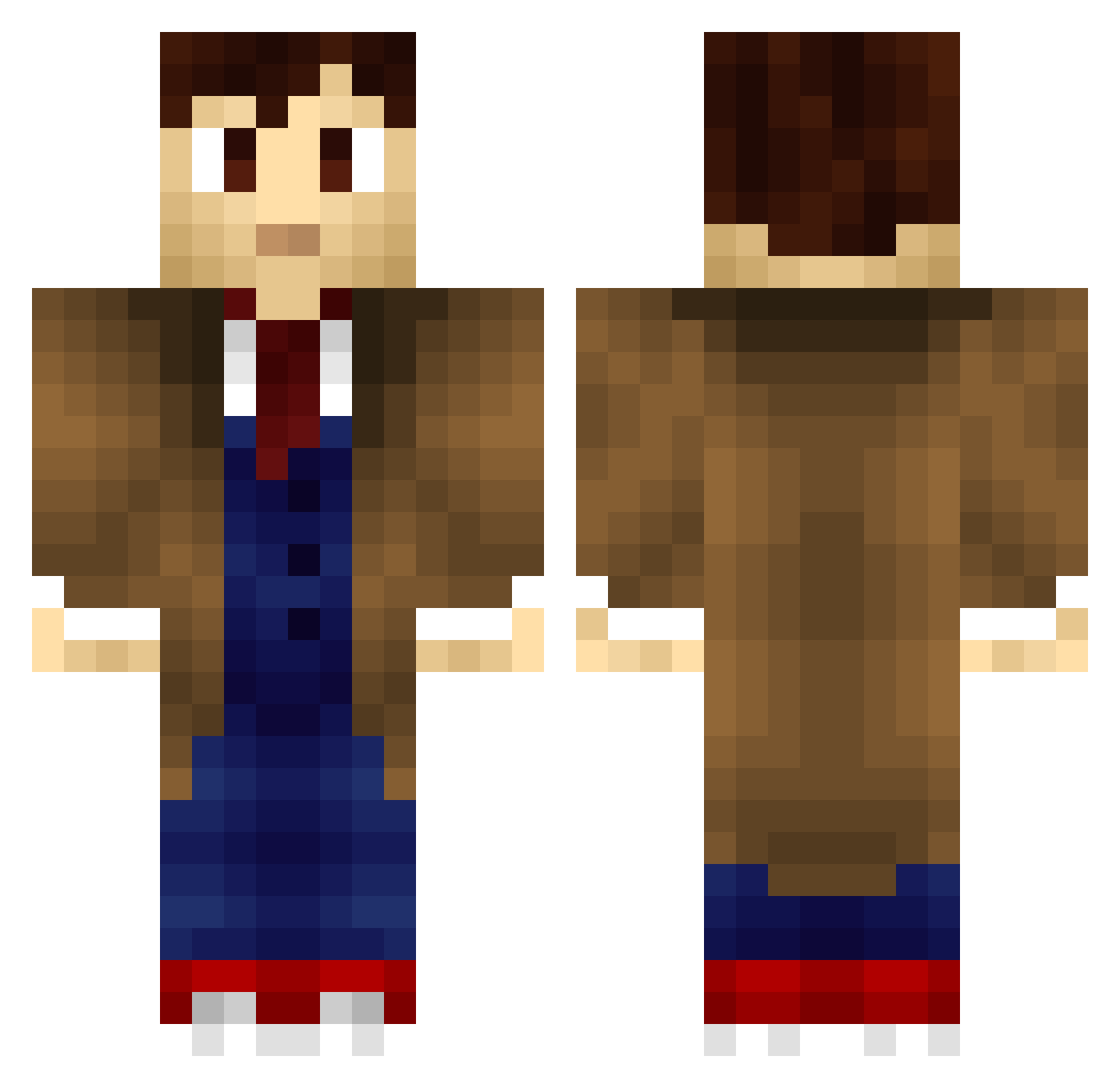
Current Minecraft skin of the player stevek042, loaded from the official Mojang API. Rotate the 3D model with your mouse or finger, then download the skin as a PNG file and use it in Minecraft: Bedrock Edition or Java Edition for free. When stevek042 changes their skin, this page updates automatically and the old skin stays in the history below.
Other players with this skin (707)
stevek042 was the 324th player we have seen with this skin, first spotted on 16.09.2026. The same skin was seen on these players. Open a nickname to see their current skin and skin history.
 Calcalll thereheIS nichol1892 TheDoctorWho1 pokedan2 Dynastric Musketman ravensrath666 cubbie5434 woof73 TheAragorn350 RT9336 Guvuigu HyTower xslicemoneyx jridstone MarzipanAttack RezTV Mongoose1138 Fritzkrieg RattusNorvegicus tooter21 larsscicluna bzlaacchk1 rishimo Gabester_123 rolferik12 danu88 Spuncey Canbocan TSTAR2007 CubanoGringo opsullivan85 voorgrond ameliawerewolf Juldub Shemblis EVilGit Pluvical zechsmarqese SecretGallifrey Tactic13 Darrku 0hrwurm Ropey_ juliusbogs Puzzled_Pagan Seevo I0001110101 Br4ett iThomas cod5beast15 ManaOnTheMove azaellikesmen YawningDory MadDog148 Libsy92 papasmurfer2 SuperEXOBang RazBB
More Timelord Minecraft skins
How to install the stevek042 skin
- Press the Download button above to save the skin as a PNG file.
- Minecraft: Bedrock Edition (PE): open the Dressing Room from the main menu (or tap your character → Edit Character), go to Classic Skins → Owned, press the + (new skin) button, choose the downloaded PNG and pick the Classic (Steve) model. Works on PC and mobile; consoles cannot import custom skins.
- Minecraft: Java Edition: open the Minecraft Launcher, go to the Skins tab, click New Skin, load the PNG, pick the Classic (Steve) model and press Save & Use. You can also upload it at minecraft.net → Profile → Change Skin.
The skin does not show up after import - what should I do?
Restart Minecraft and open the Dressing Room again - imported skins sometimes appear only after a restart. Also make sure you selected the imported skin and picked the Classic (Steve) model.
Which model should I choose, Classic or Slim?
This skin is designed for the Classic (Steve) model. If you pick the wrong model, the arms of the skin will look stretched or squeezed.
Is the skin of stevek042 free to download?
Yes. Press Download, save the PNG file and use it in Minecraft: Bedrock Edition or Java Edition - no payment or registration needed. The skin also works on multiplayer servers and Realms.
More skins
Looking for more? Go back to all Minecraft skins and check the top skins of the week, month and all time, or find any player's skin by nickname.