
sparky_boy55 - Minecraft Skins & Skin History
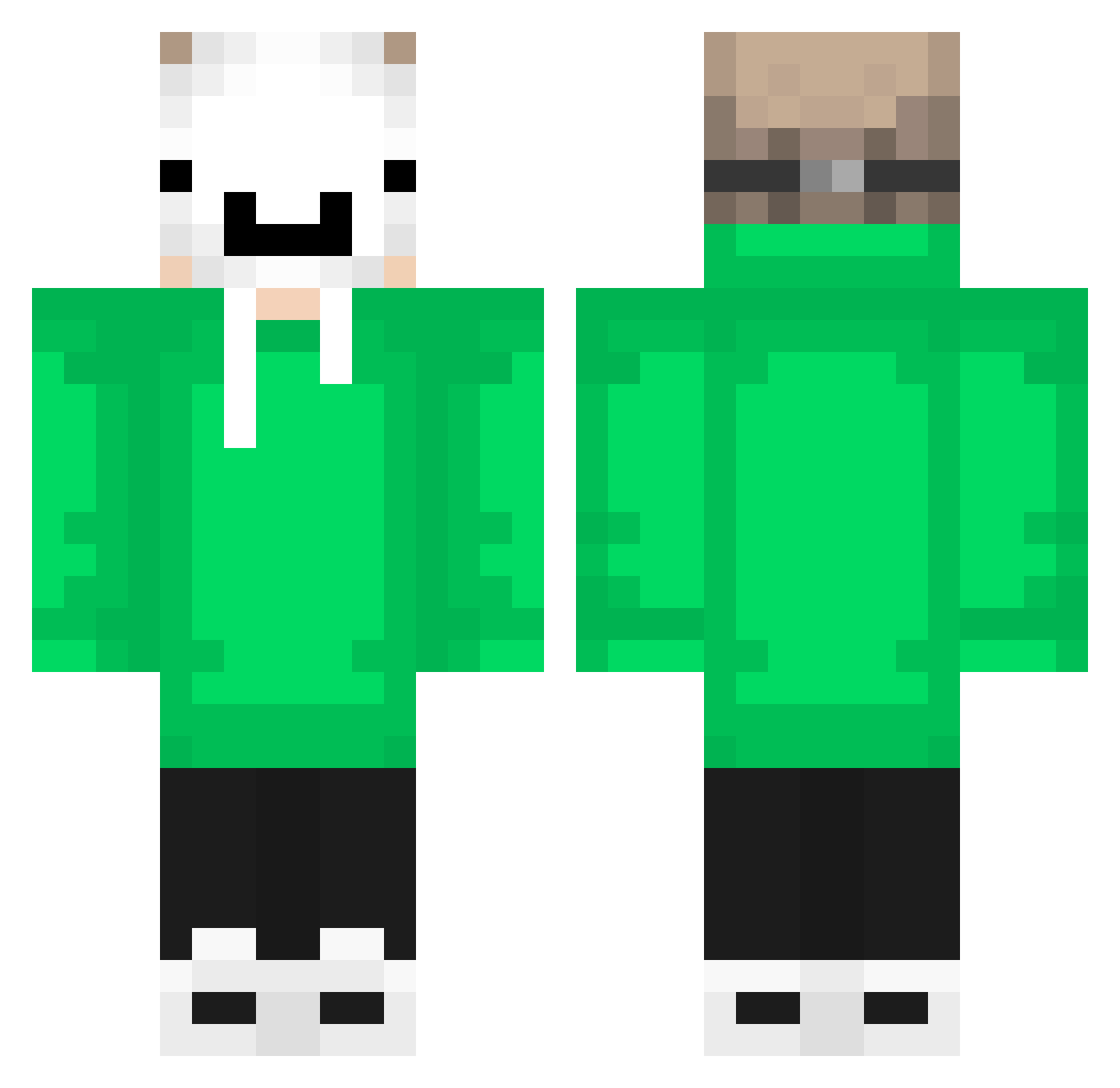
Current Minecraft skin of the player sparky_boy55, loaded from the official Mojang API. Rotate the 3D model with your mouse or finger, then download the skin as a PNG file and use it in Minecraft: Bedrock Edition or Java Edition for free. When sparky_boy55 changes their skin, this page updates automatically and the old skin stays in the history below.
Other players with this skin (549)
sparky_boy55 was the 391st player we have seen with this skin, first spotted on 30.09.2026. The same skin was seen on these players. Open a nickname to see their current skin and skin history.
 anko2232 kanata2868 PvtBigdaddy a154qsrsd Maxwu2008 Bloopyboy minecdr gzxgz gokuccg Avlos88 Akaneq1 cyyyyyyyyyyyy AmArAnjiNG Gojo2077 Trap_Lover6 CurvedClock9655 mikyner52 dtuv Martinmacau33 Santijr2012 Luppii Yato069 DeriAlan TimuDono Zao_0 _GeoMaster_ keisuke080808 bbtom2001 K__E ThatGuy_YT iTtsCyborg Mio465 LukasRasmussen6 _STUTZ_ misanek_cz MTien_joker Javaz0 MihaiProxenet zdelarr Danny90026 IIW250 aqilpre Picolonio Seffaf maczeta100 franciscolwh py1tro alialtin Deluxe391 rekkimausu LucasgamePlays Nizam_leo Crising_XD199 ianfer2014 karpott_067 Misslee onichani0818 yNutz_ RayUnicorno24 Yan_Sv
More Dream Minecraft skins
How to install the sparky_boy55 skin
- Press the Download button above to save the skin as a PNG file.
- Minecraft: Bedrock Edition (PE): open the Dressing Room from the main menu (or tap your character → Edit Character), go to Classic Skins → Owned, press the + (new skin) button, choose the downloaded PNG and pick the Classic (Steve) model. Works on PC and mobile; consoles cannot import custom skins.
- Minecraft: Java Edition: open the Minecraft Launcher, go to the Skins tab, click New Skin, load the PNG, pick the Classic (Steve) model and press Save & Use. You can also upload it at minecraft.net → Profile → Change Skin.
The skin does not show up after import - what should I do?
Restart Minecraft and open the Dressing Room again - imported skins sometimes appear only after a restart. Also make sure you selected the imported skin and picked the Classic (Steve) model.
Which model should I choose, Classic or Slim?
This skin is designed for the Classic (Steve) model. If you pick the wrong model, the arms of the skin will look stretched or squeezed.
Is the skin of sparky_boy55 free to download?
Yes. Press Download, save the PNG file and use it in Minecraft: Bedrock Edition or Java Edition - no payment or registration needed. The skin also works on multiplayer servers and Realms.
More skins
Looking for more? Go back to all Minecraft skins and check the top skins of the week, month and all time, or find any player's skin by nickname.