
soondung0909 - Minecraft Skins & Skin History
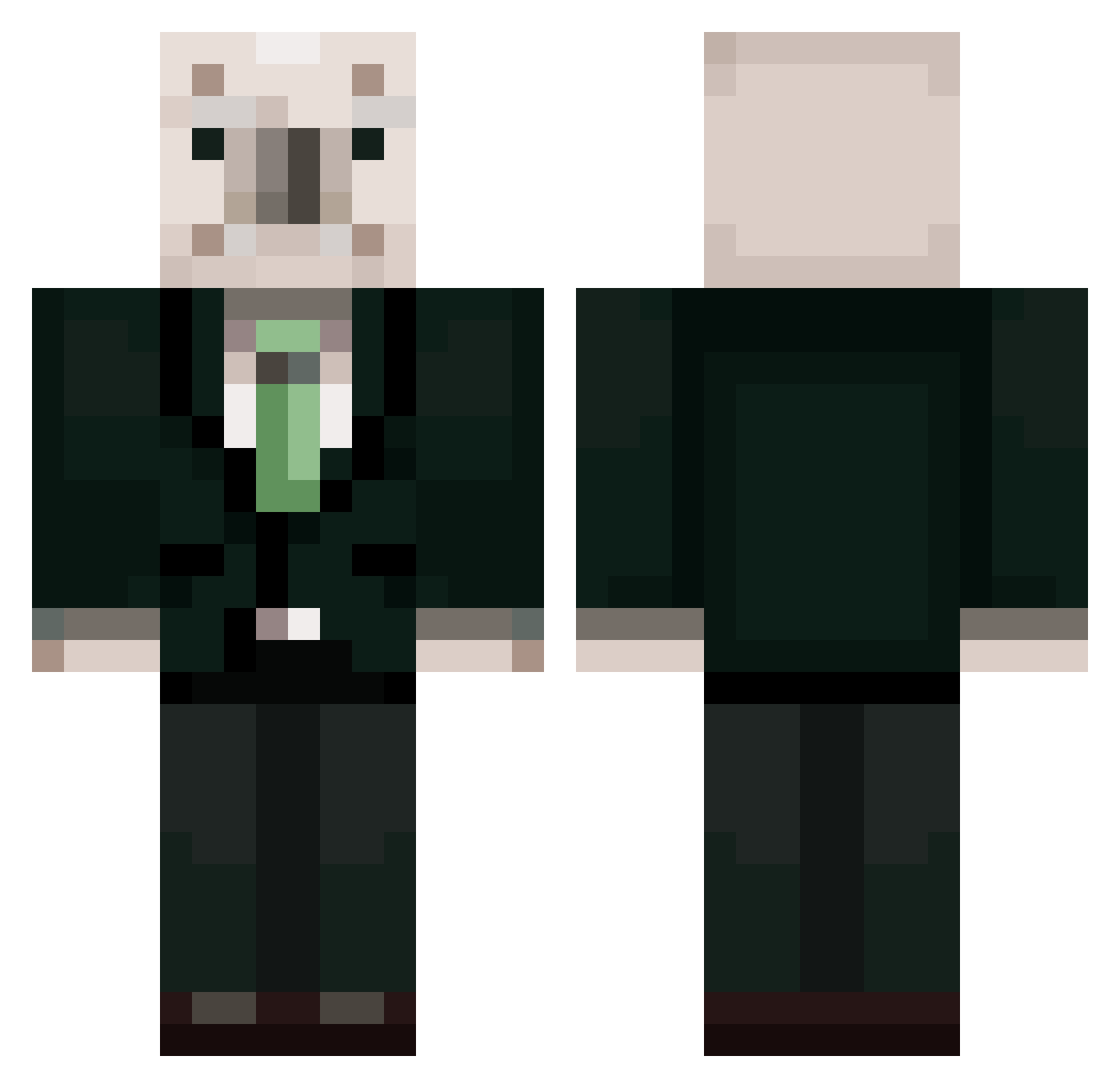
Current Minecraft skin of the player soondung0909, loaded from the official Mojang API. Rotate the 3D model with your mouse or finger, then download the skin as a PNG file and use it in Minecraft: Bedrock Edition or Java Edition for free. When soondung0909 changes their skin, this page updates automatically and the old skin stays in the history below.
Other players with this skin (461)
soondung0909 was the 314th player we have seen with this skin, first spotted on 06.10.2026. The same skin was seen on these players. Open a nickname to see their current skin and skin history.
 mechinsiki koalakoalakoala Hoyun207 Gojol0827 oppenheimer0314 Kojenge akzilssagi Amelia02230 unjijump DJ_FADE_X youthkimminseo unjigay junhoe00 Ionian_ yellow495 minseok4918 kyungmin719 NoMoo_Hyun m1ngki qwertyuiop2314 PokeDongHoLee Omuhyun0523 518civilian eungay gosyujinsama JamminZzang kangmin0725 jonjaldonggyu land_land 46223342 goat_manje_god WHY_AM_SO_VEDI IsThatEric megurmock frog54321 spentemperor606 soenu ROHSKOMNADZOR Keslip Chyo2 choegang jio12 Monschatz kcy3943 Superghsh bbongC kims1456 jznhsxg1 Talmogaga Aviatree 8_second_ward Uni_1209 JuyoungLovesKlee tlqkfqudtlsrpdla solsolhol Im_LuckyGuy coco_pigeon president__roh Kussogami junggus
More Koala Minecraft skins
How to install the soondung0909 skin
- Press the Download button above to save the skin as a PNG file.
- Minecraft: Bedrock Edition (PE): open the Dressing Room from the main menu (or tap your character → Edit Character), go to Classic Skins → Owned, press the + (new skin) button, choose the downloaded PNG and pick the Classic (Steve) model. Works on PC and mobile; consoles cannot import custom skins.
- Minecraft: Java Edition: open the Minecraft Launcher, go to the Skins tab, click New Skin, load the PNG, pick the Classic (Steve) model and press Save & Use. You can also upload it at minecraft.net → Profile → Change Skin.
The skin does not show up after import - what should I do?
Restart Minecraft and open the Dressing Room again - imported skins sometimes appear only after a restart. Also make sure you selected the imported skin and picked the Classic (Steve) model.
Which model should I choose, Classic or Slim?
This skin is designed for the Classic (Steve) model. If you pick the wrong model, the arms of the skin will look stretched or squeezed.
Is the skin of soondung0909 free to download?
Yes. Press Download, save the PNG file and use it in Minecraft: Bedrock Edition or Java Edition - no payment or registration needed. The skin also works on multiplayer servers and Realms.
More skins
Looking for more? Go back to all Minecraft skins and check the top skins of the week, month and all time, or find any player's skin by nickname.