
solitudo_ - Minecraft Skins & Skin History
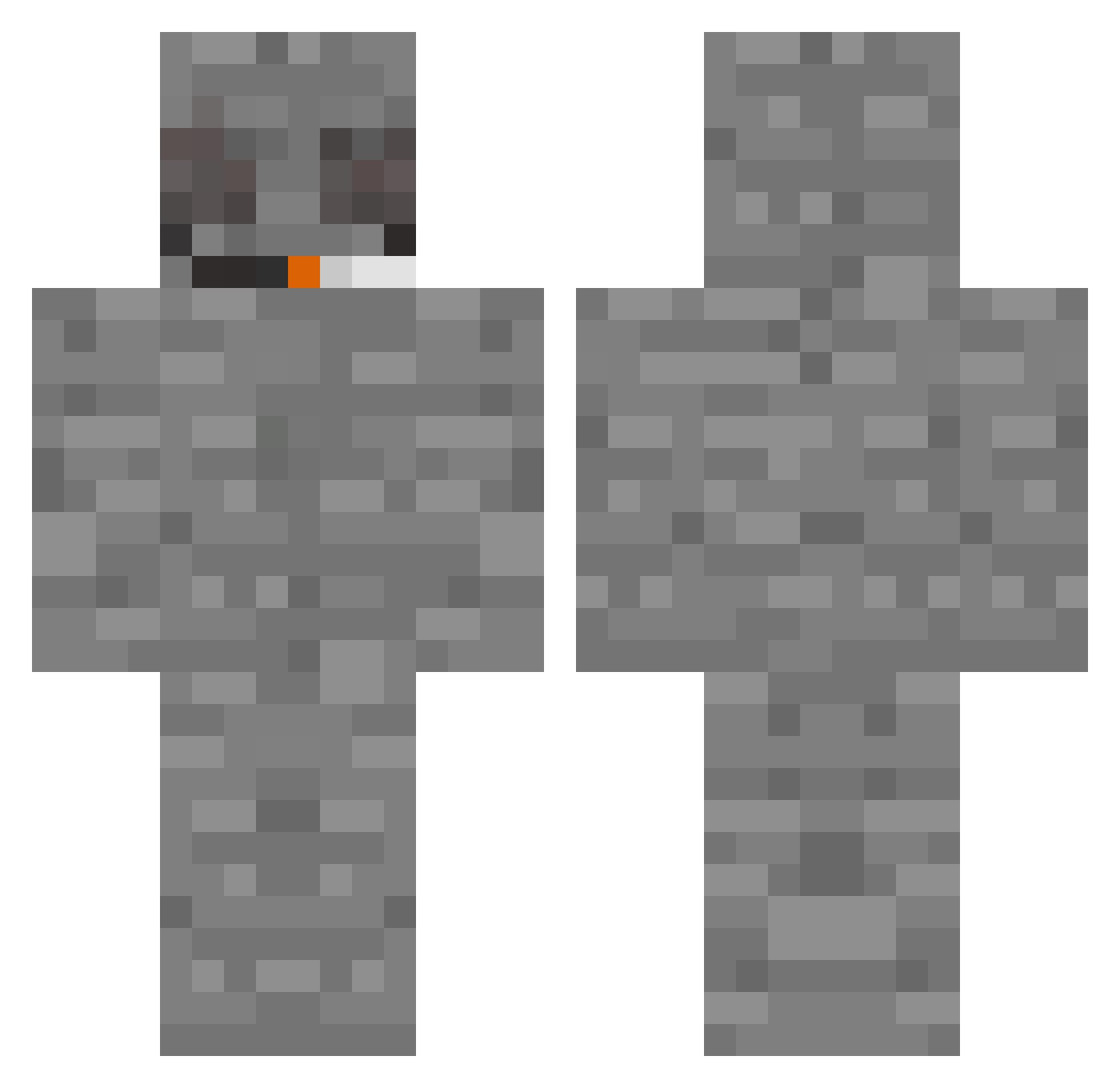
Current Minecraft skin of the player solitudo_, loaded from the official Mojang API. Rotate the 3D model with your mouse or finger, then download the skin as a PNG file and use it in Minecraft: Bedrock Edition or Java Edition for free. When solitudo_ changes their skin, this page updates automatically and the old skin stays in the history below.
Other players with this skin (336)
solitudo_ was the 60th player we have seen with this skin, first spotted on 12.08.2026. The same skin was seen on these players. Open a nickname to see their current skin and skin history.
 XxGetDuckedOnxX YOUROK20222 GrandWiz420 AlexandreGermano RedManeFP chasefergg stash4hash DripoCato hodnejkluk__ FenixTitanium420
 M3lichar jimmyneutron34 sagbinicheinatze em_an Varonilla NorCloud RetroAge BigProBonev9 B1gCh0p JoeDirt70 PregnantKirby archimedestool aaronsmets123 captionAtismo notiert_
 Twnw Jupiter1008 StrangerDuck64 ratgurl7000 SirGordoThe3rd i6e DaddyPriest Perkish Sunket Cuhrey MysticFairy420 7dopes HpO853 lilcheeech Octagonal51 isacck iKMee V1z1onz slumslug pilrv przecinak1 dj_36 M1lk1n4bag SniperDude2261 edkopolievka Luccccc RoxzGore sarasolskin KS_GOLF romorr diegocolina27 DirtyMango
 iwo_ Vinegarrrr runaway__
More Rock Minecraft skins
How to install the solitudo_ skin
- Press the Download button above to save the skin as a PNG file.
- Minecraft: Bedrock Edition (PE): open the Dressing Room from the main menu (or tap your character → Edit Character), go to Classic Skins → Owned, press the + (new skin) button, choose the downloaded PNG and pick the Classic (Steve) model. Works on PC and mobile; consoles cannot import custom skins.
- Minecraft: Java Edition: open the Minecraft Launcher, go to the Skins tab, click New Skin, load the PNG, pick the Classic (Steve) model and press Save & Use. You can also upload it at minecraft.net → Profile → Change Skin.
The skin does not show up after import - what should I do?
Restart Minecraft and open the Dressing Room again - imported skins sometimes appear only after a restart. Also make sure you selected the imported skin and picked the Classic (Steve) model.
Which model should I choose, Classic or Slim?
This skin is designed for the Classic (Steve) model. If you pick the wrong model, the arms of the skin will look stretched or squeezed.
Is the skin of solitudo_ free to download?
Yes. Press Download, save the PNG file and use it in Minecraft: Bedrock Edition or Java Edition - no payment or registration needed. The skin also works on multiplayer servers and Realms.
More skins
Looking for more? Go back to all Minecraft skins and check the top skins of the week, month and all time, or find any player's skin by nickname.