
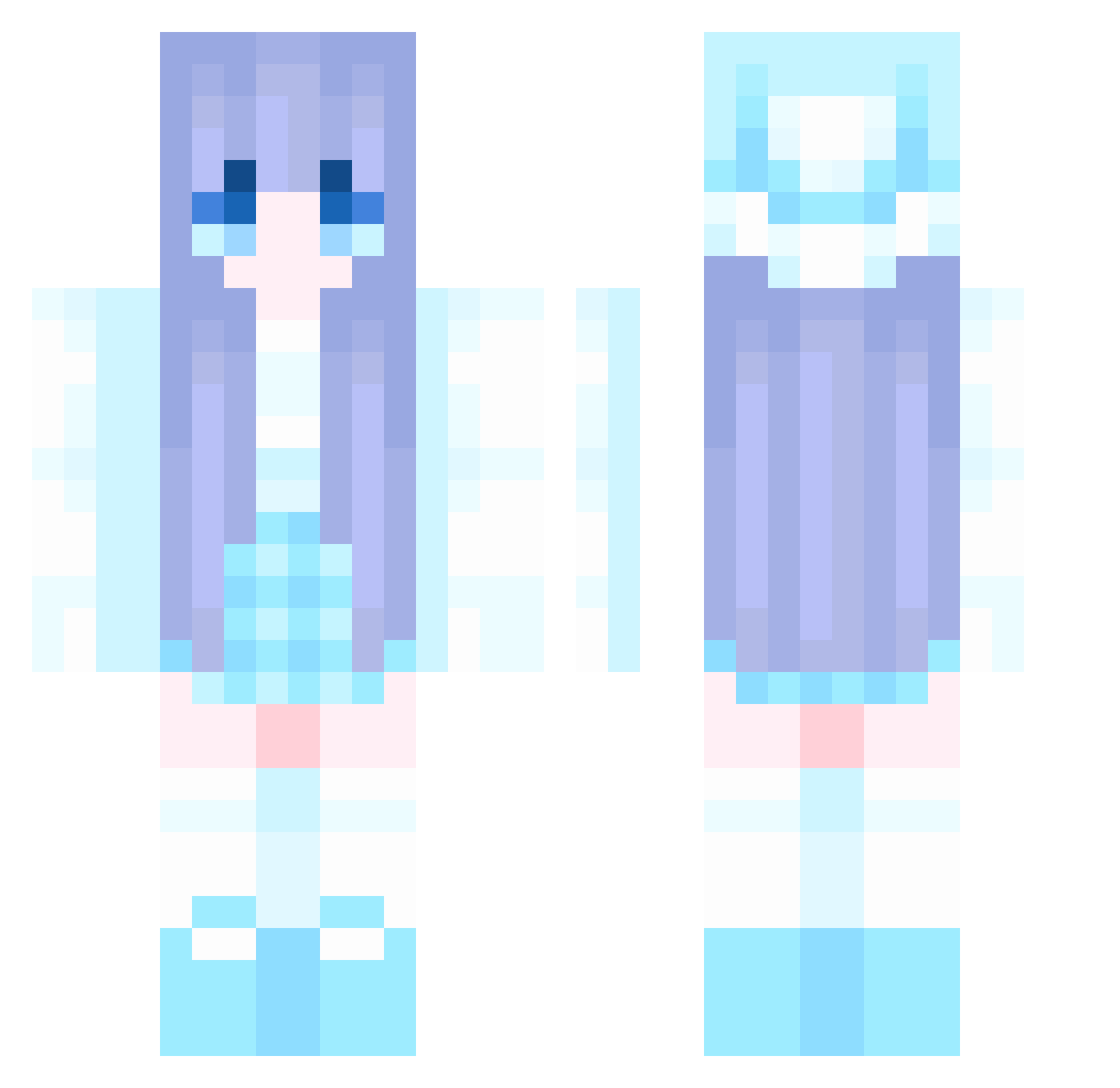
Current Minecraft skin of the player solemnSo3ciable, loaded from the official Mojang API. Rotate the 3D model with your mouse or finger, then download the skin as a PNG file and use it in Minecraft: Bedrock Edition or Java Edition for free. When solemnSo3ciable changes their skin, this page updates automatically and the old skin stays in the history below.
Other players with this skin (841)
solemnSo3ciable was the 97th player we have seen with this skin, first spotted on 02.08.2026. The same skin was seen on these players. Open a nickname to see their current skin and skin history.
 lil469 Alinpo yanhuo0802 ShengxianChen paparika09 colorfulDreamer perciefd limulu1 Aquarius0219 Zeliphina Wangchunhe Sassygirl3685 Hardy_2009 Bas212 insmallcity WIGAndy Xiyou_Hanjian YukaSakura YLivv chino217 windbai aoikiretsu LiShiqiang flyleaf0 CJCJ1313 zxj66 LottieDarkHeart BonBrod attentive1438 akqr1 ZHENG_H XYR2004 diandengdaomemng byyfish Seele_owo baiy4 sfcy bobandbrony zaqmlp Haruna25 DawgRin pistachio16 ItzHudson Wahona woshinidie988 sjh6616 MLX6114 MiniBuilder300 runn1009 Chic_dk s3raphim_exe Toffee28 rjwq uukl77 NBZMJ jishixingle111 zhiyu255 AY_HF Willlet Y_Misaki
More Winter Minecraft skins
How to install the solemnSo3ciable skin
- Press the Download button above to save the skin as a PNG file.
- Minecraft: Bedrock Edition (PE): open the Dressing Room from the main menu (or tap your character → Edit Character), go to Classic Skins → Owned, press the + (new skin) button, choose the downloaded PNG and pick the Classic (Steve) model. Works on PC and mobile; consoles cannot import custom skins.
- Minecraft: Java Edition: open the Minecraft Launcher, go to the Skins tab, click New Skin, load the PNG, pick the Classic (Steve) model and press Save & Use. You can also upload it at minecraft.net → Profile → Change Skin.
The skin does not show up after import - what should I do?
Restart Minecraft and open the Dressing Room again - imported skins sometimes appear only after a restart. Also make sure you selected the imported skin and picked the Classic (Steve) model.
Which model should I choose, Classic or Slim?
This skin is designed for the Classic (Steve) model. If you pick the wrong model, the arms of the skin will look stretched or squeezed.
Is the skin of solemnSo3ciable free to download?
Yes. Press Download, save the PNG file and use it in Minecraft: Bedrock Edition or Java Edition - no payment or registration needed. The skin also works on multiplayer servers and Realms.
More skins
Looking for more? Go back to all Minecraft skins and check the top skins of the week, month and all time, or find any player's skin by nickname.