
smokinpercs - Minecraft Skins & Skin History
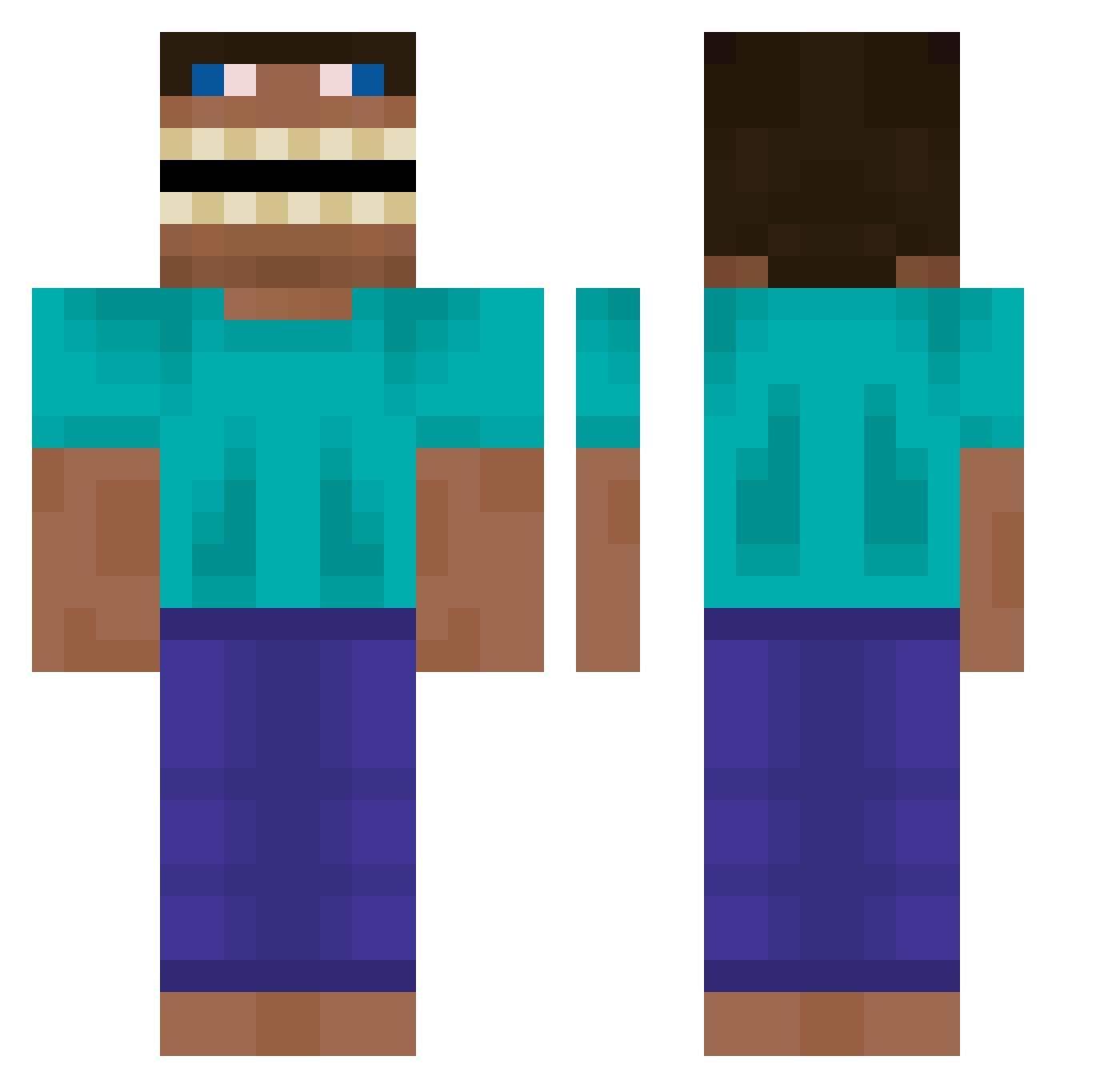
Current Minecraft skin of the player smokinpercs, loaded from the official Mojang API. Rotate the 3D model with your mouse or finger, then download the skin as a PNG file and use it in Minecraft: Bedrock Edition or Java Edition for free. When smokinpercs changes their skin, this page updates automatically and the old skin stays in the history below.
Other players with this skin (619)
smokinpercs was the 27th player we have seen with this skin, first spotted on 29.07.2026. The same skin was seen on these players. Open a nickname to see their current skin and skin history.
 HaoklondVI chebypelina agusanti 3dvideo SlaySkiddy Sir_ButtCheeks backblower73 THURY4 jealousmexican LuccaZuf Pompei2828 ew923 Enemy333 MatrixxQuack Liufis bzyku111 Hydroxybot Bubah8 Triumvates Satoooo0000 ErstCornflakes 0riginal0 BDG_Hornet LaimutisMagnus Jony9700 Schl31cher happy696 GoldTundra8661 MikroKoira SomethingComedi Simisky421 Mrsupreme9256 SloppyBaguette wlsdnjsdn Ch4inZz SarahCameron1 Aunnyy sphi78 ItsXtinct21 erBitzy Mironk locktum1 CHIENMALADEII ArrstrA sparetyre12464 M4tty19 BRUTUS0_0 ThatCheeseyBoi Brozaak COOKIECRISP1999 alfonso1998 GLLAA kwor0327 YeRaThEL_ NaTreX22 kimhs0523 CheshireG NBAyovngboy TheVago Stup13fix
More Funny Minecraft skins
How to install the smokinpercs skin
- Press the Download button above to save the skin as a PNG file.
- Minecraft: Bedrock Edition (PE): open the Dressing Room from the main menu (or tap your character → Edit Character), go to Classic Skins → Owned, press the + (new skin) button, choose the downloaded PNG and pick the Classic (Steve) model. Works on PC and mobile; consoles cannot import custom skins.
- Minecraft: Java Edition: open the Minecraft Launcher, go to the Skins tab, click New Skin, load the PNG, pick the Classic (Steve) model and press Save & Use. You can also upload it at minecraft.net → Profile → Change Skin.
The skin does not show up after import - what should I do?
Restart Minecraft and open the Dressing Room again - imported skins sometimes appear only after a restart. Also make sure you selected the imported skin and picked the Classic (Steve) model.
Which model should I choose, Classic or Slim?
This skin is designed for the Classic (Steve) model. If you pick the wrong model, the arms of the skin will look stretched or squeezed.
Is the skin of smokinpercs free to download?
Yes. Press Download, save the PNG file and use it in Minecraft: Bedrock Edition or Java Edition - no payment or registration needed. The skin also works on multiplayer servers and Realms.
More skins
Looking for more? Go back to all Minecraft skins and check the top skins of the week, month and all time, or find any player's skin by nickname.