
slidpanda62 - Minecraft Skins & Skin History
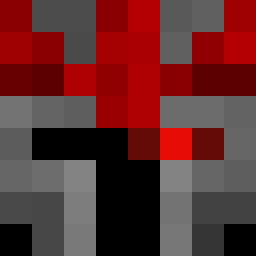
Current Minecraft skin of the player slidpanda62, loaded from the official Mojang API. Rotate the 3D model with your mouse or finger, then download the skin as a PNG file and use it in Minecraft: Bedrock Edition or Java Edition for free. When slidpanda62 changes their skin, this page updates automatically and the old skin stays in the history below.

Other players with this skin (14054)
slidpanda62 was the 2274th player we have seen with this skin, first spotted on 13.08.2026. The same skin was seen on these players. Open a nickname to see their current skin and skin history.
 rockseller123 Nagisa78 ird1234 _Sallty Kamaitachy Marcolachefe GoopMC matiaspedel Julagto Gripon Daikoba Injectant 5qmuel LvnMafia KMRaid3r superking420
 BananaSpark Nikoss333 george_droid1981 BooV3rySp0ok Tailung69420 FuegoJo LotusCalvo myrT98 WoodStairs WilliXOXO Mal1ky DER_DEUSCHE88 midnightskies10 daske_kongen123 saRafet Linus193 kgy2451 Alborn IceVeinz xolo7125
 mewusion Exmortis101 junb523
 koaps_on_copium
 olo01 siwoomoon KidGamerZaid FENNDEKING19 LaKaBraKdalech36 Incognito_3
 Steve66270 ErikBored Runkai22 mIxI9087 SnowiziX funkeyman216 cevulice Sun_Master_ Asyndetic clonelucke LagartijaReturNs ShiveryKneeCaps calebrodr1g ChrisPLL
How to install the slidpanda62 skin
- Press the Download button above to save the skin as a PNG file.
- Minecraft: Bedrock Edition (PE): open the Dressing Room from the main menu (or tap your character → Edit Character), go to Classic Skins → Owned, press the + (new skin) button, choose the downloaded PNG and pick the Classic (Steve) model. Works on PC and mobile; consoles cannot import custom skins.
- Minecraft: Java Edition: open the Minecraft Launcher, go to the Skins tab, click New Skin, load the PNG, pick the Classic (Steve) model and press Save & Use. You can also upload it at minecraft.net → Profile → Change Skin.
The skin does not show up after import - what should I do?
Restart Minecraft and open the Dressing Room again - imported skins sometimes appear only after a restart. Also make sure you selected the imported skin and picked the Classic (Steve) model.
Which model should I choose, Classic or Slim?
This skin is designed for the Classic (Steve) model. If you pick the wrong model, the arms of the skin will look stretched or squeezed.
Is the skin of slidpanda62 free to download?
Yes. Press Download, save the PNG file and use it in Minecraft: Bedrock Edition or Java Edition - no payment or registration needed. The skin also works on multiplayer servers and Realms.
More skins
Looking for more? Go back to all Minecraft skins and check the top skins of the week, month and all time, or find any player's skin by nickname.