
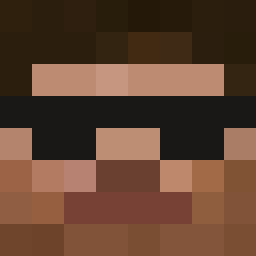
Current Minecraft skin of the player Runkai22, loaded from the official Mojang API. Rotate the 3D model with your mouse or finger, then download the skin as a PNG file and use it in Minecraft: Bedrock Edition or Java Edition for free. When Runkai22 changes their skin, this page updates automatically and the old skin stays in the history below.

Other players with this skin (10861)
Runkai22 was the 2302nd player we have seen with this skin, first spotted on 13.08.2026. The same skin was seen on these players. Open a nickname to see their current skin and skin history.
 ErikBored funkeyman216
 Steve66270 Incognito_3 Asyndetic siwoomoon clonelucke junb523 Exmortis101 blackkowka LannK PER_ROZz bail ThatGuyTHD matthiasfv
 luffy771 Alborn kgy2451 marcoboy108 Linus193 saRafet HAESEONG_9 RedSTONZevvee KingAfrica24 big_Neckanyahu sastrugi FreeMCAlts_CLXE5 Mal1ky WilliXOXO WoodStairs s2xmachin KasadyBlack darocvz1920 myrT98 _L0Y_ IBesty FuegoJo xstalker123 Tailung69420
 owenff BooV3rySp0ok Conflict_19 zachczy Nikoss333 BLDRipper superking420 dadamu KMRaid3r
 doritosek423 LvnMafia 5qmuel parv23 Injectant Crazy_Cloud1 Daikoba Gripon WalliW GoopMC Einhorn13_ Kamaitachy
How to install the Runkai22 skin
- Press the Download button above to save the skin as a PNG file.
- Minecraft: Bedrock Edition (PE): open the Dressing Room from the main menu (or tap your character → Edit Character), go to Classic Skins → Owned, press the + (new skin) button, choose the downloaded PNG and pick the Classic (Steve) model. Works on PC and mobile; consoles cannot import custom skins.
- Minecraft: Java Edition: open the Minecraft Launcher, go to the Skins tab, click New Skin, load the PNG, pick the Classic (Steve) model and press Save & Use. You can also upload it at minecraft.net → Profile → Change Skin.
The skin does not show up after import - what should I do?
Restart Minecraft and open the Dressing Room again - imported skins sometimes appear only after a restart. Also make sure you selected the imported skin and picked the Classic (Steve) model.
Which model should I choose, Classic or Slim?
This skin is designed for the Classic (Steve) model. If you pick the wrong model, the arms of the skin will look stretched or squeezed.
Is the skin of Runkai22 free to download?
Yes. Press Download, save the PNG file and use it in Minecraft: Bedrock Edition or Java Edition - no payment or registration needed. The skin also works on multiplayer servers and Realms.
More skins
Looking for more? Go back to all Minecraft skins and check the top skins of the week, month and all time, or find any player's skin by nickname.