
slayaplaya1214 - Minecraft Skins & Skin History
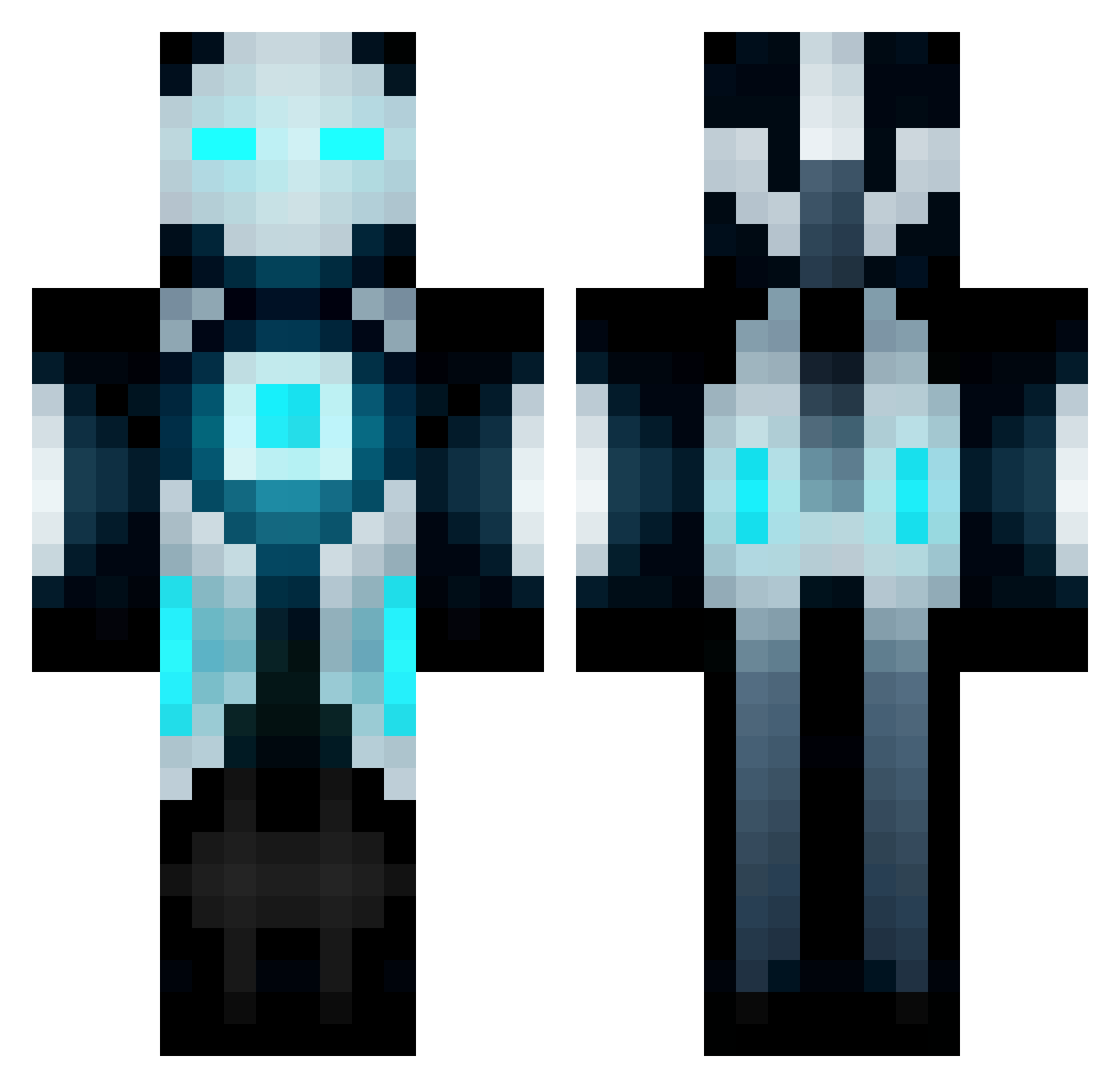
Current Minecraft skin of the player slayaplaya1214, loaded from the official Mojang API. Rotate the 3D model with your mouse or finger, then download the skin as a PNG file and use it in Minecraft: Bedrock Edition or Java Edition for free. When slayaplaya1214 changes their skin, this page updates automatically and the old skin stays in the history below.
Other players with this skin (671)
slayaplaya1214 was the 20th player we have seen with this skin, first spotted on 26.07.2026. The same skin was seen on these players. Open a nickname to see their current skin and skin history.
 Estonia InfiniteFlame123 Kuma905 sky_Liao TwoEmptyHands SepxF saber_T zombiemank1ll3r1 Lythronax dinowinn TheMysteriousR Prahgo 1999flipper oscar2046057 Churno mattattack4476 maaguilar futurespartin2 bignate777 Lilwaynegriffinp iseeyou_40 DOA_Explosion Grzy1230 EatMyDimonds Lekkertje0900 Ronadyqu Techno_Tech shiori1425 geotim90 Dark_power_001 jungla50 Boogalou2005 Sg54785 Nitr0x gabbyboys BucketThrust zhdyao TigerNavyJack Wieo147 ___ROBOT___ spanner61 daniel102798 xXFLOW12Xx abaddon9 OBSIDIAN67 geo1279 NYyankees415 Greecius Jaguar15 IKickYoAss darkstartrip Skoryon Thediv16 Rocker9902 sinsung130 JusticeJM18 IzVKo3 XamTV_ joelbowl7 THEKINGEC
More Futuristic Minecraft skins
How to install the slayaplaya1214 skin
- Press the Download button above to save the skin as a PNG file.
- Minecraft: Bedrock Edition (PE): open the Dressing Room from the main menu (or tap your character → Edit Character), go to Classic Skins → Owned, press the + (new skin) button, choose the downloaded PNG and pick the Classic (Steve) model. Works on PC and mobile; consoles cannot import custom skins.
- Minecraft: Java Edition: open the Minecraft Launcher, go to the Skins tab, click New Skin, load the PNG, pick the Classic (Steve) model and press Save & Use. You can also upload it at minecraft.net → Profile → Change Skin.
The skin does not show up after import - what should I do?
Restart Minecraft and open the Dressing Room again - imported skins sometimes appear only after a restart. Also make sure you selected the imported skin and picked the Classic (Steve) model.
Which model should I choose, Classic or Slim?
This skin is designed for the Classic (Steve) model. If you pick the wrong model, the arms of the skin will look stretched or squeezed.
Is the skin of slayaplaya1214 free to download?
Yes. Press Download, save the PNG file and use it in Minecraft: Bedrock Edition or Java Edition - no payment or registration needed. The skin also works on multiplayer servers and Realms.
More skins
Looking for more? Go back to all Minecraft skins and check the top skins of the week, month and all time, or find any player's skin by nickname.