
 ByGov12 Reno0821 jonathan_zzzz justdeniz5 Barni196 Ethanscoots10 Nabuko23 papapeppapig Kingman70 Jaegear luiz_ferrl ondraaaaad G4mingL0L Amaru420 Aureonw wadoo89 Nioner1572 izoRo25 Jahn2007 Ziondabest Harold_xv mrdanttttt UnaskedOhio52 Waterboy525 NevesPush MiloszMinecraft1 delejder Doubleblaze Weirdoland Requouiem Doctor_Mu 777Skrrr PandaScheme chillexecute__ matsozie123 lundi8090 OlinOlaf Pioupiou216 Magma908 SimbaROI OrlandoMP RAOG Vicho282003 Bolin007 hoho_325 xRainbowDx Gizmo_47 kkttt stevdreem Like_a_kirito Trewor0 Fizzlepiizz Rxves BastGameMusig Dodezilla GamerdudeproVal Lazarius90 DTessari99 jeerhove francohen4
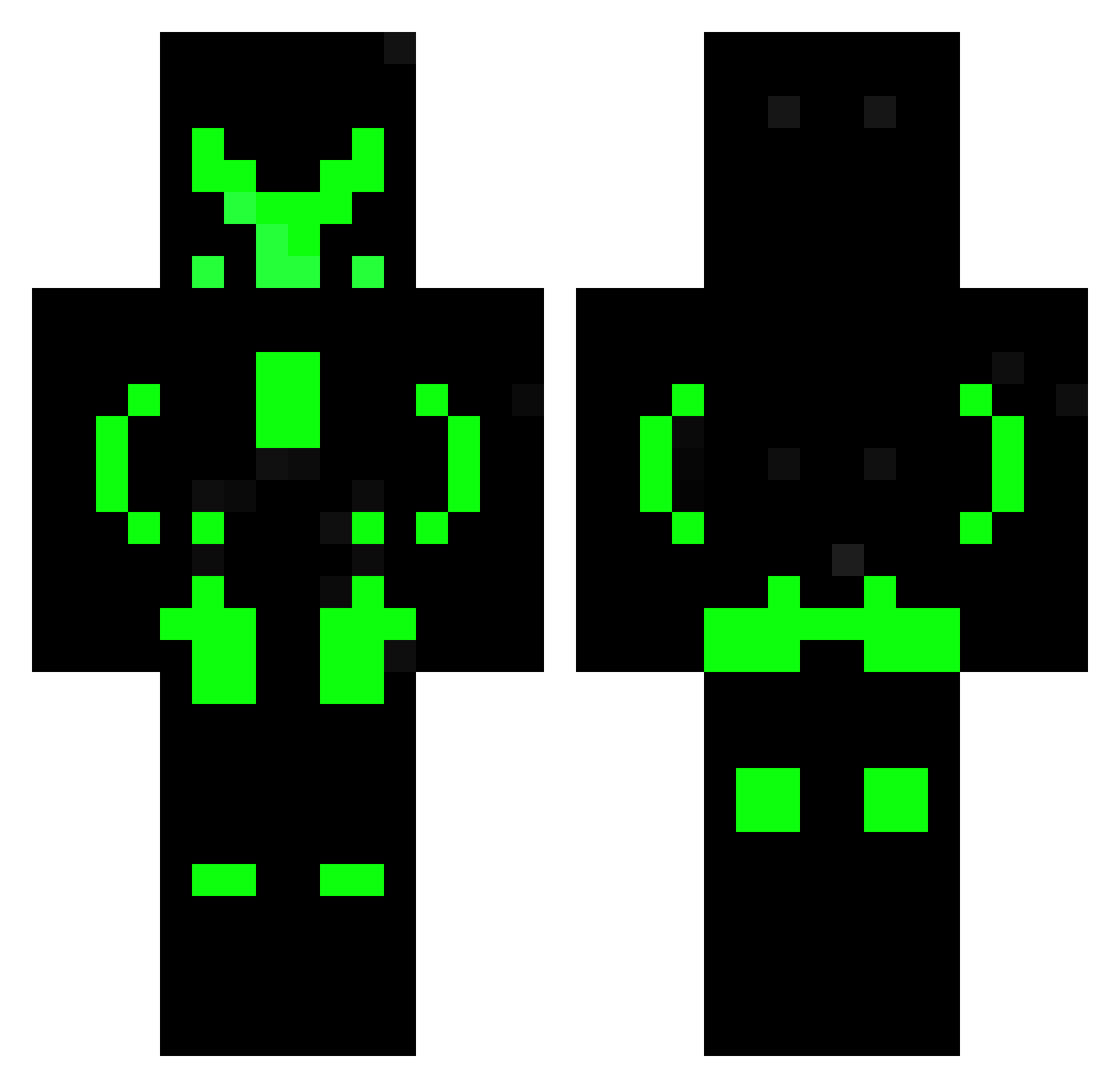
Minecraft skin of emanumaia. Rotate the 3D model with your mouse or finger to view the skin from every angle, then download it as a PNG file and use it in Minecraft: Bedrock Edition or Java Edition for free. Rate the skin with stars to help other players find the best skins in our collection.
How to install the emanumaia skin
- Press the Download button above to save the skin as a PNG file.
- Minecraft: Bedrock Edition (PE): open the Dressing Room from the main menu (or tap your character → Edit Character), go to Classic Skins → Owned, press the + (new skin) button, choose the downloaded PNG and pick the Classic (Steve) model. Works on PC and mobile; consoles cannot import custom skins.
- Minecraft: Java Edition: open the Minecraft Launcher, go to the Skins tab, click New Skin, load the PNG, pick the Classic (Steve) model and press Save & Use. You can also upload it at minecraft.net → Profile → Change Skin.
The skin does not show up after import - what should I do?
Restart Minecraft and open the Dressing Room again - imported skins sometimes appear only after a restart. Also make sure you selected the imported skin and picked the Classic (Steve) model.
Which model should I choose, Classic or Slim?
This skin is designed for the Classic (Steve) model. If you pick the wrong model, the arms of the skin will look stretched or squeezed.
Is this skin free to use?
Yes. Press Download, save the PNG file and use it in Minecraft: Bedrock Edition or Java Edition - no payment or registration needed. The skin also works on multiplayer servers and Realms.
More Neon Armor Minecraft skins
More skins
Looking for more? Go back to all Minecraft skins and check the top skins of the week, month and all time, or find any player's skin by nickname.