
shuai_zhangzhang - Minecraft Skins & Skin History
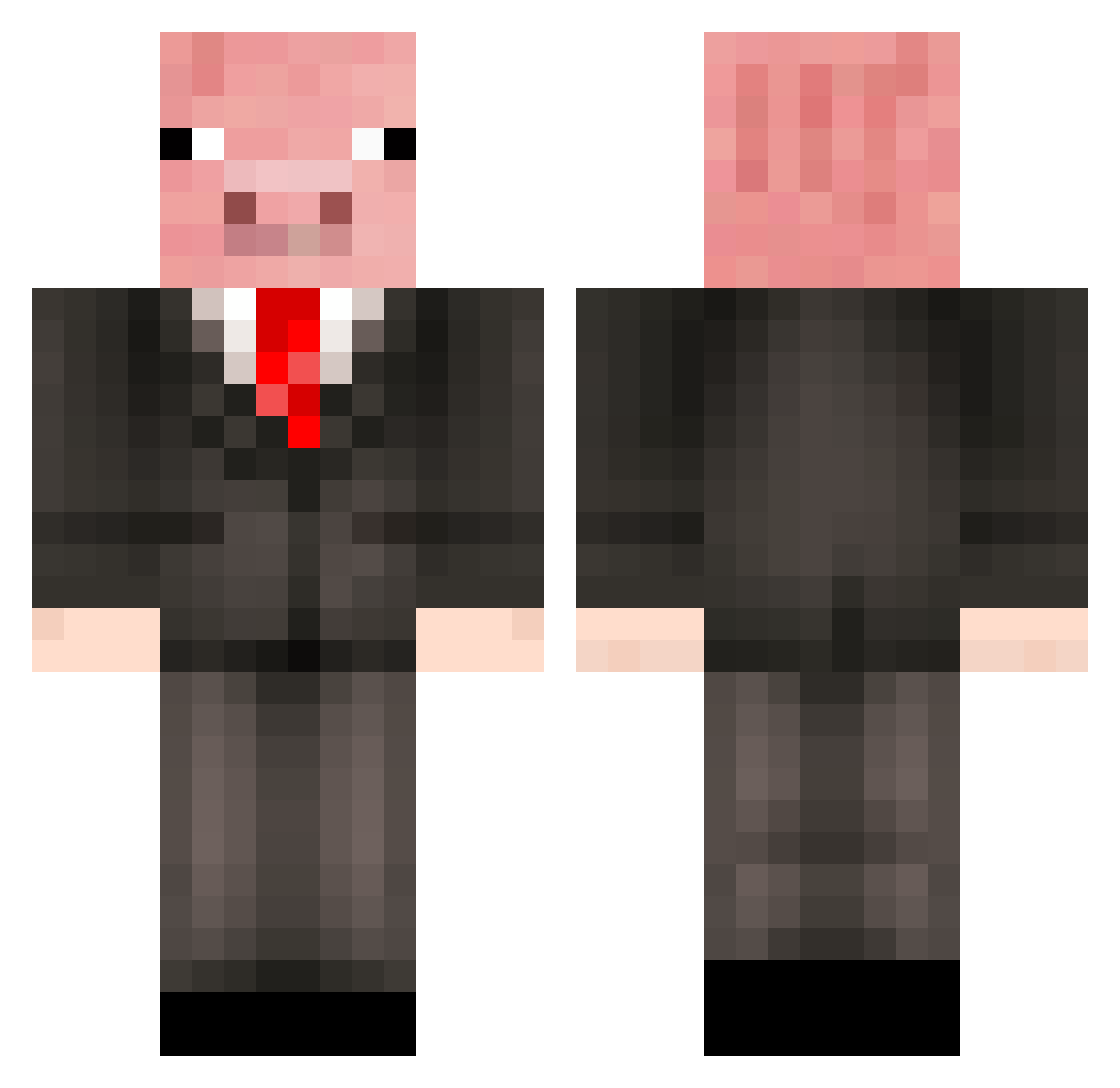
Current Minecraft skin of the player shuai_zhangzhang, loaded from the official Mojang API. Rotate the 3D model with your mouse or finger, then download the skin as a PNG file and use it in Minecraft: Bedrock Edition or Java Edition for free. When shuai_zhangzhang changes their skin, this page updates automatically and the old skin stays in the history below.
Other players with this skin (500)
shuai_zhangzhang was the 99th player we have seen with this skin, first spotted on 17.08.2026. The same skin was seen on these players. Open a nickname to see their current skin and skin history.
 Buttermelon555 Brandify Laohuo Leatherpigmen lazercorn1563 cmciem29 SonIva pfautzma bam926 Command3rPig o0TheBuilder0o jorknorro packman065 Master_Jellybean lordbooger123 fluffyunicorn95a ZephyrX101 potatoman999 Schnitzel_Max upwindsquid zahiah dslchandra dabberus LEO_SPEL jakobhulk8 Rotusk rickshore Louis_05_ PiggyTails56 butasan302 PRMcMillian17 NullSense gran1 fatdie612 SteveAnson HumongousTrev Padvark pilotpig99 MrBen2man Meteor_Dog Corgon67 HarryThePig123 vebjornwn Nextt VeniiR mutt9999 SnugDust greenlucas22 Zeebie22 gabes070 True_Novaeax Jojo42 gurkanbob pigikun pistachioo Callumhogg63 pokeapig65 XQvistenX angelviswi SupahDerpy
More Pig Minecraft skins
How to install the shuai_zhangzhang skin
- Press the Download button above to save the skin as a PNG file.
- Minecraft: Bedrock Edition (PE): open the Dressing Room from the main menu (or tap your character → Edit Character), go to Classic Skins → Owned, press the + (new skin) button, choose the downloaded PNG and pick the Classic (Steve) model. Works on PC and mobile; consoles cannot import custom skins.
- Minecraft: Java Edition: open the Minecraft Launcher, go to the Skins tab, click New Skin, load the PNG, pick the Classic (Steve) model and press Save & Use. You can also upload it at minecraft.net → Profile → Change Skin.
The skin does not show up after import - what should I do?
Restart Minecraft and open the Dressing Room again - imported skins sometimes appear only after a restart. Also make sure you selected the imported skin and picked the Classic (Steve) model.
Which model should I choose, Classic or Slim?
This skin is designed for the Classic (Steve) model. If you pick the wrong model, the arms of the skin will look stretched or squeezed.
Is the skin of shuai_zhangzhang free to download?
Yes. Press Download, save the PNG file and use it in Minecraft: Bedrock Edition or Java Edition - no payment or registration needed. The skin also works on multiplayer servers and Realms.
More skins
Looking for more? Go back to all Minecraft skins and check the top skins of the week, month and all time, or find any player's skin by nickname.