
 nutella_freak sammykarlsson spiderschaf Heyxa OwenK00 NanoSkills BoarMane tylerh456 CursedBlade101 PEYUYO BiGhUrT12 chopperpiggy DumDumPop5 hockeywill06 okina4432 michaelplaysss Conzy99 Porkinstein Lally246 spartan0430 Chooco_Quente onkljohn Epic_Awesome MatanteKurdent Lil_Wu ImmKrisp kjetilharminikuk 20willswhite Hieronymus9000 rqllee1 terret1 goodbob24 benibal DABOSS285 brennan9212 B3rtil tomh03 MrBacon5871 rancey9 DougR244 Jonathan03 Streetrider999 CheezyPoofs145 backfisch2400 Planexy Mackan57 Greengopher78 Craftin24_7 J_Dogg12321 harrybo5444 mrpig69 HarveyBeckett YolefOG Juscoz17 RinoReuben123 jaalwe Williammcc1 OwlHours_2 non499 Noah2445
Minecraft skin of Solidice36. Rotate the 3D model with your mouse or finger to view the skin from every angle, then download it as a PNG file and use it in Minecraft: Bedrock Edition or Java Edition for free. Rate the skin with stars to help other players find the best skins in our collection.
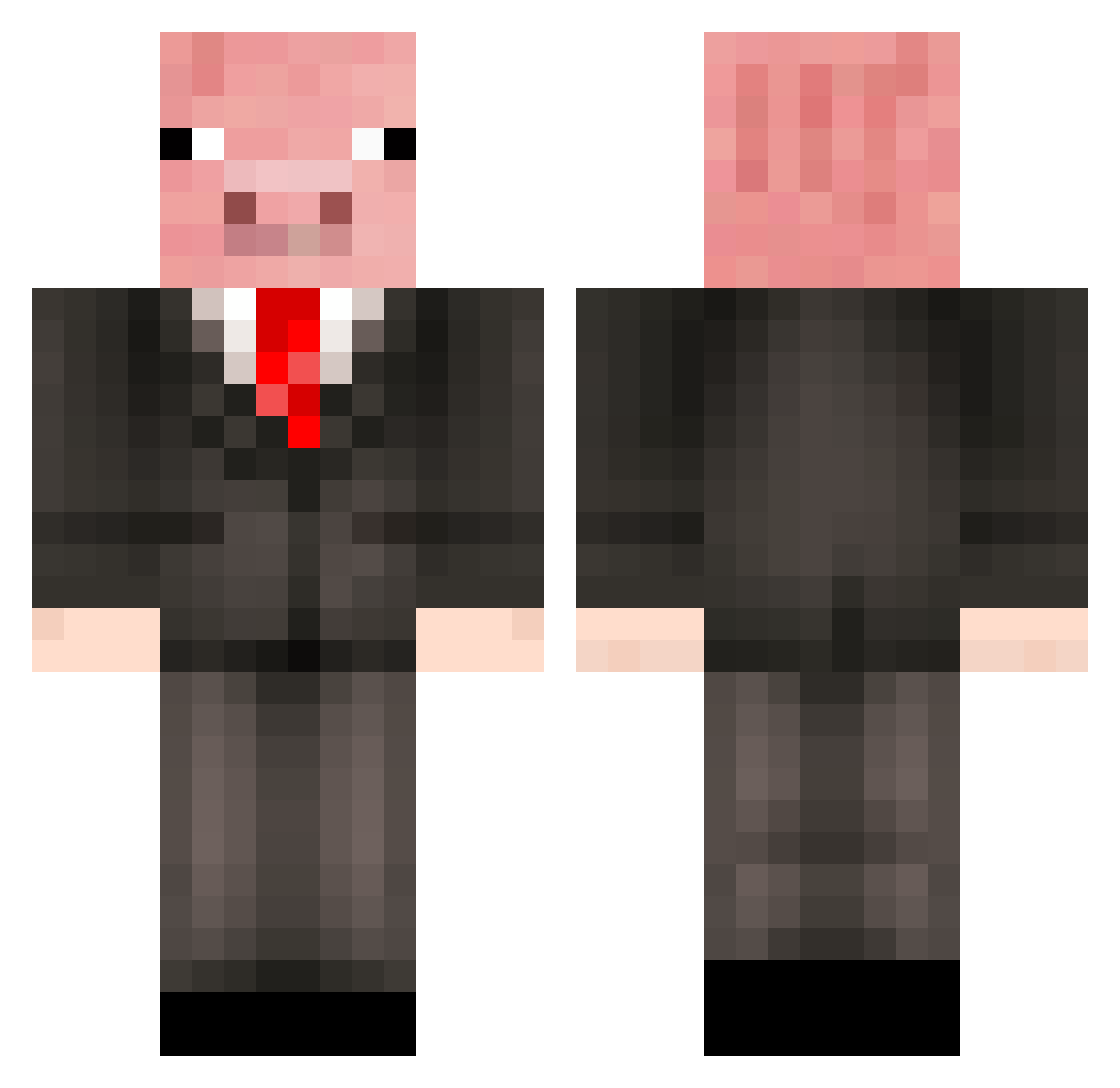
How to install the Solidice36 skin
- Press the Download button above to save the skin as a PNG file.
- Minecraft: Bedrock Edition (PE): open the Dressing Room from the main menu (or tap your character → Edit Character), go to Classic Skins → Owned, press the + (new skin) button, choose the downloaded PNG and pick the Classic (Steve) model. Works on PC and mobile; consoles cannot import custom skins.
- Minecraft: Java Edition: open the Minecraft Launcher, go to the Skins tab, click New Skin, load the PNG, pick the Classic (Steve) model and press Save & Use. You can also upload it at minecraft.net → Profile → Change Skin.
The skin does not show up after import - what should I do?
Restart Minecraft and open the Dressing Room again - imported skins sometimes appear only after a restart. Also make sure you selected the imported skin and picked the Classic (Steve) model.
Which model should I choose, Classic or Slim?
This skin is designed for the Classic (Steve) model. If you pick the wrong model, the arms of the skin will look stretched or squeezed.
Is this skin free to use?
Yes. Press Download, save the PNG file and use it in Minecraft: Bedrock Edition or Java Edition - no payment or registration needed. The skin also works on multiplayer servers and Realms.
More Pig Minecraft skins
More skins
Looking for more? Go back to all Minecraft skins and check the top skins of the week, month and all time, or find any player's skin by nickname.