
sharky6225 - Minecraft Skins & Skin History
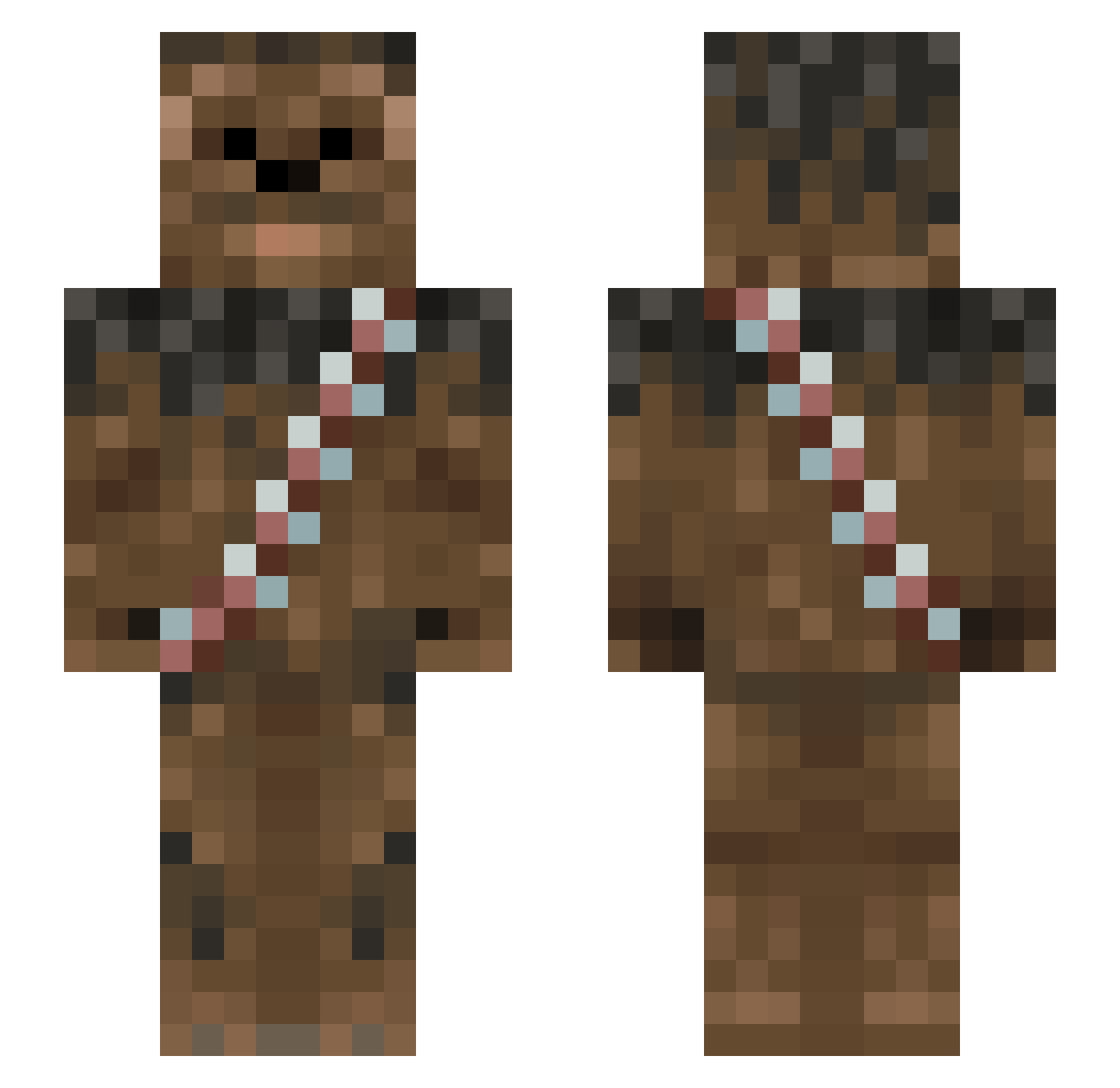
Current Minecraft skin of the player sharky6225, loaded from the official Mojang API. Rotate the 3D model with your mouse or finger, then download the skin as a PNG file and use it in Minecraft: Bedrock Edition or Java Edition for free. When sharky6225 changes their skin, this page updates automatically and the old skin stays in the history below.
Other players with this skin (1013)
sharky6225 was the 547th player we have seen with this skin, first spotted on 26.09.2026. The same skin was seen on these players. Open a nickname to see their current skin and skin history.
 sycodog joshyrascal splinter1988 Frostt79 N_E_X_O_N james2425 Japels Seta_Azul 311Zach cjd103 rcjb1234 Dedicatedhitman bourguenolles denkomaru adam2621 S3biii RazorCerb LiverJj TootJay Romo_9 menotsolucky homieg11 mchs007 fuglestad oliboy776 unitedpaper monkeypants67 chamai Dev1ce_solo grooig beemba Tkuhma ShadowFrost115 TheViolentFluffy _Black_Dragon Boattor MyManGravy abbegameplayer TheVeryBestPrice leslie41 Murphy_213 Shredm0nd hezy_96 healysp123 TommyGun219 jonas_rf CrystalBacca Kalzone tadgras cheesemoopy IsabellaVI ThePredatorSquid Hazab TheExiledGoat Miner_50niner Tango2Three T0ffer channui 13meow13 minecraftedde00
More Wookiee Minecraft skins
How to install the sharky6225 skin
- Press the Download button above to save the skin as a PNG file.
- Minecraft: Bedrock Edition (PE): open the Dressing Room from the main menu (or tap your character → Edit Character), go to Classic Skins → Owned, press the + (new skin) button, choose the downloaded PNG and pick the Slim (Alex) model. Works on PC and mobile; consoles cannot import custom skins.
- Minecraft: Java Edition: open the Minecraft Launcher, go to the Skins tab, click New Skin, load the PNG, pick the Slim (Alex) model and press Save & Use. You can also upload it at minecraft.net → Profile → Change Skin.
The skin does not show up after import - what should I do?
Restart Minecraft and open the Dressing Room again - imported skins sometimes appear only after a restart. Also make sure you selected the imported skin and picked the Slim (Alex) model.
Which model should I choose, Classic or Slim?
This skin is designed for the Slim (Alex) model. If you pick the wrong model, the arms of the skin will look stretched or squeezed.
Is the skin of sharky6225 free to download?
Yes. Press Download, save the PNG file and use it in Minecraft: Bedrock Edition or Java Edition - no payment or registration needed. The skin also works on multiplayer servers and Realms.
More skins
Looking for more? Go back to all Minecraft skins and check the top skins of the week, month and all time, or find any player's skin by nickname.