
seto_1 - Minecraft Skins & Skin History
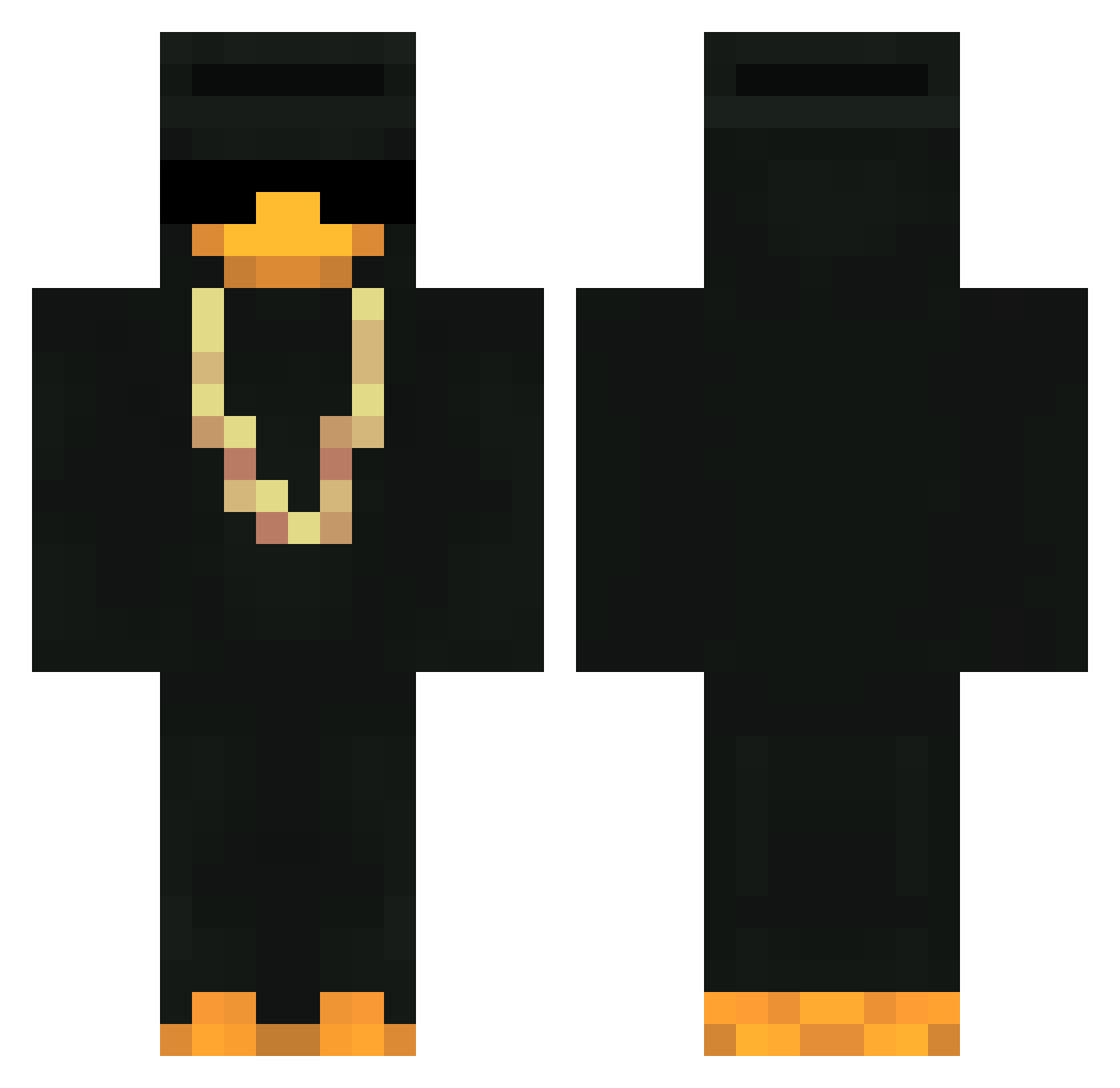
Current Minecraft skin of the player seto_1, loaded from the official Mojang API. Rotate the 3D model with your mouse or finger, then download the skin as a PNG file and use it in Minecraft: Bedrock Edition or Java Edition for free. When seto_1 changes their skin, this page updates automatically and the old skin stays in the history below.
Other players with this skin (435)
seto_1 was the 24th player we have seen with this skin, first spotted on 28.07.2026. The same skin was seen on these players. Open a nickname to see their current skin and skin history.
 By_Raven vCreeper_ GamePaper ganso69W rj3ztnQfRkC8 Huseyin1977 PsyDuckz tek3nimo Zi_Ooo CartNarcs WillyJoee DZELATT losIOI Dijart bambellman Red3mpti0n Dizer0x Solnshki Batatinha2801 l3illCosb Kizbou Dona_Dong lighthhost _CertifiedRat zGustaaaS2 MilkyDilky 555555555512 Nrioks JAC14c IdkEddy Askaddy Huncholini_ keevn1 Crasher_07 Kinzowho pench9927 DontUSimp itaipava69 tatinko LeLink11 Rwky_ behereorbesquare Scarl123 PickleyyBum ItzMoonari KrXx geradeaus_ Orange_peel017 gaina_ Startxzz _DemonDuck_ secnX Untitled_MC AlluTexx Jaquarious1 Chacalouu majorek99 Rislo93 oKloKy_ SER4Y
More Gold Chain Minecraft skins
How to install the seto_1 skin
- Press the Download button above to save the skin as a PNG file.
- Minecraft: Bedrock Edition (PE): open the Dressing Room from the main menu (or tap your character → Edit Character), go to Classic Skins → Owned, press the + (new skin) button, choose the downloaded PNG and pick the Classic (Steve) model. Works on PC and mobile; consoles cannot import custom skins.
- Minecraft: Java Edition: open the Minecraft Launcher, go to the Skins tab, click New Skin, load the PNG, pick the Classic (Steve) model and press Save & Use. You can also upload it at minecraft.net → Profile → Change Skin.
The skin does not show up after import - what should I do?
Restart Minecraft and open the Dressing Room again - imported skins sometimes appear only after a restart. Also make sure you selected the imported skin and picked the Classic (Steve) model.
Which model should I choose, Classic or Slim?
This skin is designed for the Classic (Steve) model. If you pick the wrong model, the arms of the skin will look stretched or squeezed.
Is the skin of seto_1 free to download?
Yes. Press Download, save the PNG file and use it in Minecraft: Bedrock Edition or Java Edition - no payment or registration needed. The skin also works on multiplayer servers and Realms.
More skins
Looking for more? Go back to all Minecraft skins and check the top skins of the week, month and all time, or find any player's skin by nickname.